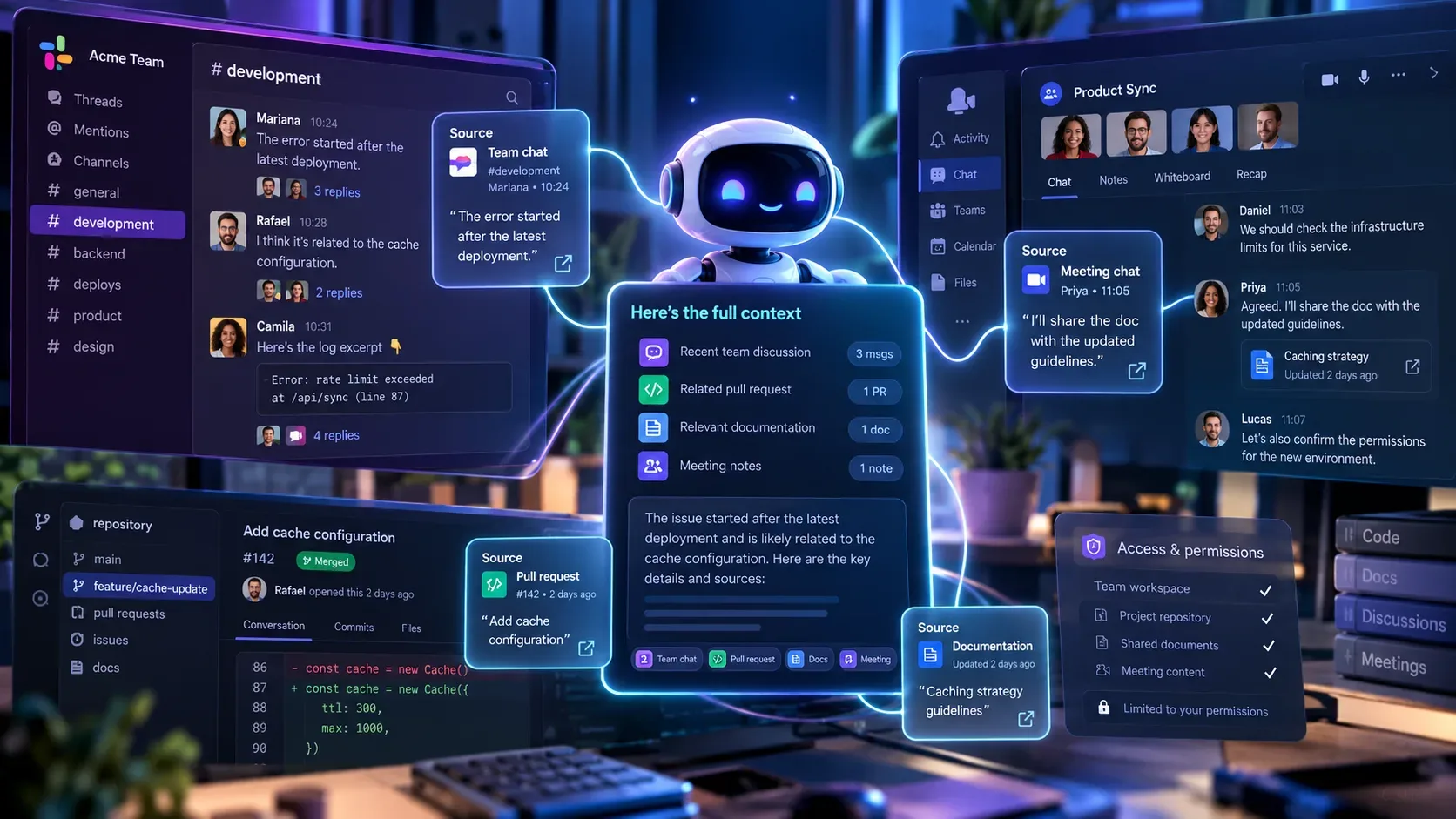
GitHub Copilot in Slack and Microsoft Teams can turn a conversation into context for investigating a repository, planning changes, creating issues, and opening pull requests. The update announced on September 25, 2026 expanded the types of context the integrations can use and strengthened traceability between the discussion and the work created on GitHub. To use this flow without losing the source, the key point is to understand that a shared thread can become the agent's decision context and that the integration keeps links between the result and the discussion that originated it.
This does not mean that any message grants authority to change a repository. Conversation context, the identity used by the integration, and authorization to perform actions are separate layers. In a shared conversation, participants can add information, but only users with write access to the repository can trigger changes. In direct messages, the agent uses the permissions of the linked GitHub account.
What changed in the integrations on September 25, 2026
According to the official GitHub changelog, Copilot can now use more material that already exists in conversations. In Slack, the update added supported files, attachments, and message links as context. In Teams, the agent can work with inline images, forwarded-message context, and channel and thread history.
The same announcement also strengthened the connection between discussion and execution. Before creating a new issue, Copilot can check for similar existing issues. When it creates work on GitHub, the integration provides direct links to the resulting work and keeps a link back to the originating conversation. The goal is to let someone who arrives later at an issue or pull request recover the discussion that led to the action instead of seeing only the final artifact without context.
There are also workflow controls. You can switch the model for the next message and keep that choice throughout the conversation. In Slack, you can also define default repositories and owners. The changelog also records improvements for long-running tasks, reconnection after idle periods, interrupted replies, safer repository switching, and more reliable channel-thread history retention in Teams.
How to use conversation context without losing the source
- Choose the right conversation. If the decision lives in a specific thread, invoke GitHub in that thread. The Slack and Teams documentation says the agent can use the conversation as a whole for context. Mixing unrelated topics in one thread therefore also mixes context.
- Mention @GitHub with an explicit task. State what should be investigated, planned, or changed and, when possible, identify the repository and branch. A precise request reduces the chance that the agent infers the wrong destination from a long conversation.
- Confirm the working repository. Slack and Teams can use a channel default repository when none is provided. If the task belongs to a different project, name the repository in the request before the work begins.
- Review the context scope. The documentation warns that the entire thread can be captured and stored in artifacts generated by the agent. If part of the conversation should not be included, start a new thread or use a direct message to narrow the context.
- Follow the links in both directions. The result should point to the artifacts created on GitHub, while the integration keeps the connection to the conversation that started the task. That relationship is the main traceability mechanism in the flow.
Where the context comes from in Slack and Teams
| Aspect | Slack | Microsoft Teams |
|---|---|---|
| Conversation history | The thread can be used as complete context for the task. | Thread and channel history can be used as context. |
| Additional context highlighted in the update | Supported files, attachments, and message links. | Inline images, forwarded messages, and channel and thread history. |
| Repository | A channel can have a default repository. Slack also received controls for default repositories and owners. | A channel can have a default repository configured through the integration. |
| Task continuity | A task can get a dedicated Slack Code channel with repository, branch, links, and session status. | The session continues in the conversation, with details such as repository, issue or pull request link, model, and status. |
| Traceability | Created work receives links and stays connected to the originating conversation. | Created work receives links and stays connected to the originating conversation. |
The practical difference is not only the interface. In Slack, the documentation describes a dedicated channel called Slack Code for an agent task, concentrating session continuity there. In Teams, iteration happens in the thread itself and the agent incorporates later messages to refine the work. In both cases, the shared conversation is a context source, not a substitute for reviewing the created artifact.
What preserving the source means in practice
Preserving the source has two dimensions. The first is technical: GitHub says created artifacts can remain linked to the conversation that supplied the context. The second is operational: the team needs to use threads, repositories, and tasks consistently so that link remains useful.
If one thread contains decisions about three different services, a back link to that conversation still exists, but the origin becomes less clear to a reviewer. A useful practice is therefore to keep one thread per meaningful problem or decision, specify the repository and branch when needed, and avoid reusing an old session for unrelated work.
It is also worth reviewing artifact links after the agent finishes. Traceability helps explain why an issue or pull request exists, but it does not replace human verification of the content, especially because the official pages remind users that Copilot uses AI and can make mistakes.
Permissions: conversation context is not write authorization
The official Slack and Teams pages clearly separate collaboration from authorization. In a shared context, Copilot creates artifacts under the app's identity. In a direct message, it uses the permissions of the linked personal GitHub account to perform actions.
- Write access: only users with write permission to the repository can trigger the agent to make changes.
- Context contribution: other conversation participants can provide information that the agent considers, even when they cannot initiate a change.
- Guests and outside collaborators: the documentation says these profiles cannot start or steer a Copilot session in these integrations.
- Repository rules: pull requests created in shared context use the app's identity. When the repository already requires approval, rules can require one additional approval because the author is not a person.
There are also permissions for the integration itself. The GitHub in Slack permissions and GitHub in Teams permissions pages list read access needed to show code and previews, plus write permissions used to create issues, pull requests, and start agent sessions. In corporate environments, administrators can also restrict which repositories the app can access.
How to limit excessive or ambiguous context
The most important recommendation is to treat the thread as part of the agent's input. Before mentioning @GitHub, check whether the conversation contains only information that is appropriate for the task. The general Copilot integrations guide says the agent captures the thread or work item to understand context and that this context is stored in the artifacts it creates.
- Start a new thread when the subject has changed or when the conversation has accumulated outdated hypotheses.
- Use a direct message if you want to narrow the context instead of relying on an entire shared discussion.
- State the repository and branch when there is a risk of ambiguity.
- Include objective criteria such as expected behavior, affected file, or acceptance condition instead of relying only on vague references to earlier messages.
- After switching repositories, verify the repository shown by the session before continuing.
- For a new task, avoid reusing an old session only because it is already open.
Availability and limits that still matter
The integrations are still marked as public preview on the operational documentation pages consulted. The September 25 changelog describes the improvements package as available in public preview to organizations on GitHub Copilot Business and Enterprise and notes that some capabilities are rolling out gradually. The current Slack and Teams pages, however, say the integrations are available with paid Copilot plans. Because these formulations are not identical, the actual availability of a specific capability should be checked in the workspace and in the organization's policies.
Using the agent also depends on cloud sandboxes and, in organizations or enterprises, on administrative policies that may need to be enabled. Having the integration installed does not guarantee access to every repository. The user still needs the appropriate authorization, and the app must have access to the selected repository.
Finally, more context does not mean unlimited context or infallible answers. Files or images must fit the formats and paths supported by the integration, capabilities can roll out gradually, and interrupted tasks or old sessions still require attention. The update improves recovery and status reporting for those situations, but the team remains responsible for checking the repository, generated artifacts, and final content.
Quick checklist for using the feature with traceability
- Confirm that the GitHub integration is installed and your account is linked.
- Verify that the agent and cloud sandboxes are enabled for your organization.
- Choose a thread that represents one problem or decision.
- Before sending, check that the thread does not contain context that should not be stored in the artifact.
- Mention @GitHub and clearly state the task, repository, and branch when needed.
- Confirm that you have write access to the repository before triggering changes.
- Use files, attachments, message links, or images only when they are relevant to the task.
- After execution, open the issue or pull request links and verify the connection to the originating conversation.
- Review the result as a human before merging or treating the output as a completed decision.
Sources and references
- GitHub Changelog: Updates to GitHub Copilot for Slack and Microsoft Teams
- GitHub Docs: About Copilot integrations
- GitHub Docs: Integrating Copilot cloud agent with Slack
- GitHub Docs: Integrating Copilot cloud agent with Teams
- GitHub Docs: Permissions for GitHub in Slack
- GitHub Docs: Permissions for GitHub in Teams