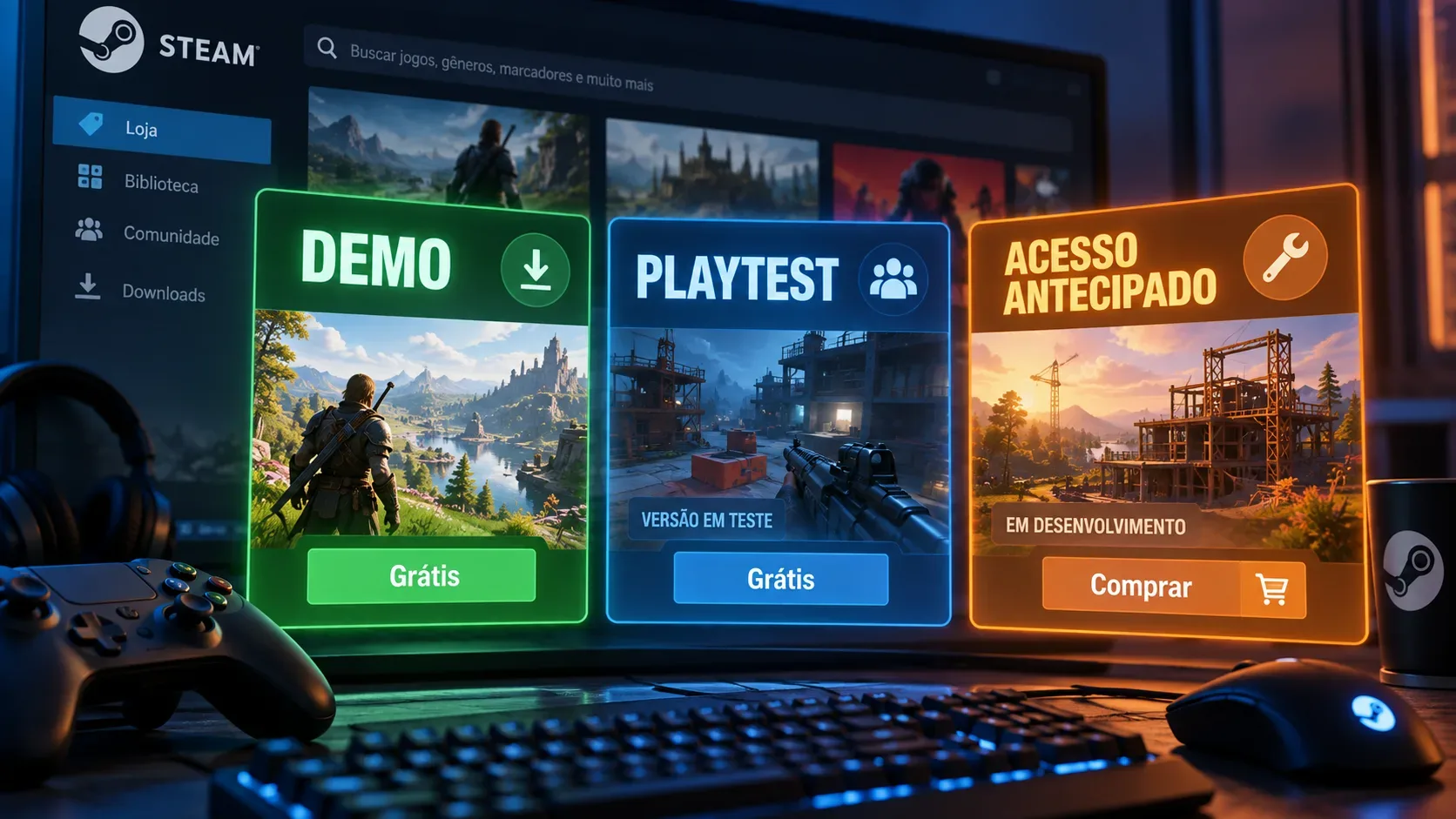
On Steam, demos, Steam Playtest, and Early Access give players access to games at different stages, but they are not the same thing. A demo is a free sample designed to let you try part of a game before buying it. Steam Playtest is a free testing environment whose access can be limited and ended by the developer. Early Access, meanwhile, is the sale of a playable game that is still in development. The core distinction is simple: a demo is for trying, a Playtest is for testing, and Early Access is a purchase of a product still in development.
Demo, Playtest, and Early Access at a glance
| Format | Do you pay? | Can access end? | Reviews | What you get |
|---|---|---|---|---|
| Demo | No | Yes. The developer can deactivate it | They may exist if the demo has its own store page | A free, limited version of the experience |
| Steam Playtest | No | Yes. The test can close or be marked not playable | The Playtest is separate from reviews of the main game | Access to a build intended for testing |
| Early Access | Usually yes, according to the store price | It is not designed as a temporary test. The product is sold to remain available during development | Yes, on the product being sold | The playable game in its current, unfinished state |
What is a Steam demo?
Valve's official documentation defines a demo as a free version that lets customers try a game before purchasing it. It is usually a smaller slice of the experience and can have a separate AppID linked to the full game. Its purpose is to show enough mechanics and content to help with a purchase decision.
A demo is not necessarily a technical test. It can launch before or after the main game, and the developer controls when it is available. Valve also allows a demo to be deactivated. Players who already have it in their library may still see it, but once Steam-side deactivation applies, they cannot launch it again through the platform.
If the developer configures a separate store page for the demo, players can post reviews specifically for that demo. That is different from treating a demo review as a review of the full game.
Does demo progress carry over to the full game?
There is no universal rule. Valve provides tools that can let a demo share cloud storage with the full game, allowing progress to continue after purchase, but the developer has to implement that setup. Check the demo description or the game's own notices before assuming progress will transfer.
How does Steam Playtest work?
Steam Playtest is built for game testing. It uses a separate application associated with the main game and is free for both users and developers. A studio can admit participants in batches, open participation, or distribute test keys depending on its setup.
The key point for players is that access today does not mean permanent access. The developer can stop sign-ups and mark the Playtest as not playable when testing ends. A Playtest should therefore be treated as temporary access to a test build, not as a free copy of the future game.
Playtest is also designed so testing does not interfere with the main game's user reviews or wishlists. Sign-up is tied to the base game's page, but the test application is separate.
Does signing up guarantee entry?
Not always. In a limited Playtest, a user requests access and the developer admits groups according to capacity. In an open Playtest, entry can be automatic for people who sign up while that mode is enabled. The exact rules depend on each Playtest.
What do you buy in Early Access?
With Steam Early Access, a game is sold while it is still being developed. Valve requires a playable product at the time of purchase and tells developers that customers should judge what exists now rather than promises about future features.
That means Early Access is not a pre-purchase. You buy access to the game in its current state, knowing it may change during development. Valve also tells developers not to make specific promises about when a game will be finished or which future additions will definitely arrive.
There is no single pricing rule. Some studios begin at a lower price and raise it as the game develops, while others choose a different strategy. Buying early is therefore not guaranteed to be cheaper.
Can Early Access simply turn back into a Playtest?
The formats are not interchangeable. Valve's documentation says that after an Early Access game is released, it cannot be taken down and returned to a Coming Soon state as a temporary test. For a build the studio may want to withdraw later, Steam Playtest is the indicated alternative.
Reviews: where the distinction matters
In Early Access, reviews belong to the product being sold. After full release, reviews written during Early Access can remain identified as Early Access reviews. Steam Playtest is specifically designed to let developers test without affecting reviews of the main game. Demos with their own store page can allow reviews of the demo itself.
When reading ratings and comments, check which application is being reviewed. A demo review describes the sample, a Playtest experience may reflect an experimental build, and an Early Access review evaluates a commercial product that is still being developed.
Saves, progress, and updates require attention
Save transfer is not guaranteed in any of the three formats. Demos can share Steam Cloud storage with the full game if the developer configures it. Playtests can implement technical features such as cloud saves, but that does not create an obligation to migrate progress to release. In Early Access, updates can also break save files, and Valve advises developers to warn players when they know this may happen.
If keeping your progress matters, look for an explicit statement from the developer about save compatibility. If there is no such statement, treat transfer as uncertain rather than guaranteed.
How to choose whether to try, test, or buy
- Choose the demo when you want a free sample to decide whether the game suits you.
- Join the Playtest when you are comfortable playing a test build that may be unstable and whose access may be limited or ended.
- Buy in Early Access only if the game's current state already feels worth the price to you, without relying on a final release date or promised features.
Before installing or paying, read the specific game's store page and notices. Steam defines what each format allows, but duration, available content, stability, save policy, and update cadence remain decisions made by each developer.