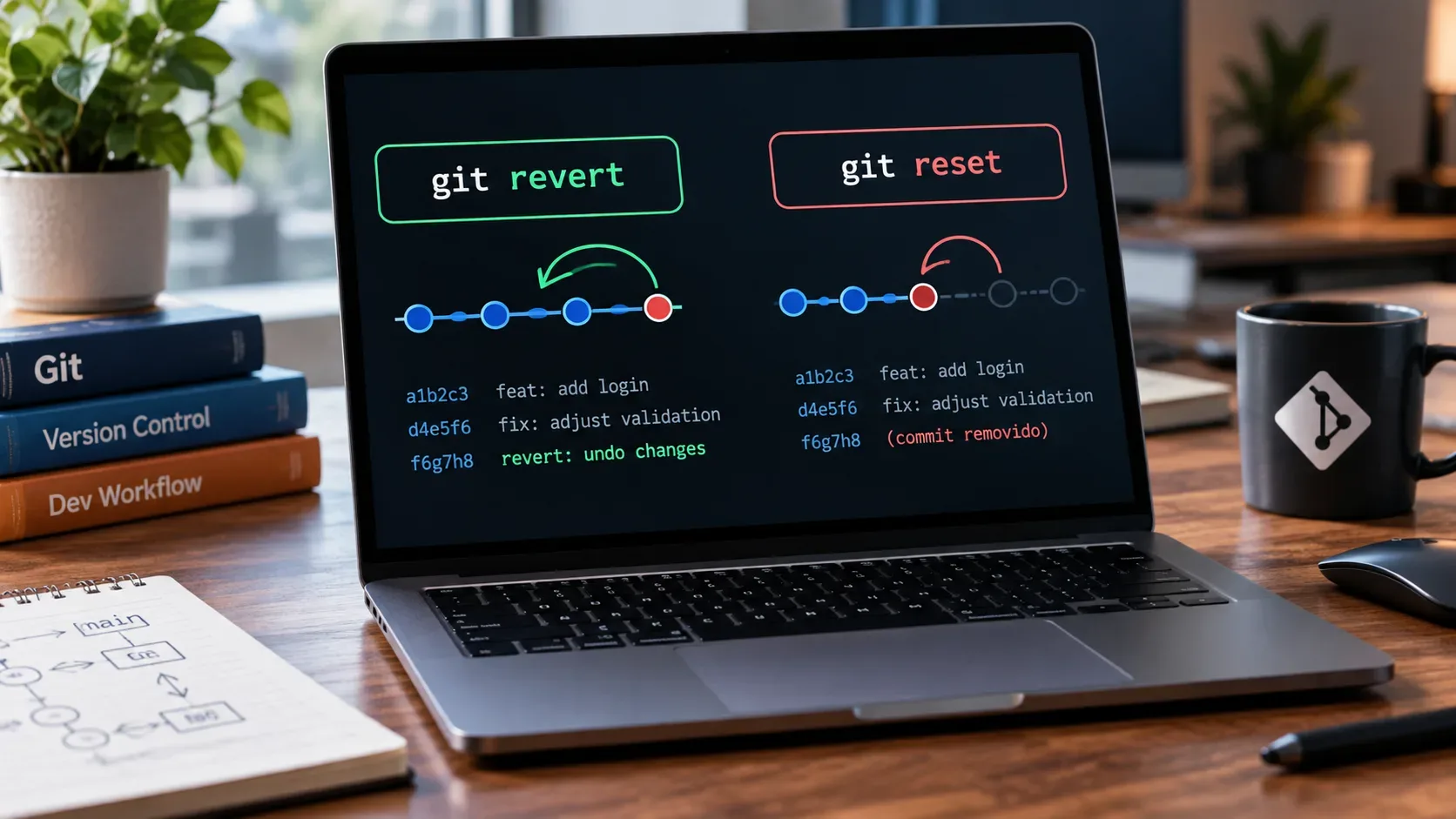
If the commit has already been pushed to a shared branch and other people may have based work on it, the generally safer option is git revert. It does not erase the old commit: it creates a new commit that applies the inverse of its changes. git reset, by contrast, moves HEAD and, depending on the mode, can also change the index and working tree. That is useful for fixing local history, but it can cause other people's work to be lost when published history is rewritten.
Practical rule: shared history calls for revert
Start with one question: has the commit you want to undo already reached the remote and could someone else have seen, fetched, or built work on it? If yes, prefer preserving history. git revert <commit> creates a new commit that neutralizes the changes introduced by the selected commit without moving the branch pointer backward.
This matters especially on branches such as main, master, develop, or any team branch. People who already have the original commit keep a history that remains compatible with the remote. The new reversal commit appears after it, documenting what happened and when the decision was made.
When git reset makes sense
git reset is appropriate when you control the history you are changing, especially before publishing the commits. In the form that takes a target commit, it moves the current branch HEAD to that point. Its effect on the index and files depends on the selected mode.
| Command | HEAD | Index | Working files | Typical use |
|---|---|---|---|---|
| git reset --soft HEAD~1 | Moves back one commit | Preserved | Preserved | Redo the last commit while keeping everything staged |
| git reset --mixed HEAD~1 | Moves back one commit | Reset | Preserved | Undo the commit and keep the file changes unstaged |
| git reset --hard HEAD~1 | Moves back one commit | Reset | Reset | Discard the commit and corresponding tracked changes, only when that is truly intended |
Without a mode, git reset uses --mixed behavior. The critical case is --hard: it resets the index and working tree to the target and discards changes to tracked files that are not present in that state. It should not be treated as a generic undo button.
Safe example for a commit that is already published
Suppose the problematic commit is a1b2c3d and it is already on a shared branch. A predictable flow is to update your view of the remote, confirm the commit, and then create the reversal:
git fetch origin git log --oneline --decorate -n 10 git revert a1b2c3d git push origin branch-nameIf the revert produces conflicts, Git stops so you can resolve them. After editing the files and marking the resolutions with git add, continue with git revert --continue. If you realize you chose the wrong commit or do not want to proceed, use git revert --abort to abandon the in-progress revert.
Example for fixing the latest commit while it is still local
If the commit has not been published and you simply want to redo it without losing the changes, --soft is often the most conservative reset mode:
git reset --soft HEAD~1 git status # adjust files or message as needed git commitThe changes remain staged in the index. If you prefer them to return to the working tree without staying staged, use git reset HEAD~1, which is equivalent to --mixed in this context.
Why reset after a push can affect other people
After a reset moves a branch backward, your local branch history no longer contains, on that branch line, commits that may still exist on the remote and in teammates' clones. A normal push will usually be rejected because it is not a fast-forward update. Forcing the update replaces the remote reference and can make other people's commits unreachable through the shared branch.
The git push documentation warns that --force can cause the remote repository to lose commits. --force-with-lease adds a safeguard: the forced update fails if the remote reference is not at the expected value. Even so, it does not make shared-history rewrites routine, and the documentation notes caveats when tools fetch in the background.
If rewriting is unavoidable
Some teams allow rebase, squash, or other rewrites on feature branches. In those cases, safety depends on team rules and knowing exactly who may be using the branch. Before a forced push, refresh remote references, confirm the target, and avoid blind --force. When policy allows rewriting, --force-with-lease provides better protection than --force, but it does not replace coordination.
How to recover from an accidental local reset
A reset that moved HEAD does not always mean the commit is immediately unrecoverable. The local reflog records reference movements and can help you find the previous object ID:
git reflog git show <found-hash>Once you identify the right commit, you can create a temporary branch to preserve it before doing anything else:
git branch recovery <found-hash>The reflog is local. It records reference movements in that specific repository, so it should not be treated as a substitute for backups, command review, or remote-history protection.
What if the commit to undo is a merge?
Reverting a merge requires specifying which parent is the mainline with -m <parent-number>. Do not choose that number by trial and error. First inspect the merge and identify the correct mainline. Reverting a merge also records that the changes brought in by that merge are not wanted, which can affect later merges. Review the graph and the intent before running the command.
Checklist before undoing a commit
- Confirm the current branch with git status or git branch --show-current.
- Refresh remote references with git fetch before deciding about published history.
- Verify the commit hash and contents with git show <hash>.
- If the commit has already been shared, prefer git revert.
- If the commit is local only, choose among reset --soft, reset --mixed, and reset --hard based on what should happen to the index and files.
- Avoid reset --hard when you still need to preserve local changes.
- Do not force-push to a shared branch without explicit policy and coordination.
In summary
git revert and git reset undo problems in different ways. revert adds a new inverse commit and is the default choice when history is already shared. reset repositions local history and is better suited before publication, when you control the affected commits. To avoid deleting other people's work, make the decision based on the state of the history, not only on the file result you want.