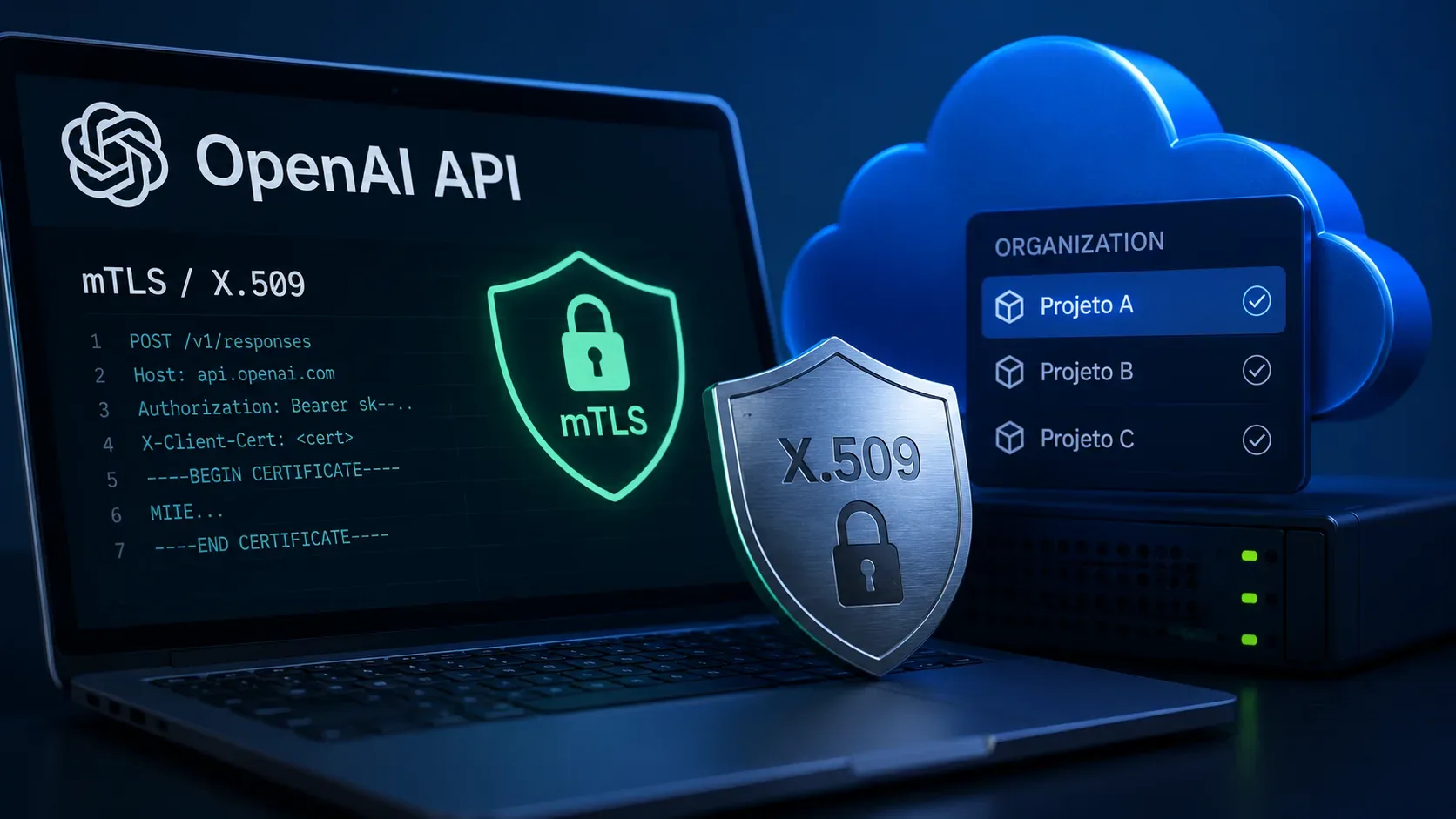
On August 29, 2026, OpenAI marked two API security features as generally available (GA): Mutual TLS (mTLS) and X.509 workload identity federation. They complement each other, but they are not the same thing. mTLS adds client-certificate verification to normal API authentication. X.509 federation lets a workload exchange a certificate-verified identity for a short-lived access token, replacing the API key without removing the certificate requirement on protected API calls.
For teams that want to adopt the feature without turning a security change into an outage, scope is the key detail: the trust certificate can be activated per project or for the organization. The safer path is to start with a non-critical project, validate the workloads, and only then broaden the scope.
What changed with GA on August 29, 2026
OpenAI's release notes state that, on August 29, 2026, mTLS and X.509 federation became GA for the OpenAI API. The current developer documentation also presents both flows as available API features and details their configuration, scope, rotation, and authentication behavior.
There is, however, a documentation mismatch worth noting: a Help Center page about the Mutual TLS “beta program” still says the feature is in beta, even though it was updated only a few days before the GA announcement. That conflicts with the dated release notes and the current developer documentation. For deployment decisions, the most consistent reference today is the GA announcement together with the current Mutual TLS and X.509 federation guides, with another status check before a production change.
Before activation: permissions, certificates, and a recovery plan
OpenAI uses role-based access control to manage mTLS. The api.mtls.read permission lets a principal list, view, and test certificate settings. The api.mtls.write permission lets a principal upload, update, activate, deactivate, and delete certificates. The organization owner role includes these permissions, and they can also be granted through a custom role.
Before activating any certificate, prepare four items:
- a client certificate and its private key for each workload;
- the intermediate certificates needed to build the trust chain;
- a stable PEM-encoded trust anchor that can be activated at the project or organization level;
- a non-critical project and a tested recovery path in case the policy blocks valid traffic.
Private keys should stay outside source control and logs. The same caution applies to certificate contents and bearer credentials.
How to activate mTLS per project
The operational detail that prevents the most surprises is simple: uploading does not enable mTLS. Uploading only stores the trust certificate. Request behavior changes when the certificate is activated for a project or the organization.
- Open Organization settings > Security > Mutual TLS in the Platform.
- Upload one PEM trust anchor per certificate object and use a name that identifies the authority and rotation generation.
- If needed, add a CEL filter to restrict which verified client certificates that anchor may accept.
- Activate the certificate on a non-critical project first.
- Move that project's workloads to an mTLS host and send representative requests from every expected client.
- After validation, activate the same certificate on the other planned projects or at the organization level.
Administration can also be automated through the API:
| Action | Endpoint |
|---|---|
| Upload a certificate | POST /v1/organization/certificates |
| List organization certificates | GET /v1/organization/certificates |
| Retrieve, update, or delete a certificate | GET, POST, or DELETE /v1/organization/certificates/{certificate_id} |
| Activate or deactivate for the organization | POST /v1/organization/certificates/activate or /deactivate |
| List, activate, or deactivate for a project | GET or POST /v1/organization/projects/{project_id}/certificates |
These operations require an administrative credential with the corresponding read or write permission.
Project or organization: how scope is applied
Scope determines where the certificate becomes mandatory. The current documentation says OpenAI checks active project-level certificates before active organization-level certificates. If neither scope has an active certificate, mTLS does not add a certificate check to the request.
In practice, project-level activation is the better choice for a gradual rollout: you can test one service, team, or environment without immediately imposing the same policy on every project. Organization-level activation is broader and should be used only after affected workloads are ready to present accepted certificates.
This design also helps with rotation and incident isolation. One project can adopt a new trust anchor before the others while the organization keeps another certificate active during the transition.
X.509 certificate and chain requirements
The configuration accepts one PEM trust anchor per certificate object. The uploaded certificate must be valid and expire more than one day after upload. For request verification, the client certificate must include an Authority Key Identifier (AKI).
An mTLS-protected request passes only when:
- the client certificate is valid at request time and suitable for TLS client authentication;
- the client chain reaches an active trust anchor at the project or organization level;
- all required intermediates are presented by the client during the TLS handshake;
- the chain passes standard X.509 validation and, when configured, the associated CEL filter.
OpenAI says it does not fetch missing intermediates from AIA URLs and does not perform CRL or OCSP checks in this flow. The client therefore has to present the complete required chain, and incident response should rely on rotation, deactivation, and your own certificate-lifecycle controls.
CEL filters can also use subject and Subject Alternative Name attributes. That makes it possible, for example, to accept only certificates from a specific organizational unit or an expected DNS namespace.
How to call the API after activation
After mTLS is activated for the scope, traffic must use an mTLS host. The documented hosts are:
- mtls.api.openai.com — default mTLS host;
- mtls-us.api.openai.com — United States regional mTLS host;
- mtls-eu.api.openai.com — European Union regional mTLS host.
The /v1 route remains the same as on the corresponding API surface, but OpenAI recommends testing every API and model used by the workload because route and model availability can differ across regional hosts.
mTLS does not replace normal bearer authentication. In a curl test, for example, the call must send the client chain with --cert, the private key with --key, and continue sending the Authorization: Bearer ... header. The chain file should start with the client certificate and then include any required intermediates.
When to use X.509 workload identity federation
X.509 workload identity federation solves a different problem: removing a long-lived API key from the workload. The flow reuses the mTLS trust store but adds an X.509 identity provider and a mapping to a service account in a project.
- The organization uploads and activates the trusted root in Mutual TLS settings.
- An X.509 provider derives openai.* attributes from the verified certificate and must produce a non-empty openai.subject.
- A mapping associates that identity with a service account inside a project and grants only the API permissions it needs.
- The workload presents the certificate to POST https://mtls.auth.openai.com/oauth/token and receives a short-lived bearer token.
- The workload calls the API on an mTLS host with both the token and an accepted certificate.
The token replaces the API key, but it does not replace the certificate. It expires after at most one hour and never outlives the verified certificate. There is no refresh token: the workload repeats the X.509 exchange to obtain another token.
The current documentation also says this X.509 flow is for the OpenAI API and is not supported by Codex; for Codex, the guidance is to use OIDC or SPIFFE JWT-SVID according to the corresponding workload identity guide.
Rotation, errors, and limitations to put in the runbook
Rotation should use overlap. Upload the new trust anchor without deactivating the old one, activate it in the intended scopes, migrate workloads, and test. Only then deactivate and finally delete the old certificate. Intermediate certificates can be rotated without changing the configured root as long as the updated complete chain is presented on new connections.
| Code | What to check |
|---|---|
| certificate_required | An active certificate applies to the scope, but the request did not present client-certificate material. |
| invalid_certificate | The certificate could not be parsed or is missing the required AKI. |
| certificate_verification_failed | The presented chain does not reach an active trust anchor. |
| certificate_attribute_verification_failed | The chain verified, but the CEL filter rejected the certificate. |
| authentication_temporarily_unavailable | A temporary verifier or CEL evaluator failure occurred; treat it as transient and apply the normal retry policy. |
Documented limitations include a maximum of 50 certificate objects per organization, no CRL/OCSP checks, incompatibility between mTLS and Private Link, and the fact that mTLS does not provide certificate-only authorization. Bearer authentication remains required, either with a traditional API key or with the short-lived token from X.509 federation.
Checklist for a rollout that does not block production
- Confirm the administrator has api.mtls.read and, for changes, api.mtls.write.
- Register the trust anchor and validate expiration, AKI, and the complete chain.
- Start with a non-critical project and keep a tested rollback path.
- Move the workload to the correct mTLS host and keep the required bearer credential.
- Test every model, route, region, and client that will actually be used.
- Use CEL filters only after validating that certificate attributes are stable and predictable.
- Plan rotation with overlap and keep the private key out of repositories and logs.
- If you want to remove long-lived API keys, configure X.509 federation with a service account and per-project mapping.
- Before a broad change, recheck the release notes and the current guides, especially while the older Help Center page still carries the beta label.
The practical value of GA is less about “a new button” and more about treating workload identity and mTLS transport as production controls. Project-level activation gives teams a way to reduce blast radius: validate first, expand later, and clearly separate who manages certificates from who simply consumes the API.