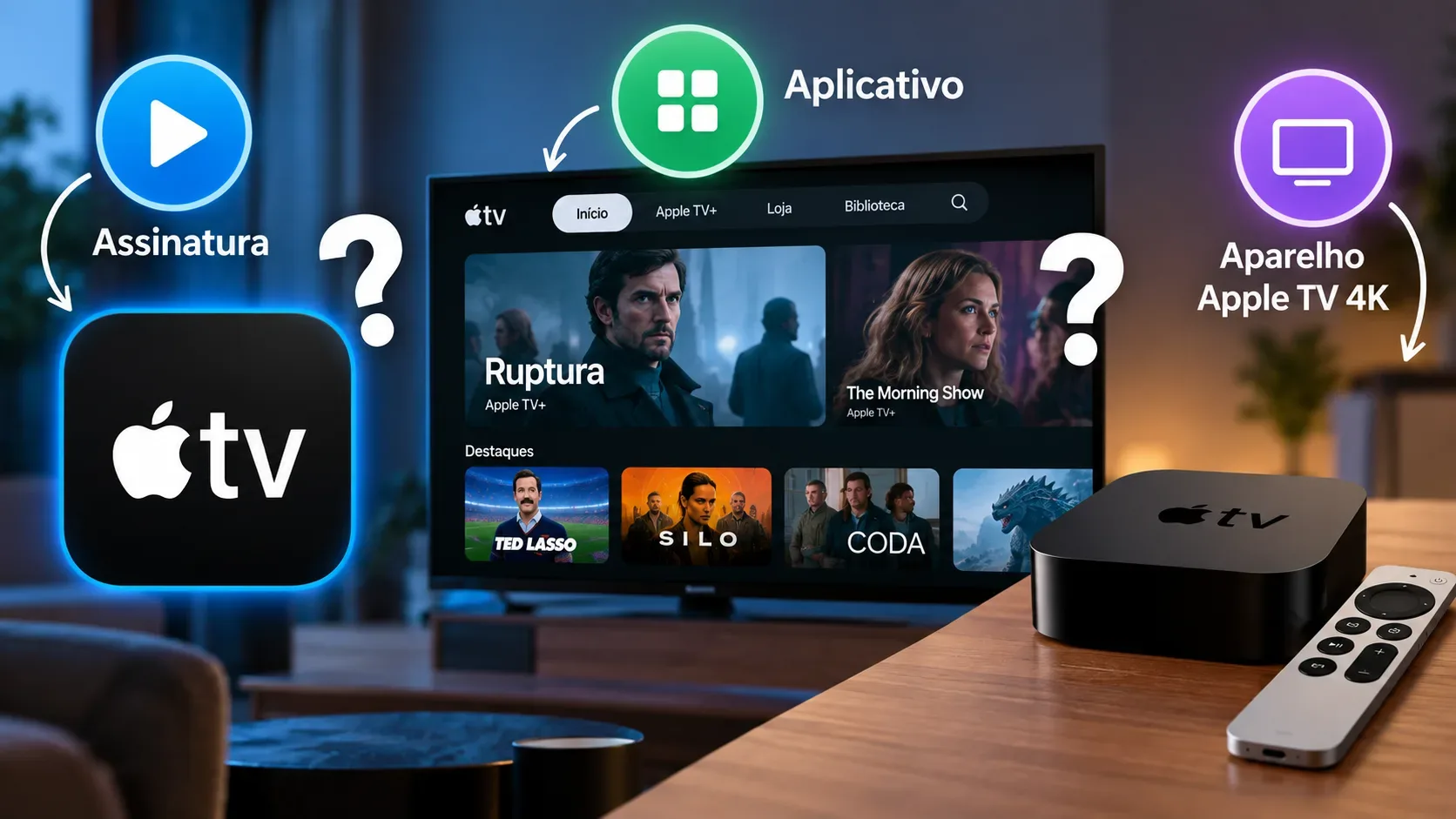
No. Apple TV can refer to three different things: the subscription streaming service called Apple TV, the Apple TV app, and the Apple TV 4K device. In addition, the app also works as a store for movie and TV show purchases and rentals, which are not automatically included with the subscription.
What does each Apple TV name mean?
| Name | What it is | When you pay | Do you need Apple TV 4K? |
|---|---|---|---|
| Apple TV | A subscription streaming service with Apple Originals and other included content depending on country and offer | Recurring subscription, unless a trial or eligible promotion applies | No |
| Apple TV app | An app that brings together the Apple TV service, your library, the store and, in supported markets, channels and integrations | The app itself is not a subscription; charges depend on the content or service you choose | No |
| Apple TV Store in the app | The area where available movies and shows can be purchased or rented | Separate payment for each purchase or rental | No |
| Apple TV 4K | A physical device connected to a TV through HDMI, running tvOS and streaming apps | You buy the hardware; paid subscriptions and content remain separate | It is the device itself |
The Apple TV subscription is the streaming service
An Apple TV subscription gives you access to the catalog included with the service on compatible devices. Apple says the service can be watched through the Apple TV app on Apple and Android devices, smart TVs and compatible streaming devices, as well as on the web. You therefore do not need to buy an Apple TV 4K to subscribe.
A naming change explains some of the confusion: Apple now calls the service formerly known as Apple TV+ simply Apple TV. Older materials may still use Apple TV+.
The subscription does not automatically include third-party subscription services or movies and shows offered for purchase or rental in the app. Before confirming a title, check whether the screen says it is included with your subscription, belongs to another channel or service, or requires a separate payment.
The Apple TV app is the gateway, not a bundle that unlocks everything
The Apple TV app organizes different types of access in one interface. You can find content from the Apple TV subscription, access purchased items, buy or rent titles and, where available, subscribe to channels. That does not mean every item shown in the app is covered by one monthly fee.
The app is available on several types of devices. Apple lists Apple and Android devices, PCs, smart TVs, game consoles and streaming devices among the ways to access it, although availability and features can vary by country, region and device.
Purchases and rentals are separate charges
In the Apple TV Store inside the app, certain movies and shows can be purchased or rented separately. According to Apple Support, a purchase is added to your account library. For movie rentals, Apple states that you have 30 days to start watching and, once playback begins, 48 hours to finish or rewatch it within that period.
Not every device supports transactions directly. On some devices, you can watch content you already purchased, rented or subscribed to with the same Apple Account, but you may need to complete the purchase or subscription on another compatible device.
Apple TV 4K is the hardware connected through HDMI
Apple TV 4K is separate hardware. It connects to a TV or display through HDMI, runs tvOS and lets you install and use streaming apps. As of September 2026, the model sold by Apple is the third-generation Apple TV 4K with the A15 Bionic chip, offered in a 64 GB Wi-Fi version and a 128 GB Wi-Fi + Ethernet version.
Buying the device does not make every service free. Apple's product page notes that a subscription may be required. The hardware acts as a platform for Apple TV and other apps, while each subscription or purchase keeps its own terms.
Do I need an Apple device to watch?
Not necessarily. If your smart TV, game console, streaming device, phone, tablet or computer supports the Apple TV app, you can use the service without buying an Apple TV 4K. The Apple TV service can also be watched in a compatible web browser.
On a smart TV, the usual process is to find or install the Apple TV app, open it and sign in with your Apple Account. Some models may not allow purchases or subscriptions directly on the TV even though they can play content acquired on another device.
Which option matches each need?
- I want to watch Apple Originals: look for the Apple TV subscription and use a compatible device.
- I only want to install the app on my smart TV: look for the Apple TV app in the TV's app store. Installing it does not automatically create a subscription.
- I want a movie that is not included with the subscription: check whether it is offered for purchase or rental in the Apple TV Store and review the price before confirming.
- I want a dedicated streaming box for my TV: Apple TV 4K is the physical device for that purpose, but paid services are still subscribed to separately.
- I already purchased or rented something on another device: sign in to the app with the same Apple Account to check your library and device availability.
How to avoid paying for the wrong thing
Before confirming any charge, identify what the screen is actually offering: an Apple TV service subscription, a channel subscription, a title purchase, a title rental or the Apple TV 4K hardware. The names are similar, but they represent different products and access rights.
Also check device compatibility. App availability, store access, transactions and certain features vary by country, region and device. For current information, see the official Apple TV app page, the Apple TV 4K page and Apple's subscriptions and purchases guide.