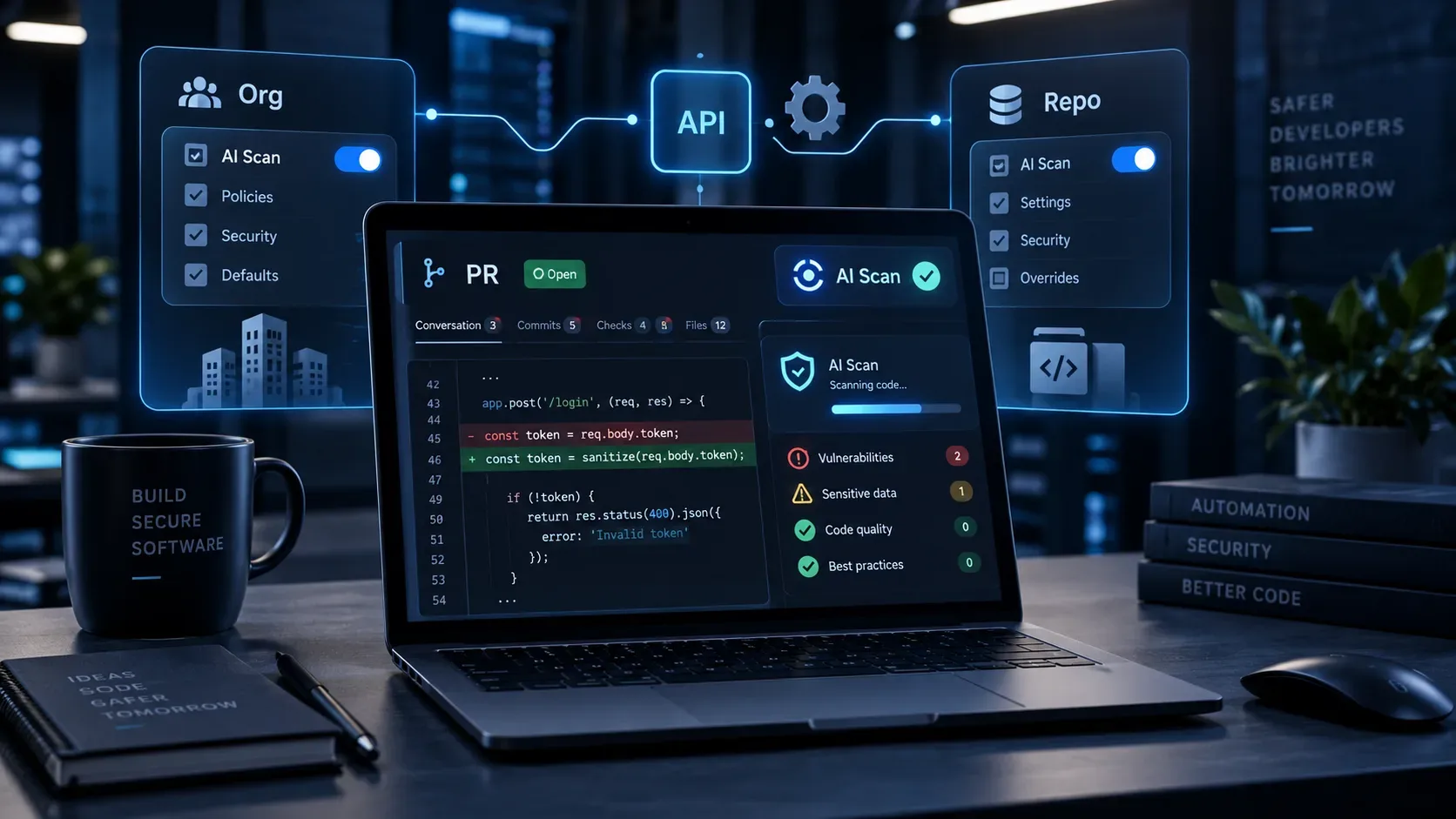
On September 10, 2026, GitHub opened a public preview of REST APIs for managing pull request AI Scan at the organization and repository levels. The new APIs are useful for teams that want to enable or disable scanning programmatically instead of repeating the same configuration manually in the UI. The most important detail is the hierarchy: a repository can adjust its own participation, but it cannot enable the feature when a higher layer blocks it.
According to the official GitHub announcement, the endpoints are /orgs/{org}/code-scanning/ai-scan and /repos/{owner}/{repo}/code-scanning/ai-scan. The documentation makes clear that these endpoints remain in public preview and are subject to change.
What must be ready before you call the API
Enabling the pr_scan parameter through the API does not remove the product prerequisites. In the current preview, AI Scan depends on a combination of policy, licenses, and code scanning configuration.
- Environment: the preview was announced for github.com. GitHub Enterprise Server is not supported in this release.
- Licenses: AI-powered security detections require GitHub Advanced Security and, during the public preview, a GitHub Copilot license as well.
- AI credits: usage consumes AI credits, according to the feature documentation.
- Enterprise policy: an enterprise administrator must allow AI Findings. If the enterprise disallows the feature, the organization cannot enable it.
- Organization opt-in: the organization must enable AI-powered detections before repositories can use them.
- CodeQL default setup: the repository must have CodeQL default setup enabled. This is an eligibility prerequisite even though the AI Scan run itself is independent of the status of a specific CodeQL run.
GitHub's conceptual reference for AI-powered security detections is the best source for checking these prerequisites because it also documents the preview's operating limits.
Organization vs. repository: endpoints, permissions, and effect
| Scope | Endpoint | Read | Update | Practical effect |
|---|---|---|---|---|
| Organization | /orgs/{org}/code-scanning/ai-scan | Fine-grained: organization Administration (read). The authenticated user must be an owner or security manager. | Fine-grained: organization Administration (write). | Defines whether repositories in the organization may use AI Scan. If disabled, a repository cannot bypass the block. |
| Repository | /repos/{owner}/{repo}/code-scanning/ai-scan | Fine-grained: repository Code scanning alerts (read). | Fine-grained: repository Administration (write). | Lets the repository opt in or out when the organization and enterprise policy allow the feature. |
Classic-token requirements vary by endpoint. At the organization level, the documentation accepts scopes such as admin:org, repo, or write:org, depending on the user's role. At the repository level, reading requires security_events for private or public repositories, while updating requires repo; for operations limited to public repositories, public_repo may be sufficient. Before automating, check the details on the organization API page and the repository code scanning API page.
How configuration precedence works
The safest way to think about configuration is from the top down:
- Enterprise: the AI Findings policy must allow the feature.
- Organization: pr_scan must be enabled to authorize use in repositories.
- Repository: it can stay enabled or opt out for that project.
This prevents a risky interpretation of the repository API: a well-formed PATCH does not guarantee that the setting will become effective if a higher layer blocks the feature. The organization documentation says an enable attempt can be rejected when the enterprise policy disallows AI Scan. The preview announcement also states that repository settings do not override an organization-level disabled state.
How to read and update AI Scan through the API
1. Read the organization setting
Send a GET request to https://api.github.com/orgs/ORG/code-scanning/ai-scan with the recommended headers Accept: application/vnd.github+json and X-GitHub-Api-Version: 2026-03-10. A 200 response uses the pr_scan field with a value such as enabled or disabled.
2. Enable or disable at the organization level
Send a PATCH request to the same endpoint with a JSON body equivalent to {"pr_scan":"enabled"} or {"pr_scan":"disabled"}. With a fine-grained token, updating requires organization Administration permission in write mode.
3. Read the repository setting
Send a GET request to https://api.github.com/repos/OWNER/REPO/code-scanning/ai-scan. A 200 response also returns the pr_scan state. A 403 can indicate, among other documented conditions, that GitHub Advanced Security is not enabled for the repository.
4. Update a specific repository
Send a PATCH request to the repository endpoint with {"pr_scan":"enabled"} or {"pr_scan":"disabled"}. The endpoint documentation lists 403 when the repository is archived or GitHub Advanced Security is not enabled, as well as 404 for a missing resource and 422 for validation failure.
A rollout flow that reduces surprises
For an organization with many repositories, it is useful to separate activation from verification. A conservative flow is:
- confirm enterprise policy, licenses, and AI credits;
- inventory repositories with GitHub Advanced Security and CodeQL default setup;
- read the current organization state through the API;
- enable the organization only when prerequisites are ready;
- select a small repository cohort and read each repository's state;
- apply PATCH only to the selected repositories;
- read the endpoints again after the change and record HTTP responses for automation auditing;
- expand the rollout after observing cost, signal quality, and false positives.
This design also makes rollback easier: because the value is explicit, automation can store the previous state and restore it if the preview behaves unexpectedly.
What the public preview still does not do
- It is not a full repository scan: AI-powered detections analyze pull requests only; full repository scans are not supported.
- It does not create a security-view backlog: AI findings appear in the pull request alongside code scanning results and not as historical repository security alerts.
- It does not block merges by itself: findings are advisory and, in the current preview, cannot be used in rulesets to enforce a merge requirement.
- It can produce false positives: as with other AI-based tools, results require human review, and GitHub provides thumbs-up/down feedback.
- The scope can change: detection categories, supported languages, and endpoint behavior may evolve during the preview.
- It is not in GHES for this release: the announcement limits this version to github.com for eligible GitHub Advanced Security customers.
Does AI Scan replace CodeQL?
No. GitHub presents AI Scan as a complement to CodeQL, especially for languages and frameworks outside current CodeQL coverage. The documentation gives examples including PHP, Shell/Bash, Terraform HCL, Dockerfiles, and framework gaps such as JSP and Blazor. AI Scan runs on pull request creation and after new commits, and it can continue even when a specific CodeQL run fails or remains waiting.
In practice, the security design is complementary: CodeQL keeps high-precision static analysis for its supported set, while AI-powered detections expand PR coverage. Enabling AI Scan is therefore not a reason to remove CodeQL default setup — the two are conceptually different, and default setup itself is a prerequisite for the feature during preview.
Checklist before you automate
- Is the environment github.com rather than GitHub Enterprise Server?
- Is GitHub Advanced Security enabled for the repository?
- Is there a GitHub Copilot license for the preview and budget for AI credits?
- Does the enterprise AI Findings policy allow enablement?
- Is the organization enabled for AI Scan?
- Is CodeQL default setup enabled in the repository?
- Does the token have the exact read or write permission for the chosen scope?
- Does the automation handle 403, 404, and 422 without assuming every error means the same thing?
- Does the rollout recognize that the feature is in public preview and may change?
For platform and AppSec teams, the main benefit of the new APIs is programmable governance: a setting that previously depended on UI clicks can now become part of scripts, pipelines, and controlled rollouts. The main caution is not to confuse that automation with unrestricted availability. Licenses, enterprise policy, organization opt-in, repository eligibility, and public-preview limits still determine whether AI Scan actually runs.