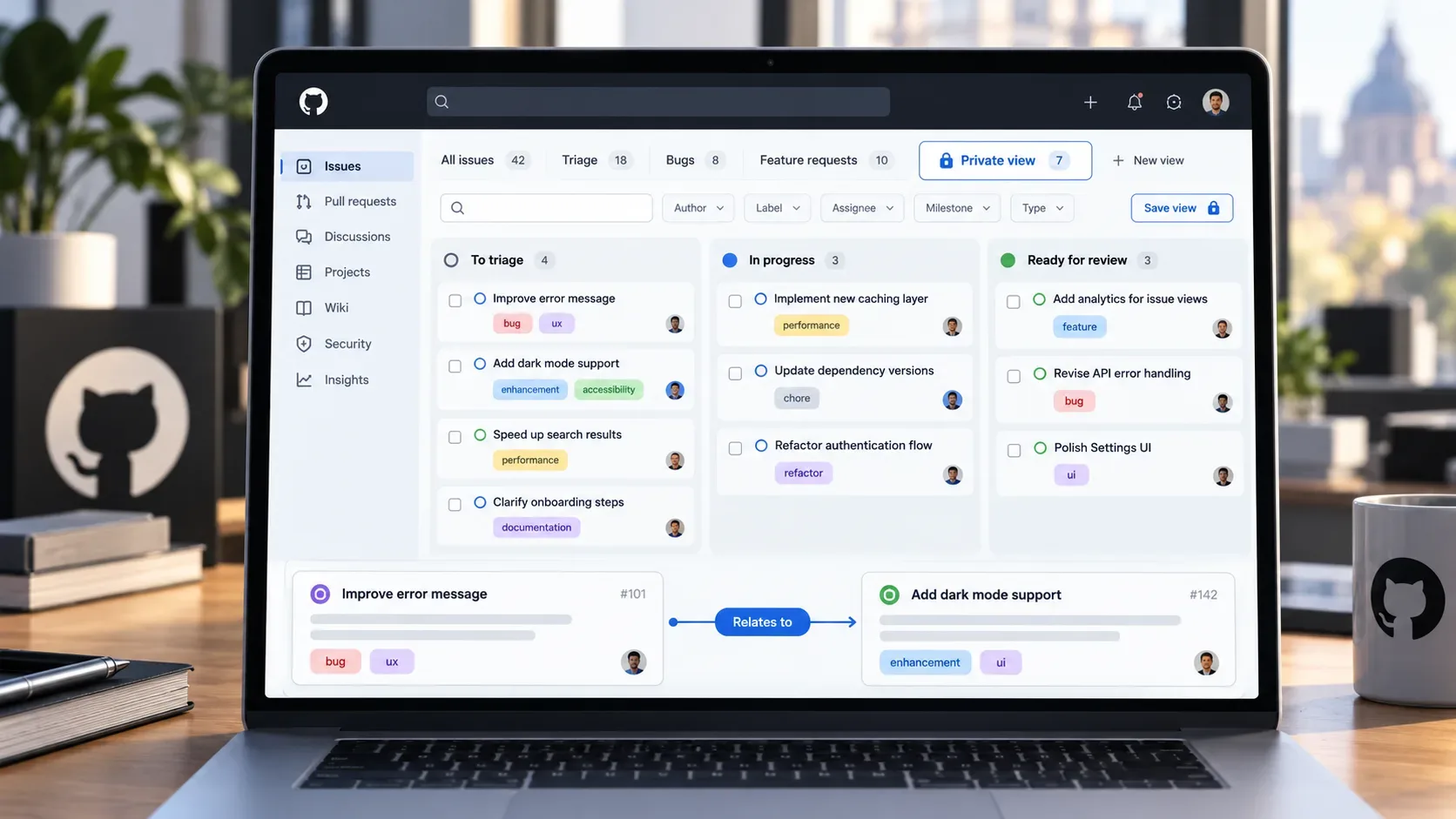
GitHub expanded issue triage organization with two changes that reached general availability on September 25, 2026: private saved views on repository Issues pages and broader support for the Relates to relationship. In practice, the first change lets people keep personal queues and filters without turning every work slice into a repository-wide shared view. The second provides an explicit relationship for connecting related issues without saying that one blocks, duplicates, contains, or closes the other.
What changes with saved views in Issues
Repository Issues pages had already been gaining saved views. In June 2026, GitHub put the feature in public preview with an emphasis on shared views, such as unassigned bugs, items that need triage, or customer-reported issues. On September 25, GitHub announced general availability of private saved views, aimed at personalized slices that do not need to become a convention for the whole team.
This distinction is useful because triage usually combines two different needs. The first is collective: the team needs stable and recognizable queues, for example, “Needs triage” or “Unassigned bugs.” The second is individual: each person may need to follow a temporary subset, such as issues for a component, items they intend to review during a shift, or tickets tied to a specific investigation. A private view keeps that second kind of organization personal without cluttering shared navigation.
How to use private views without fragmenting triage
The benefit is not in turning every search into a new view. A more consistent approach is to reserve shared views for queues that represent the repository's official process and use private views for a person's preferences or working routines.
- Shared view: represents an operational state that other people need to find and interpret in the same way.
- Private view: represents a personal way to slice the same issue base without creating a new team rule.
- Temporary search: remains appropriate when the filter is one-off and not worth saving.
This criterion reduces two common problems: too many nearly identical views and reliance on personal filters for processes that should be visible to the team. A critical triage queue, for example, should not exist only as the private view of the person who usually performs the first review.
What the Relates to relationship means
The Relates to relationship entered public preview in August 2026 to connect two issues without assigning a causal or hierarchical relationship. It differs from relationships such as blocking, duplication, or sub-issues. Its purpose is to record that two items share context even when neither depends on the other.
On September 25, GitHub said this relationship now works more broadly across the REST API, GraphQL API, webhooks, timeline events, issue search, and Projects search. This matters for teams that do not manage issue relationships only through the web interface, but also through automation, integrations, and queries.
Where Relates to helps during triage
During triage, “Relates to” is useful when two issues should be examined together but there is not enough evidence to classify them as duplicates or dependencies. Typical examples include different reports pointing to the same component, a bug and an enhancement request that share context, or tickets in different repositories connected to the same incident or initiative.
The key is not to use “Relates to” as a generic replacement for every connection. When a more precise relationship exists, such as blocking or duplication, the specific relationship still communicates the work state more clearly. “Relates to” is best for contextual association, especially when the team wants to keep both items and make navigation between them explicit.
How to reorganize a triage flow around both changes
- Keep shared views few and clearly scoped. They should reflect actual process queues, not individual preferences.
- Create private views for recurring personal slices. These can include labels, assignees, issue types, or other filters one person uses regularly.
- Use Relates to when the association is contextual. If the relationship is blocking, duplication, or hierarchy, prefer the specific relationship.
- Review automations that interpret issue relationships. Because “Relates to” now appears in APIs, webhooks, timeline events, and searches, integrations can observe or process it when relevant to the workflow.
- Do not let personal organization become an operational dependency. If a private queue becomes necessary for other people, promote it to an appropriate shared mechanism.
What to review in automations and integrations
For teams using scripts, GitHub Apps, or external synchronization, the availability of “Relates to” across different surfaces deserves a targeted review. The main question is whether any automation assumes that relationships between issues are only blocking, dependency, or hierarchy relationships. If so, it may need to distinguish the new relationship type rather than treating it as equivalent to the others.
It is also worth reviewing searches and reports that try to reconstruct relationships from text, labels, or manual references. When the semantic connection between two issues can be represented directly with “Relates to,” automation can depend less on informal conventions. This does not mean replacing labels, types, or fields, but using each mechanism for the information it expresses best.
Practical summary
Private views help separate personal organization from official triage queues. The “Relates to” relationship records an association between issues without declaring blocking, duplication, or hierarchy and can now be consumed across more platform surfaces. Together, the two changes let teams keep shared triage leaner while preserving structured context between tickets.
Sources and references
- GitHub Changelog: Private saved views for repository issues and “Relates to” issue relationship is generally available
- GitHub Changelog: “Relates to” issue relationship in public preview and multi-select fields is generally available
- GitHub Changelog: Saved views for repository issues, public preview
- GitHub Changelog: Pinning saved views to the repository issues sidebar is generally available and more