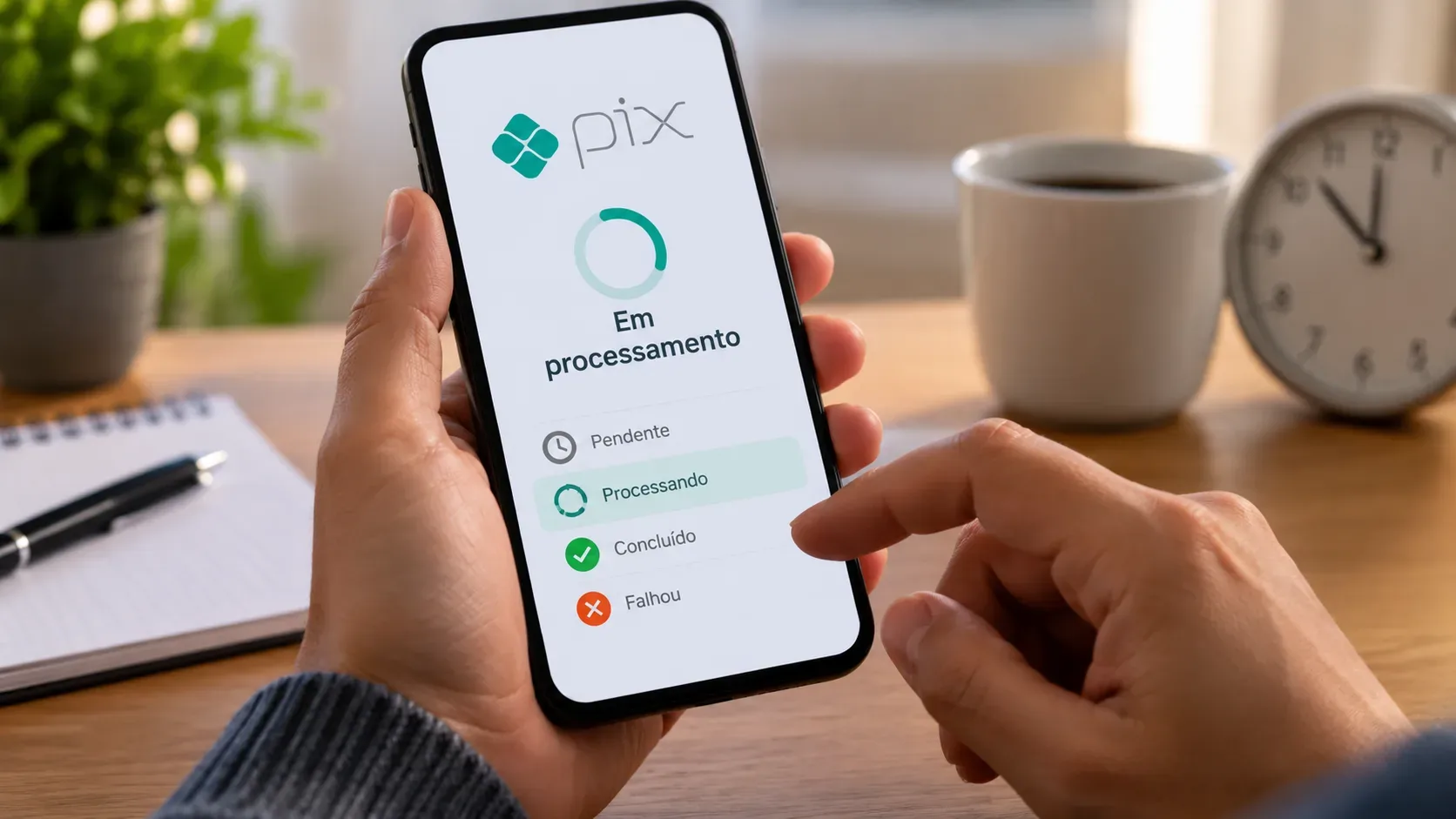
When a Pix payment appears as “processing”, the most important decision is not to send it again on impulse. First, check whether your available balance or statement shows a debit and look for the transaction record in your banking app. Pix was designed to settle payments within seconds and operate 24/7, but an institution's app may keep a transaction under review or show an intermediate status during instability, validation, or a communication delay.
What “Pix processing” means in practice
“Processing” by itself is neither confirmation that the money reached the recipient nor proof that the transfer failed. It is an intermediate state shown by the app while the institution has not yet displayed a final outcome.
Brazil's Central Bank describes Pix as an instant payment system in which transfers occur in real time and, under normal conditions, funds become available within seconds. The Central Bank also states that payer and recipient are notified when the transfer is completed. Therefore, until the app shows a conclusive result, treat the transaction as undetermined, not automatically completed or automatically canceled.
Before sending the Pix again, check three places
- Available balance: check whether the amount is no longer available in the account.
- Account statement: look for a Pix debit matching the amount, time, and recipient.
- Transaction details: open the Pix record and check for a receipt, identifier, final status, or failure message.
The statement deserves special attention because a frozen screen or delayed notification may not immediately reflect the account's actual state. If there is a debit and the transaction is still undetermined, do not send another Pix for the same amount to the same recipient until the first one is clarified.
How to interpret the main statuses
| Status shown | What it indicates | Safest next step |
|---|---|---|
| Pending / processing | The institution has not yet displayed a final result. | Check balance, statement, and transaction details; wait a few minutes and refresh the app before trying again. |
| Completed / successful | The app has recorded the Pix as completed. | Do not repeat it. Keep the receipt and, if the recipient has doubts, verify the recipient details. |
| Failed / not completed | The transaction was not completed. | Confirm in the statement that there is no final debit; only then consider sending a new transfer. |
| Canceled / returned | The funds did not remain with the recipient or returned to the account, depending on the case. | Confirm the movement in the statement before starting a new Pix. |
Exact labels vary across banks and digital wallets. What matters is distinguishing an intermediate state from a final outcome.
When it makes sense to wait
If you have just initiated the transfer, the app still shows processing, and there is no clear evidence of failure, wait a few minutes, close and reopen the app, and check the statement again. Internet instability, temporary app unavailability, or a delayed interface update can extend the confirmation time.
Serasa advises users to wait and verify whether the transaction was completed when there is instability, and to contact the financial institution if the situation persists. There is no single waiting time that applies to every institution and every interface message; follow any specific instructions displayed by your bank as well.
When you should not send the transfer again
Do not repeat the Pix if the amount has already been debited and the first transfer still has no clear outcome. A new attempt can be processed as a second legitimate order. The Central Bank's guide on the Special Refund Mechanism explicitly notes that when the payer themselves issues two orders while intending to execute only one, this is not classified as a Pix operational failure for the purposes of that mechanism.
Also, do not repeat the payment solely because the recipient says it “has not appeared yet.” First, check whether your app shows the transaction as completed, verify the recipient's name and institution on the receipt, and ask the recipient to check the statement of the correct account.
If money left your account but the Pix is still undetermined
If the statement shows a debit but the app remains in processing longer than expected or does not provide a conclusive receipt, contact the institution from which the Pix was sent. Have the amount, approximate time, recipient details, and any transaction identifier available.
The purpose of support in this situation is to confirm whether the payment was settled, rejected, or whether the debit will be reversed. Avoid trying to “fix” the issue by sending another payment while the first result is still unclear.
If the Pix failed, when to try again
A new attempt makes sense when the app states that the transaction was not completed and the statement confirms that the amount was not finally debited. If there was a temporary debit followed by a reversal, wait until the return is clearly visible in the balance or statement before sending again.
If the failure keeps happening, review the recipient information and check the app for limit, availability, or security messages. If the problem persists, contact the institution rather than stacking up multiple attempts.
What if I send it again and pay twice?
If two transfers are actually completed, save both receipts and contact the recipient and your institution to seek the appropriate refund. Do not assume that the second Pix will be automatically reversed simply because it was a duplicate attempt.
When duplication results from an operational failure by the institution, the Central Bank provides a specific process through the Special Refund Mechanism. That is different from the user personally confirming two separate payment orders.
A simple decision flow
- Still processing with no final result? Wait, refresh the app, and check the statement.
- Debited but still undetermined? Do not repeat; contact the institution if it does not normalize.
- Completed? Do not repeat; verify the recipient and receipt.
- Failed with no final debit? You may try again after confirming the details.
- Two transactions completed? Treat it as a possible duplicate payment and seek a refund rather than assuming an automatic reversal.
Useful sources
For general information about the system, see the Central Bank of Brazil — Pix and About Pix pages. For guidance specifically about a processing status, see Serasa's article on Pix processing. For refunds and operational failures, consult the Central Bank's official guidance on the Special Refund Mechanism (MED).