
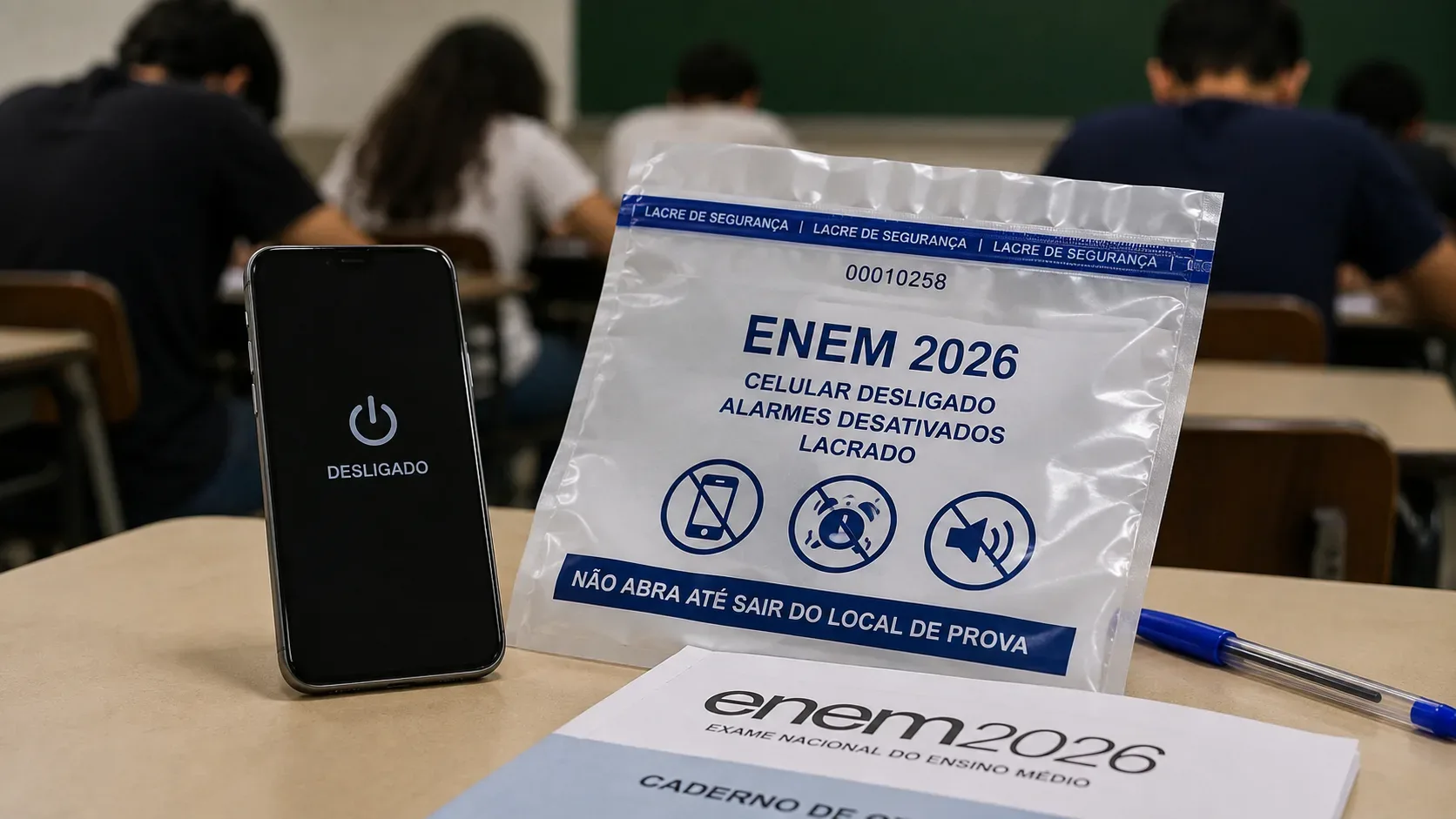
Yes, you can arrive at the Enem 2026 test site with a phone, but you cannot keep it available during the exam. Under current Inep guidance, before entering the room the device must be placed in the storage envelope provided by the test staff. Phones and other electronics must have apps, functions and systems disabled and must be powered off, including alarms. The envelope must remain sealed, identified and under the desk until you definitively leave the test site.
The most important point is this: if an electronic device makes any kind of sound, such as a ringtone or alarm, even while it is inside the storage envelope, the candidate may be disqualified from the exam. That is why silent mode, “do not disturb” or simply lowering the volume do not replace the requirement to turn the device off.
Can you bring a phone to Enem 2026?
Inep does not require candidates to leave their phones at home. The operational rule is to place the phone, before entering the test room, in the storage envelope supplied by the test staff. The issue is not arriving at the site with a phone; it is carrying it outside the envelope once it should already be stored, or failing to comply with the requirement to keep it powered off.
| Situation | Practical rule |
|---|---|
| Arriving at the test site with a phone | It is possible, provided the device is stored as instructed before entering the room. |
| Entering the room with the phone in your pocket or hand | No. The phone must be in the storage envelope. |
| Leaving it on silent or airplane mode | Not enough. Inep requires functions, systems and alarms to be disabled and the device to be powered off. |
| Keeping the phone inside the envelope | Yes, but the envelope must remain sealed, identified and under the desk. |
| Phone rings or an alarm sounds inside the envelope | This is expressly listed as grounds for disqualification in Inep guidance. |
How to store your phone correctly
- Disable alarms before entering the room. Check recurring alarms and other scheduled audible alerts as well.
- Power the device off completely. Do not rely only on airplane mode, silent mode or “do not disturb”.
- Place the phone in the storage envelope. The guidance also covers other prohibited electronics, such as smartwatches and similar devices.
- Seal and identify the envelope as instructed by the test staff.
- Keep the envelope under the desk. It must remain sealed for the entire period required by Inep.
- Do not reopen the envelope at the test site. Official guidance is to keep it closed until you definitively leave.
When can a ringtone or alarm get you disqualified?
Inep’s official page on grounds for Enem disqualification is explicit: candidates must keep electronic devices powered off, under the desk, inside the sealed and identified storage envelope. If the equipment makes any type of sound, such as a ringtone or alarm, even inside the envelope, the rules provide for disqualification.
This makes simply silencing the phone a risky strategy. An alarm scheduled for a certain time, an unexpected audible alert or any other sound could create exactly the situation described in the rule. The safe procedure is to disable alarms and then power the device off.
Are airplane mode, silent mode or “do not disturb” enough?
No. Those settings may reduce connections or notifications, but they are not what Inep requires. The official candidate guidance requires apps, functions and systems to be disabled and the device to be powered off, including alarms.
In other words, the question should not be “which setting makes my phone quieter?” but “is the device actually off, with no alarm set to surprise me during the exam?”.
What if I remember an alarm after sealing the envelope?
Do not break the seal or handle the phone on your own. Because the rules also require candidates to follow the test staff’s instructions, the most prudent course is to call a proctor and explain the situation before touching the envelope. Inep does not publish, in this FAQ, a specific procedure that guarantees a forgotten alarm can be corrected after sealing, so prevention before entering the room is the best approach.
Does the rule apply only to phones?
No. The guidance lists several electronic devices, including smartphones, tablets, smartwatches and smart bands, calculators, recorders, alarms, keys with alarms and headphones. For candidates, the practical logic is simple: any electronic item covered by the prohibited-item rules must follow the applicable storage and power-off requirements.
Quick checklist before entering the room
- disable all alarms and scheduled audible alerts;
- power the phone off completely;
- place the device in the storage envelope;
- seal and identify the envelope as instructed;
- keep it under the desk;
- do not open the envelope or handle the phone until you definitively leave the test site.
Short answer
You can bring your phone to the Enem 2026 test site, but it cannot remain available during the exam. Before entering the room, disable alarms, power the device off and place it in the storage envelope. Keep the envelope sealed and under the desk. If the phone makes a sound, even while inside the envelope, Inep rules provide for disqualification.