
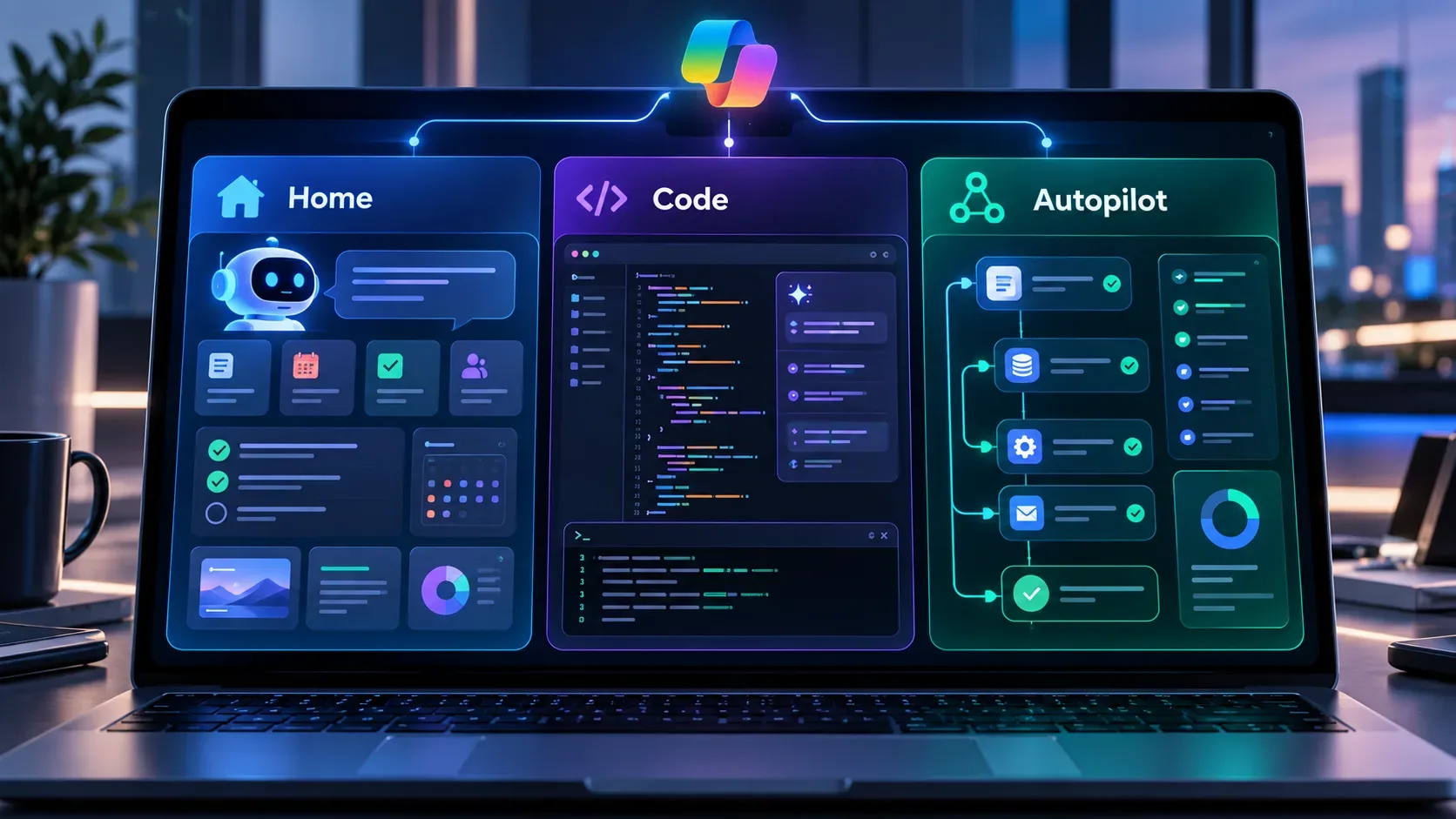
The new Microsoft Copilot organizes work into three areas with different roles. Home concentrates conversation, context recovery, delegation through Cowork, and Office file work; Code turns requests into apps, dashboards, automations, and other small software solutions; and Autopilot is a persistent agent that can keep working in the cloud without requiring a new prompt for every step. Microsoft announced the change on September 25, 2026, but it does not mean that every capability is available to everyone at the same time: Home and Code enter through the Frontier program first, while Autopilot is expanding in private preview.
How Home, Code, and Autopilot are divided
| Area | Main role | Type of task it is intended to solve | Important limitation |
|---|---|---|---|
| Home | Copilot starting point | Quick questions, draft creation, resuming activity, delegating complete work to Cowork, and creating or editing Word, Excel, and PowerPoint files inside the Copilot experience | Part of the announced experience still depends on Frontier rollout, and some capabilities presented as next steps, such as Today and automatic routing between modes, are not yet a baseline available to everyone |
| Code | Solution building | Create internal apps, trackers, dashboards, widgets, automations, and workflows in natural language | It is rolling out gradually. Microsoft also keeps GitHub Copilot as the day-to-day tool for developers, so Code was not presented as a simple replacement for it |
| Autopilot | Persistent, proactive execution | Watch channels, follow up, run recurring work, and resume projects over time with its own identity and workspace in the tenant | It was announced in private preview, with no general availability date provided in the announcement |
Home: the place to ask, delegate, and continue work
Home brings Chat and Cowork into the same entry point. In Microsoft's description, Chat remains the option for immediate interactions such as questions, lookups, drafts, and quick updates. Cowork is aimed at work that the user delegates end to end, with examples including an RFP response, a launch kit, a customer briefing, and a financial close package.
The practical difference is that Home tries to reduce the need to decide which application or format to use first. Users can review recent activity, receive suggestions, and continue something already started. With Office in Copilot, Microsoft says Word, Excel, and PowerPoint are integrated into the experience so users can create or update editable documents, workbooks, and presentations without rebuilding context in another application.
This should not be confused with a promise that fully automatic routing is already complete. The company says that coming soon, users will be able to state the outcome they want and Copilot will choose between Chat, Cowork, or Code. That behavior was presented as a next step, not something that should be assumed to exist across all accounts at the time of reporting.
Code: building small software solutions from natural language
Code is the part of the reorganization focused on turning a work need into an executable solution. Microsoft cites apps, trackers, dashboards, automations, persistent widgets, and workflows. The proposal is to expand software creation to people who do not work as developers by allowing them to describe what needs to be built in natural language.
Microsoft says Code uses the same underlying technology as GitHub Copilot, runs in a sandboxed environment, and can be hosted securely inside the tenant. Work context is connected through Microsoft IQ, and plugins can expand the actions available. At the same time, Microsoft explicitly says developers will continue to use GitHub Copilot for their day-to-day work, with deeper connectivity to the broader platform. This positions Code as a layer for building work solutions inside Copilot, not as a replacement tool for every software engineering activity.
A related component is Microsoft Copilot Managed Runtime, IT-governed hosting infrastructure for running code inside an organization's Microsoft 365 environment. At the time of the announcement, Managed Runtime was in preview and was expected to be accessible inside Code.
Autopilot: work that continues without a new prompt at every step
Autopilot is the new name for the agent previously called Scout. It is described as persistent, proactive, and personal. The user defines a name, role, goal, and boundaries; from there, the agent can watch channels, request updates, run recurring tasks, and resume a project days later.
The feature that most clearly separates it from Home and Code is persistence. Autopilot is cloud-hosted and, according to Microsoft, can keep working while the user is focused elsewhere. It lives in the tenant with its own identity, memory, computer, and workspace, and can appear in environments such as Teams, Outlook, chats, channels, and documents. Microsoft also highlights permissions, auditing, and governance as part of the design.
The company's example is managing a supplier review process, including the schedule, preparation, meetings, follow-ups, and requests for updates from other people. This is an example of intended scope, not a guarantee that every business process can already be delivered autonomously in every tenant.
How the reorganization changes the workflow
The new structure makes the progression between four levels of work more explicit:
- Ask: use Chat, inside Home, for answers and fast creation.
- Delegate: use Cowork, also accessed from Home, when the result requires multiple steps and a completed deliverable.
- Build: use Code when the desired result is a reusable tool, application, dashboard, automation, or workflow.
- Automate persistently: use Autopilot when work needs to continue over time, react to events, and resume activity without waiting for a new command at every step.
In practice, Copilot is being presented less as a single chat box and more as a platform where the user moves among immediate interaction, delegation, software creation, and continuous execution. Microsoft intends to reduce this manual choice in the future through automatic routing, but that mechanism was still announced as a future capability.
Known availability as of September 28, 2026
| Capability | Announced status | What the announcement does not yet define |
|---|---|---|
| Home | Rollout beginning through the Frontier program in the weeks following the announcement | The announcement does not provide one general release date covering every account type, region, and environment |
| Code | Frontier rollout at the end of September, with broader availability in the following weeks; preview for Microsoft 365 Premium and Pro subscribers planned for later in 2026 | The phrase broader availability does not by itself amount to a complete general availability matrix for every plan and region |
| Autopilot | Expansion to private preview at the end of September 2026 | The announcement does not provide a general availability date |
The Frontier program is Microsoft's early-access channel for AI capabilities before general availability. Microsoft's own documentation states that Frontier features are previews, may change, and have access that varies by role, subscription, and organizational configuration. In business environments, administrators control enablement and which users can receive these experiences.
Licensing and cost are also part of the change
The announcement separates everyday AI use from long-running agentic work. For tasks such as quick answers, first drafts, summaries, and analysis, Microsoft describes a per-user subscription license. Cowork, Code, and Autopilot, however, are listed among capabilities that use usage-based billing. This matters because two users may see the same interface reorganization while having different access, limits, or costs depending on plan, credits, and administrator policies.
The September 25 announcement does not provide a complete table of prices, credits, regions, and final dates for each of the three areas. The safer reading is therefore to treat Home, Code, and Autopilot as the architecture of the new Copilot while confirming the real availability of each capability in the specific tenant and plan.
What the announcement establishes, and what remains open
- It is confirmed that Microsoft reorganized Copilot around Home, Code, and Autopilot, with different roles for interaction, building, and persistent automation.
- It is confirmed that Home brings Chat and Cowork together and incorporates Word, Excel, and PowerPoint work into the experience described by Microsoft.
- It is confirmed that Code targets natural-language solution building and uses technology related to the GitHub Copilot foundation.
- It is confirmed that Autopilot is the evolution of Scout and was presented as a persistent agent in the tenant.
- It is not yet safe to treat all three capabilities as broadly available to everyone because rollout uses Frontier and previews with different schedules.
- Capabilities presented as next steps, such as Today in Home and automatic routing among Chat, Cowork, and Code, should be kept separate from what is already available in each account.