
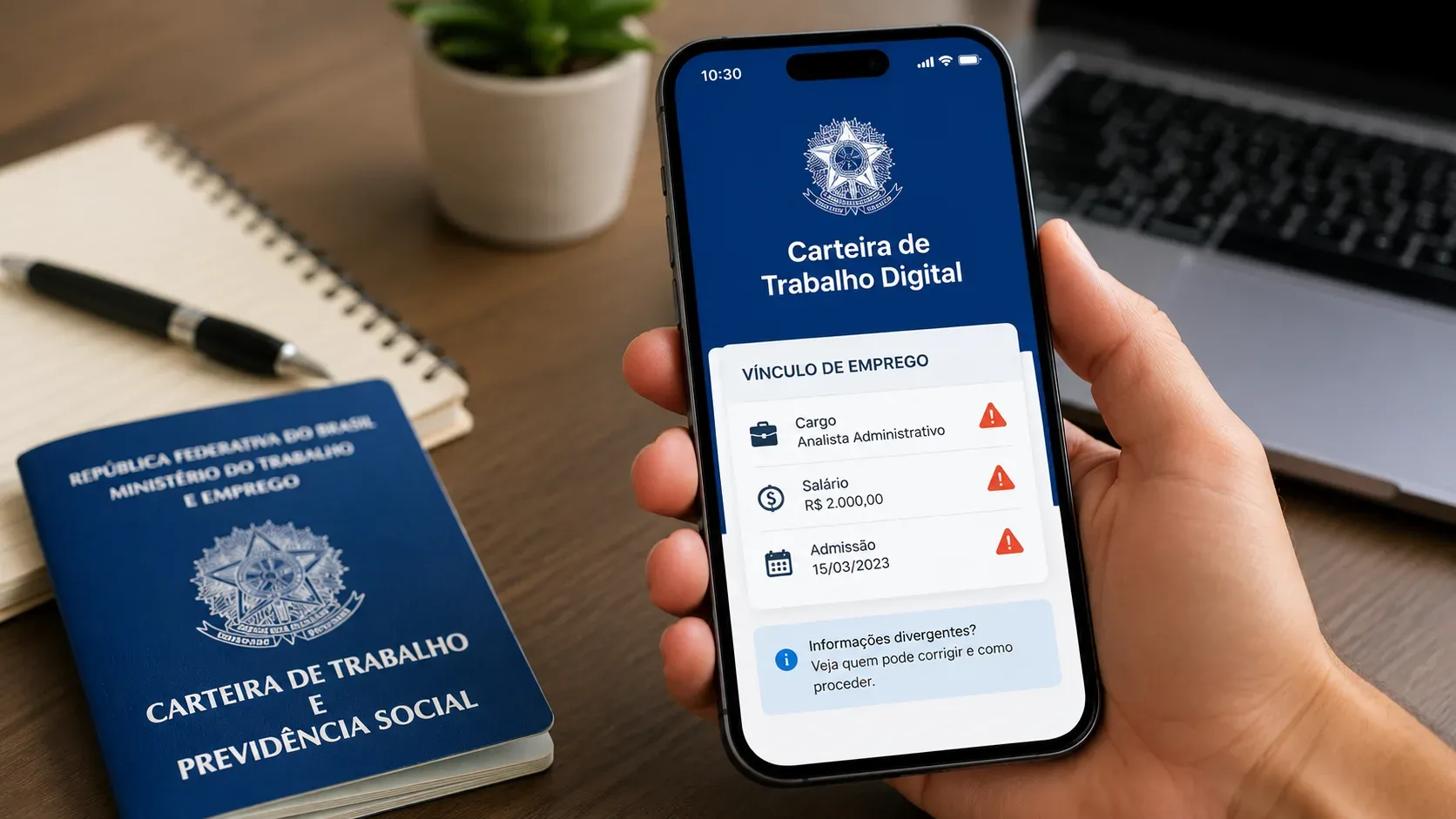
If a job title, salary, hiring date, or termination date appears differently in Brazil's Digital Work Card (Carteira de Trabalho Digital), the first step is not to visit a service office. Guidance from the Ministry of Labor and Employment (MTE) mainly separates the issue by the period of the information: inconsistencies concerning information after September 2019 should be reported to the employer responsible for the employment record, who must correct it through eSocial. Older employment records may reflect historical databases and follow a different data-cleanup process.
Before requesting a correction, confirm that it is actually an error
Not every visual difference means the employment record was filed incorrectly. A key example is the occupation field. The MTE's Digital Work Card FAQ explains that the app may display information from the Brazilian Classification of Occupations (CBO), whose terminology does not have to match the internal job title used by the company. The important point is whether the classification and duties correspond to the work actually performed.
Before opening a request, compare the Digital Work Card screen with your employment documents. Salary and dates are usually more objective; for a job title or occupation, first check whether the difference is only terminology or whether duties, classification, or the contractual record are also inconsistent.
| What seems wrong | First check | Who normally needs to act |
|---|---|---|
| Job title/occupation | Check whether the screen is showing CBO terminology and whether the duties are compatible | Employer, if the data actually submitted is incorrect |
| Salary | Compare with the employment agreement, amendments, and payslips for the period | Employer responsible for the record, through eSocial |
| Hiring date | Compare with the agreement, admission record, and actual start date | Employer, if post-September 2019 information is incorrect |
| Termination date | Compare with the termination documents | Employer, when the information was submitted through eSocial |
The route depends on when the information belongs
The practical dividing line is September 2019, when electronic entries began replacing paper Work Card annotations for most hiring situations. The MTE FAQ states that when an inconsistency concerns information after September 2019, the worker should notify the employer and request a correction.
This does not mean looking only at the date when the employment relationship began. A relationship that started earlier may have a salary change, contractual amendment, or termination registered later. The useful question is which item is wrong and what period that item belongs to.
For information after September 2019, contact the employer
If the incorrect item belongs to the period integrated with eSocial, the worker does not edit it inside the app. For a current employment relationship, the MTE instructs the employer to submit the correct information through eSocial. The FAQ also says corrections may be sent at any time, including after the employment relationship has ended, although it recommends correcting inconsistencies as soon as they are found.
In practice, send HR, payroll, the employer, or the accountant a concise request: identify the employment relationship, name the inconsistent field, state the value or date you believe is correct, and attach the supporting document. Ask for confirmation that the correction was transmitted to eSocial and keep the protocol, email, or message.
The MTE says a new employment contract may become visible in the Digital Work Card up to 48 hours after the employer sends the information. That statement refers to displaying the contract after submission; the FAQ does not establish the same universal deadline for every correction. Do not treat 48 hours as a guaranteed update time for all rectifications.
An original error is not the same as a real contractual change
This distinction explains why the employer may need to rectify an earlier event instead of simply recording a new change. The eSocial General Web Manual distinguishes:
- rectification: corrects information that was already wrong when it was submitted;
- contractual change: records a real change that became effective from a particular date.
For example, if the correct salary at hiring was BRL 2,500 but BRL 2,000 was reported, the original record must be corrected. If the salary was correctly BRL 2,000 and later legitimately increased to BRL 2,500, that is a contractual change. The manual also indicates that job title, function, and remuneration may be part of contractual-change events, while incorrect admission information must be rectified in the corresponding original event.
The worker does not need to choose the technical eSocial event. That operational responsibility belongs to the employer or its payroll/accounting provider. The worker's job is to explain precisely what was correct on each relevant date.
Older employment records: why the company is not always the first route
For older records, the MTE acknowledges that differences may exist between the old paper Work Card and historical databases. Official guidance says there is no need to immediately visit a service unit: some inconsistencies may be corrected automatically as databases are updated; others may be handled through data-correction campaigns or when the person applies for an INSS benefit.
Keep the physical Work Card and other older documents. The MTE FAQ itself recommends preserving the paper document as evidence of earlier employment time. If the discrepancy concerns only a legacy record, do not discard documentation merely because the digital screen does not yet reproduce the history exactly.
What to save before asking for a correction
A small evidence file reduces back-and-forth with the employer and helps show exactly where the mismatch is. Capture only what is necessary and avoid sharing personal data with third parties without a reason.
- a screenshot of the Digital Work Card showing the employment record and the inconsistent field;
- employment agreement and amendments, when available;
- payslips for the relevant period if the issue concerns salary;
- termination document if the issue concerns the end date;
- the physical Work Card and older records for pre-digital employment relationships;
- the email, protocol, or message used to request the correction from the employer;
- the employer's reply or confirmation of transmission, if available.
When to escalate
Use an escalation path that matches the problem. If the employer says the information has already been corrected and the issue appears to be an update or Digital Work Card system question, the MTE offers CTPS support through the Facilita platform, with virtual and in-person modalities depending on the service and location.
If there is an indication of a labor-law irregularity — for example, the employer refuses to correct contractual data that it acknowledges was submitted incorrectly — the federal Labor Complaint service is available. The channel is digital, requires a gov.br account for general labor complaints, and says there is no need to visit a labor office. A complaint is a labor-inspection tool; it should not be used merely as a shortcut for an app synchronization delay.
If the incorrect information is immediately affecting a benefit, termination payment, legal proceeding, or another time-sensitive right, document your request to the employer and seek appropriate guidance for that case rather than waiting indefinitely for the screen to update.
Quick decision tree
- Is the “error” only the job title? First check whether the Digital Work Card is displaying a CBO occupation compatible with your duties.
- Does the inconsistent information belong to the period after September 2019? Contact the employer responsible for the employment relationship and request correction through eSocial.
- Has the employment relationship already ended? A correction can still be submitted; document the request to the former employer.
- Is it an older/legacy record? Keep the physical Work Card and supporting documents; the discrepancy may depend on historical database cleanup or later processing.
- Does the employer say it corrected the data but the screen still looks wrong? Check for a CBO terminology difference and, if necessary, use MTE support for a CTPS question.
- Is there refusal or a possible labor-law irregularity? Consider the digital labor complaint channel and provide enough information for inspection.
In short, the Digital Work Card is mainly a display of information supplied by official databases, especially eSocial for recent records. When recent data is wrong, the normal route begins with the employer; when the record is old, the strategy shifts toward preserving evidence and determining whether the mismatch comes from a historical database. Making that distinction prevents unnecessary trips and directs the correction request to the party that can actually make the change.