No, Unit 42's new research did not show that the passkeys' encryption was broken or that they were no longer resistant to phishing. The work revealed three ways to abuse the implementation of passkeys synchronized by Google Password Manager when malware is already running on the victim's computer. The study focused on Chrome for Windows, on devices with Trusted Platform Module (TPM).
This difference is important. Passkeys continue to use public key cryptography and are tied to the website or application for which they were created. This binding prevents normal use of the credential on a phishing site that imitates the legitimate address. Google and the FIDO Alliance continue to describe this property as phishing resistance.
What the research questions is another layer: what happens when the very device that stores, synchronizes or authorizes the use of the passkey is already compromised.
What Unit 42 found
Unit 42 presented three classes of attack, called Pass-ta-key, Silver Pass-ta-key and Golden Pass-ta-key. In all demonstrated cases, the starting point is malware present on the victim's computer; The researchers explicitly state that the attacks do not break the underlying encryption of the passkeys.
- Pass-ta-key: Malware without administrative privileges can abuse the device identity used by Chrome to ask Google's cloud authenticator for a cryptographically valid response. The attack does not require the victim to unlock the computer or confirm the operation at that time. It tends to fail when the service requires it and correctly checks the indicator that the user has been locally authenticated.
- Silver Pass-ta-key: the research showed a way to manipulate the device re-registration process and register a verification key controlled by the attacker. According to Unit 42, the cloud authenticator did not adequately verify that this new key came from trusted hardware. After this registration, the attacker could produce authentications treated as verified even from another system.
- Golden Pass-ta-key: the most impactful scenario involves the Security Domain Secret, or SDS, master secret used to protect the account's synchronized passkeys. Unit 42 initially found this secret in readable text in Chrome's internal logs. Google removed SDS from these logs after the report, but researchers say it still temporarily passes through Chrome's process memory during certain logging or retrieval operations. Malware present on the endpoint could, in this scenario, attempt to extract the secret and use it to recover the private keys from the synchronized passkeys.
The last scenario also exposes a persistence problem pointed out by the researchers: according to Unit 42, the analyzed implementation does not offer a mechanism to rotate or revoke the SDS, which protects both existing credentials and new passkeys synchronized later.
Why this is not equivalent to “breaking passkeys”
Phishing resistance solves a specific problem. In normal WebAuthn authentication, the passkey is tied to the service identity, and the browser and operating system prevent a fraudulent page from simply asking for the same credential and reusing it. The server also keeps the public key, not a secret equivalent to the user's private key.
Unit 42 attacks begin after a different barrier has already been overcome: the attacker has managed to execute malware on the victim's computer.
This does not make the result irrelevant. On the contrary, it shows that replacing passwords with passkeys does not eliminate the need to protect endpoints, browsers, recovery processes and synchronization mechanisms. But this is different from discovering a remote technique capable of phishing a passkey or deriving your private key from the public key stored by the website.
Unit 42 itself concludes that passkeys remain a significant improvement over passwords because they eliminate shared secrets and reduce entire classes of attacks. The work draws attention to the new surfaces created by synchronized implementations and the systems that decide when to trust a device.
The first attack also showed that the site matters
A detail from the experiment helps to understand why passkey is not just a browser or credential manager issue.
In the first technique, the response produced by the authenticator contains an indicator called User Verified, or UV, which informs whether the required local verification, such as PIN or biometrics, has occurred. Unit 42 attempted the attack against GitHub and was unable to authenticate because the service checked this indicator. On eBay, however, researchers were unable to complete login during testing because validation was not being applied correctly. eBay fixed the issue after receiving the report.
This shows that ultimate security also depends on who receives the authentication. Unit 42's recommendation for services that use passkeys is to require user verification when appropriate and to effectively validate the received UV indicator, rather than just requesting verification at the beginning of the flow.
What changes for those who already use passkeys
For most people, research is not a reason to go back to passwords. Passwords remain subject to phishing, reuse, leaks and credential theft, while passkeys were designed precisely to eliminate several of these paths. Google's current documentation continues to classify passkeys as a safer anti-phishing alternative and recommends not creating them on shared devices.
The result reinforces, however, that account security does not end at the login method. Operating system and browser need to remain up to date, and signs of malware compromise should be treated as a security issue for the entire machine, not just the password or passkey.
Unit 42 also recommends paying attention to unexpected or repeated Google Password Manager recovery PIN requests. This type of request is often associated with device registration or recovery, and research has shown that forcing these flows was part of the Silver and Golden scenarios.
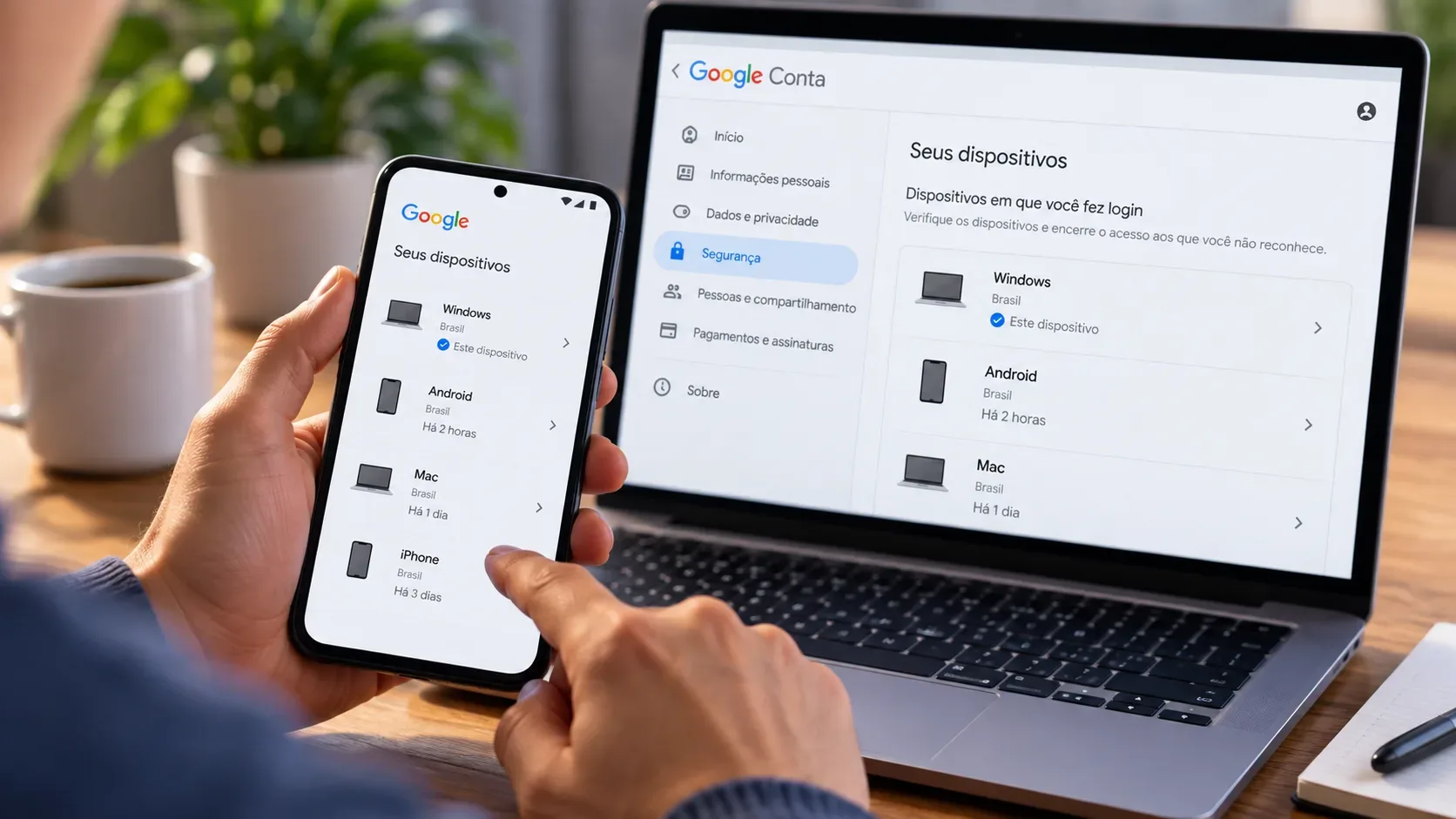
Anyone who suspects a computer has been compromised should prioritize containing and wiping the device and review access, sessions, devices, and credentials associated with the account from a trusted environment. Google allows you to check and remove passkeys and devices linked to your Google Account.
In the specific scenario of possible SDS exposure described by Unit 42, the situation requires additional caution: the researchers state that the analyzed implementation does not provide rotation or revocation of this master secret. Therefore, it is not prudent to assume that simply changing a password would resolve an exposure of this nature.
Have the flaws been fixed yet?
There are partial corrections confirmed in the sources consulted. eBay fixed the user verification indicator validation after receiving the report. Google also removed Security Domain Secret from Chrome's internal logs following responsible disclosure of the issue.
Unit 42, however, states in its article that the SDS is still sent to the client and may remain temporarily accessible in Chrome process memory. On August 3, 2026, BleepingComputer reported that it had reached out to Google to see if all scenarios were resolved, but had not received a response at the time of publication.
Until August 9, 2026, the public sources consulted for this article do not allow us to state that all conditions described by the research have been eliminated. Public Google reports linked by Unit 42 also do not expose their details without authentication, which limits independent confirmation of the status of each fix.
Are Passkeys still worth it?
The research result points more to a change in the threat model than to the failure of passkeys.
While passwords give attackers a secret that can be stolen by phishing, reused, or tested on other services, passkeys eliminate this shared secret and tie authentication to the legitimate service.
The new target becomes the environment around the credential: device, browser, passkey manager, synchronization, recovery and validation performed by the service.
The practical reading, therefore, is not “passkeys were broken”. Yes: passkeys make traditional attacks more difficult, but they do not make a computer that is already under malware control secure. Unit 42's research shows where synchronized implementations still need to be hardened so that the protocol's guarantees survive this scenario as well.