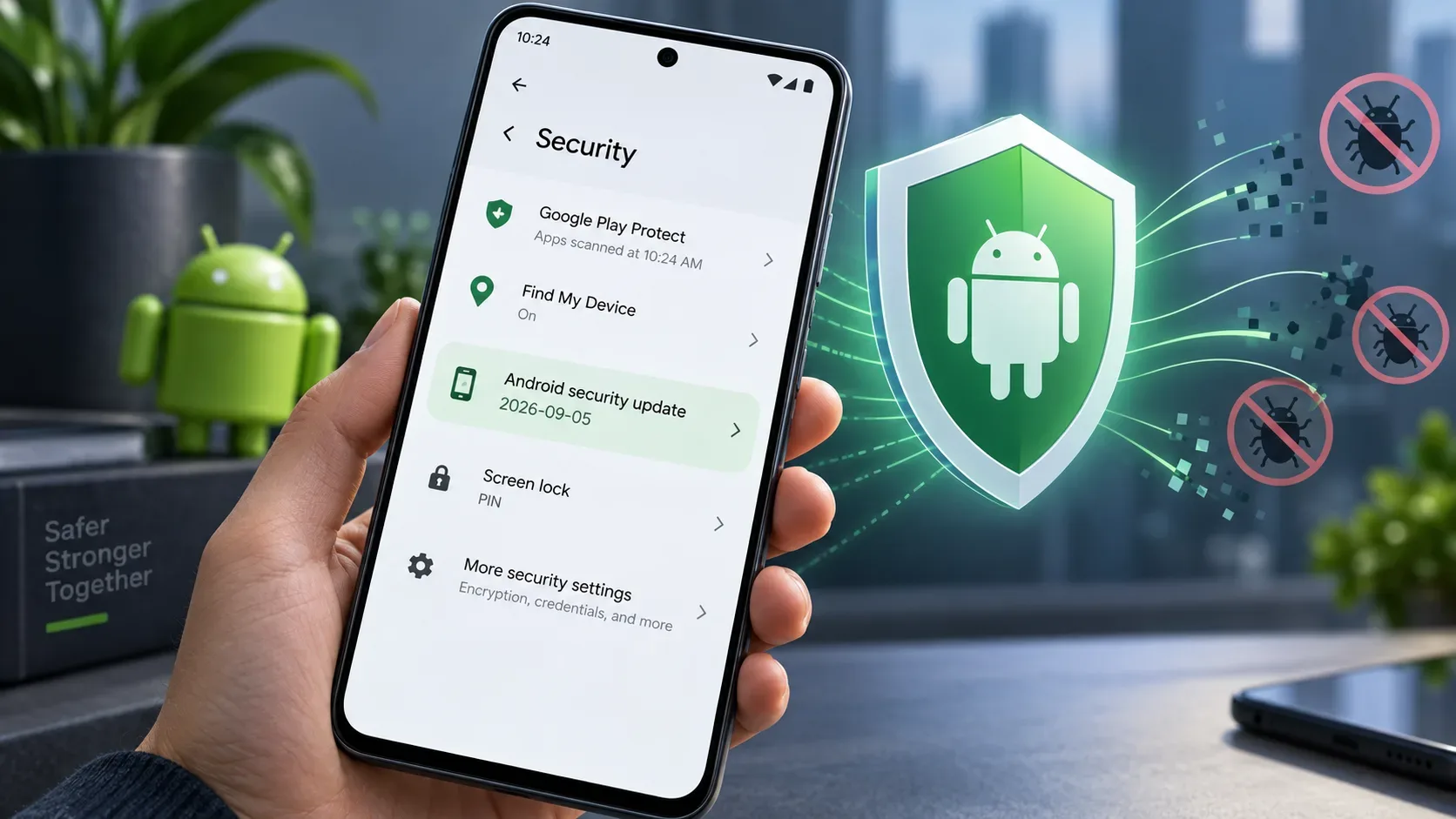
If the Android security update field on your phone shows 2026-09-05 or a later date, the device declares that it includes all applicable fixes from the September 2026 Android Security Bulletin, along with the fixes from previous bulletins required for that patch level. If it shows 2026-09-01, it has already received the first September set, but not necessarily the additional set associated with the September 5 level.
The official bulletin was published on September 8, 2026 and covers flaws in Android Runtime, Framework and System, plus—at the 2026-09-05 level—components such as the kernel, TV and hardware-vendor components. The practical approach is straightforward: check the patch date in the device settings, install any available update and remember that rollout timing depends on the model, manufacturer and mobile carrier.
How to check whether Android is on the 2026-09-05 level
The exact path varies slightly by manufacturer, but Google's Android reference path is:
- Open Settings.
- Go to About phone or About tablet.
- Tap Android version.
- Find the Android security update field.
- Compare the displayed date with 2026-09-05.
On some interfaces, the same information may appear under areas such as Security & privacy, Software update or Software information. If you cannot find the field, use Settings search for terms such as “security,” “patch” or “Android version.”
Google's Android help page also gives a second route for checking pending updates: Settings > System > Software updates. Labels may vary on your device, but the goal is to verify both the date already installed and whether a newer package is available.
How to interpret the date shown on the phone
| Displayed date | What it means for the September bulletin |
|---|---|
| 2026-09-05 or later | Includes all applicable fixes from the September 2026 bulletin and the previous fixes required for that level. |
| 2026-09-01 | Includes the vulnerability set associated with the September 1 level, but does not guarantee the additional September 5 set. |
| Earlier than 2026-09-01 | The device does not declare that it has incorporated the September patch sets defined by the bulletin. |
This split exists because Android publishes two patch levels in the same bulletin to give partners flexibility. The 2026-09-01 level covers a common subset of vulnerabilities; the 2026-09-05 level adds the other applicable fixes listed in the bulletin. Google encourages partners to fix all issues and use the latest patch level.
What the September 2026 patch fixes
The September 2026 Android Security Bulletin describes high- and critical-severity vulnerabilities across different parts of the platform and hardware components. The most severe issue highlighted by Google is in the System component: a critical vulnerability that could allow remote code execution with no additional privileges and no user interaction, under Android's stated severity-assessment scenario.
The September 1 set includes fixes in areas such as:
- Android Runtime, including privilege-escalation flaws;
- Framework, with issues classified as elevation of privilege, denial of service, information disclosure and remote code execution;
- System, where multiple critical issues appear, including remote-code-execution flaws.
The September 5 level adds applicable fixes in more components. These include parts of the kernel, TV components and vulnerabilities reported by vendors such as MediaTek, Unisoc and Qualcomm, including closed-source components. Not every flaw applies to every device: chipset, Android version and hardware configuration determine which fixes are relevant to a specific model.
“Critical” does not mean every phone is under attack
A severity rating describes the potential impact if a vulnerability is exploited on an affected device. By itself, it is not evidence of mass exploitation. The bulletin explains that severity is assessed based on the possible impact with certain platform protections turned off for development or successfully bypassed.
Android also points to layers that reduce the likelihood of successful exploitation, including security improvements in newer platform versions and Google Play Protect. That does not make patching optional: the recommendation remains to keep Android and security updates current whenever the manufacturer provides support.
The Android security update and the Google Play system update are not the same thing
In the version menu, you may see two different dates: Android security update and Google Play system update. They represent different update mechanisms and should not be treated as equivalent.
To answer “is my phone already on the 2026-09-05 patch?”, use the Android security update field as the reference. The bulletin notes that on some devices running Android 10 or later, the Google Play system update may show a date matching the 2026-09-01 security patch level, but that does not replace checking the device's Android security patch level.
What to do if your device still shows an earlier date
- Open Settings > System > Software updates, or the manufacturer's equivalent menu.
- Check manually for new updates.
- If a package is available, connect to Wi-Fi, make sure the battery has enough charge and install it.
- Restart the device if prompted or if the update is activated only after a reboot.
- Return to the Android security update field and check the new date.
If no update is available, that does not prove something is wrong with your phone. Android Help says update schedules vary by device, manufacturer and mobile carrier. For non-Pixel Android devices, Google recommends contacting the manufacturer or carrier for rollout information.
Why a phone may not receive 2026-09-05 immediately
The AOSP bulletin defines the fixes and patch levels, but for many devices the final update is distributed by the manufacturer. Before release, the company may need to integrate chipset-specific fixes, adapt firmware, run tests and complete carrier processes. Different models from the same brand can therefore receive the update on different dates.
Device support lifetime is another limit. Older devices do not always remain eligible for newer Android versions or new security patches. A persistently old date should therefore be compared with the manufacturer's update policy for that specific model, not only with the bulletin's publication date.
Quick checklist: are you covered?
- Does Android security update show 2026-09-05 or later? The device declares that it includes all applicable fixes from the September bulletin.
- Does it show 2026-09-01? You have the first September set, but the additional level-05 set may still be missing.
- Is the date older? Check for updates manually.
- No new package available? Check the manufacturer's support schedule and, where relevant, the carrier's schedule.
- Do not confuse the Google Play system date with the Android security patch level.
In short, you do not need to memorize CVE numbers to confirm your status. The most useful data point is the date declared by the phone itself. For the September 2026 bulletin, 2026-09-05 or later is the threshold indicating coverage of all applicable patches listed by Android in that bulletin.