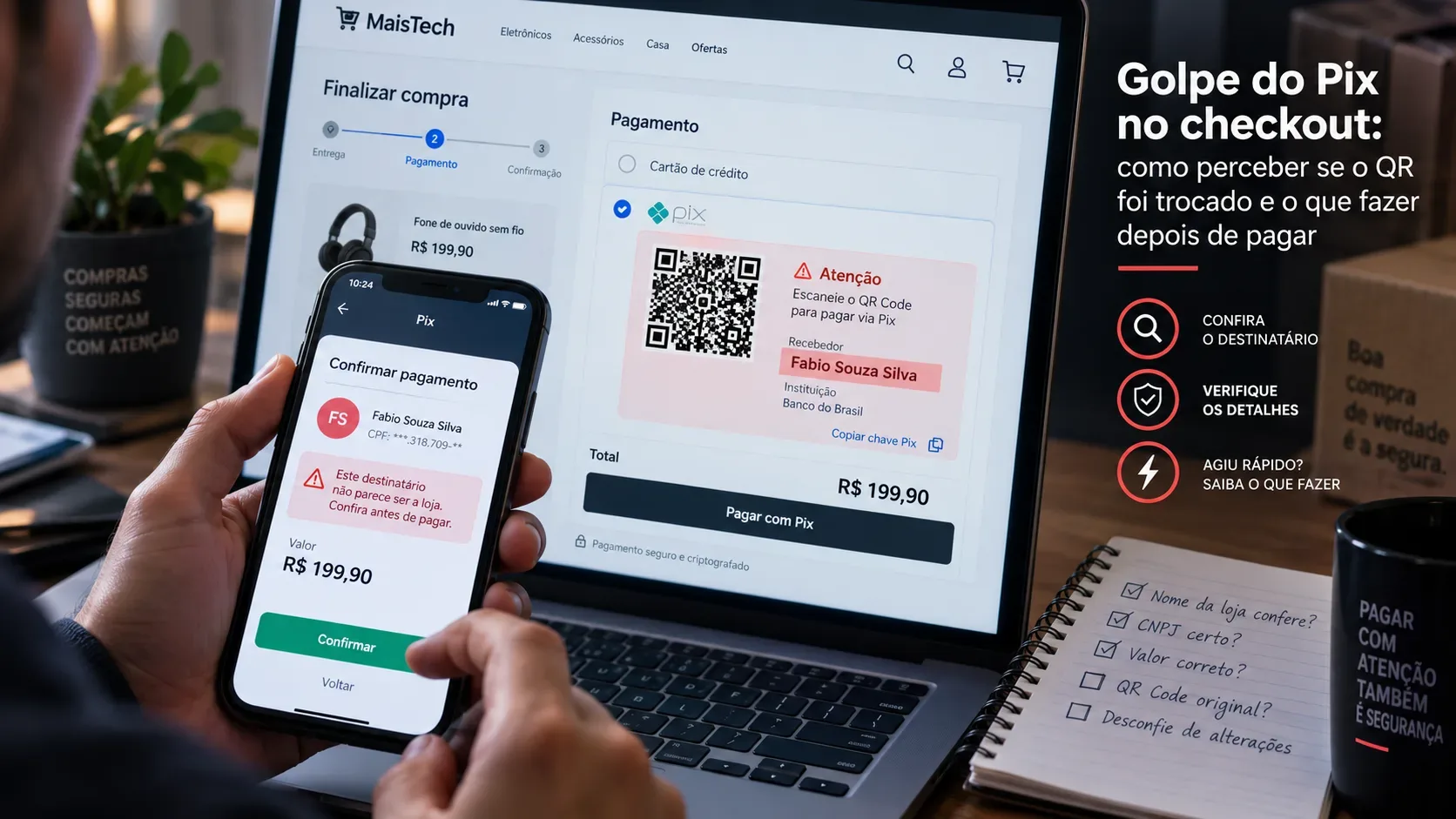
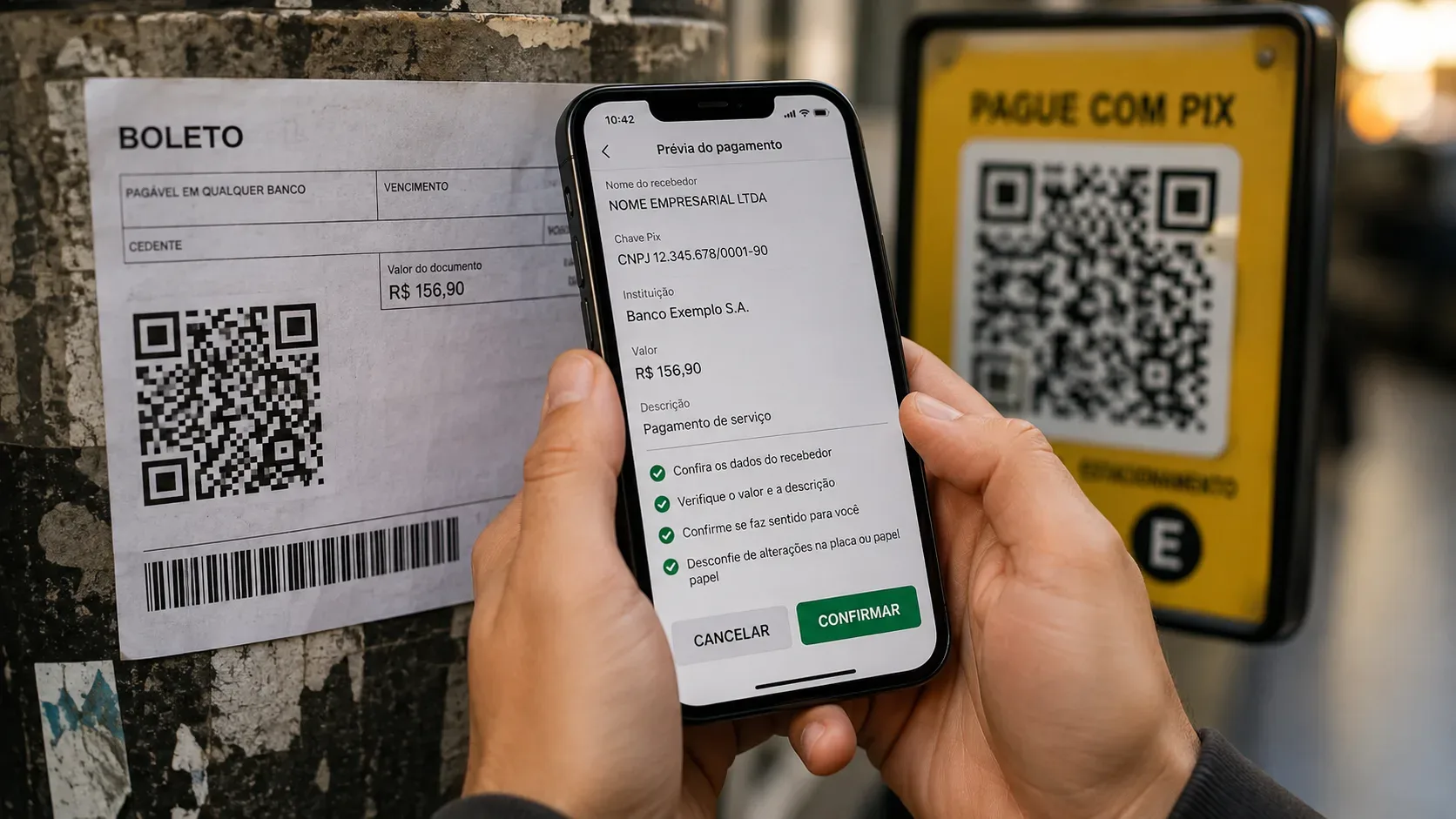
A QR code is not a seal of legitimacy. It only encodes data — and a scammer can replace the printed code on a sign, place a sticker over a poster, or send an altered payment slip so that the money goes to another account. If you intend to pay with Pix, the safest checkpoint is not “opening the QR” in a browser: it is scanning it from inside your bank’s app and using the confirmation screen as a barrier before the money leaves your account.
Brazil’s Central Bank requires the Pix payment journey to let the payer review recipient information before confirmation. Depending on the flow, the screen can show details such as the recipient’s name, CPF/CNPJ, amount and other charge information, as well as a way to back out before completing the payment. The Central Bank also recommends always checking the beneficiary’s name before confirming a transaction. The practical rule is simple: if the recipient, amount or context does not match, cancel and return to the official channel.
How to check a QR code without opening a suspicious link
A QR code may contain different types of information: plain text, a website address, or a payment payload. That means you cannot tell its destination just by looking at the black-and-white squares.
When the purpose is a Pix payment, first open your bank or payment institution app, go to Pix, and choose the QR scanning option. If it is a valid Pix QR code, the app interprets the data and keeps you within the payment flow. A dynamic Pix QR code may contain a technical location that the payment provider uses to retrieve charge details; this does not require you to manually open that address in a browser.
If, instead of a Pix charge, your phone camera shows a website, shortened URL or external page, treat it as a link, not proof that the charge is legitimate. Do not tap it merely because the QR code is printed on a sign or document. Open the company’s official app or website yourself and locate the charge from there.
Pre-payment checklist: what to verify on each screen
| Stage | What to verify | Warning sign | Safer action |
|---|---|---|---|
| Source | Did the QR code come from the app, website, payment slip or physical location you expected to use? | An unexpected charge sent by message or email, especially with pressure or urgency. | Ignore the received code and access the official channel independently. |
| Scan | Does the banking app recognize the code as Pix and open a payment preview? | The scan sends you straight to a browser, form, download or login page. | Do not proceed through that link; find the charge in the official app/site. |
| Recipient | Do the displayed name and CPF/CNPJ match the person or business that should receive the money? | An unknown name, an individual when you expected a company, or an incompatible CNPJ. | Cancel before confirming and verify the charge with the company. |
| Amount | Is the total the same as the purchase, bill, fee or service? | A higher, lower or changed amount without a clear reason. | Do not “fix” it yourself; generate a new charge through the official channel. |
| Context | Do the description, identifier and charge status make sense for that purchase? | A generic or inconsistent reference when a specific identifier should exist. | Check the order, invoice or contract in the original channel before paying. |
| Confirmation | Is everything still correct on the final screen? | Pressure from another person or any last-minute change in the payment details. | Use the cancel option and restart from a trusted source. |
Payment slip with a QR code: treat the Pix portion as Pix
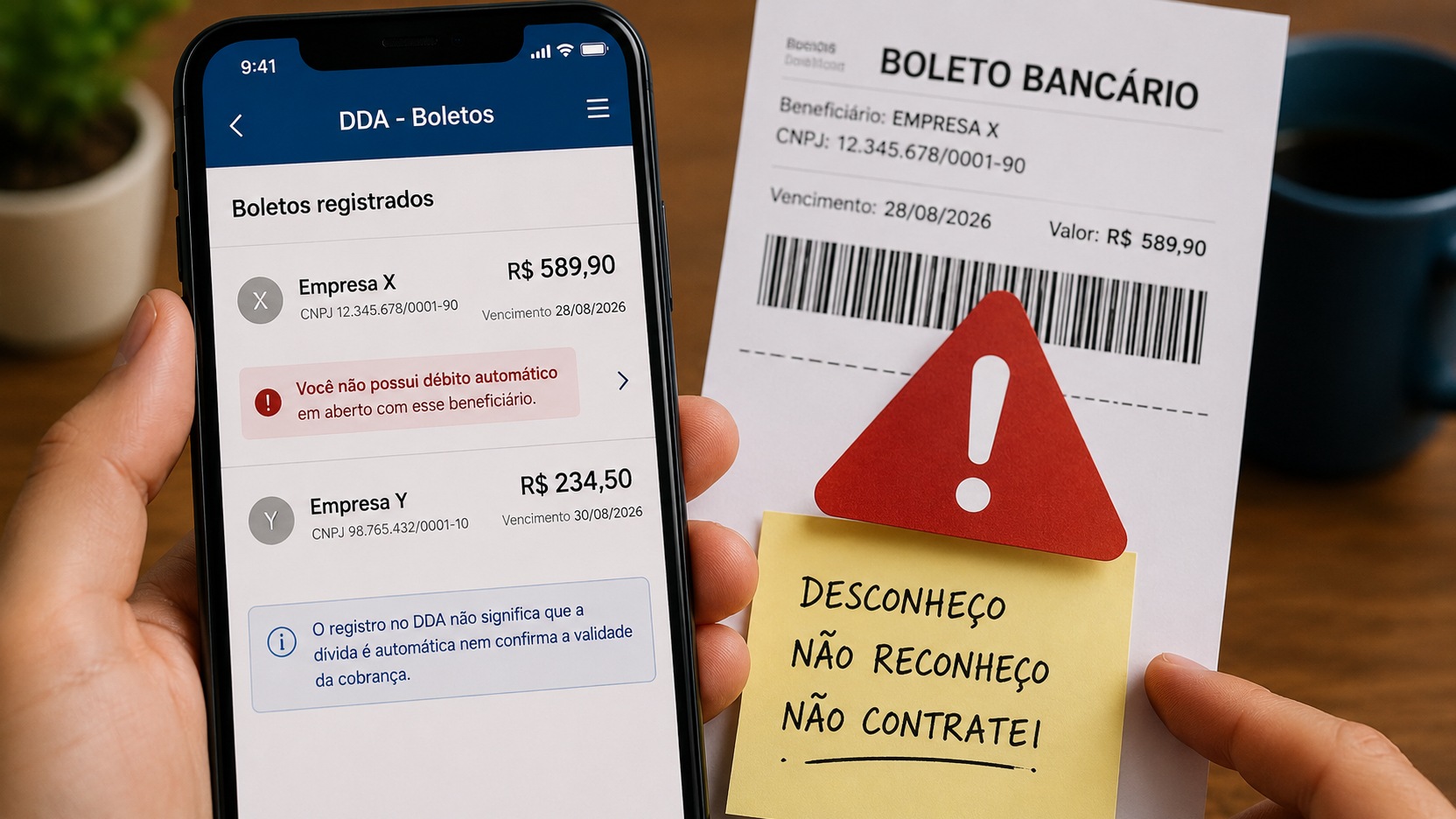
In its guidance on fake Brazilian payment slips (boletos), the Central Bank explains that a QR code on the banking document is used for Pix payment. That changes an important part of the risk: a payment made through that QR code is instant, without the clearing window associated with a traditional boleto. In practice, review the recipient information with the same care as any other Pix before confirming.
If you choose the boleto barcode instead, the Central Bank advises checking whether the displayed beneficiary is the person or company you hired and whether the destination bank matches the document. If anything differs, do not pay. It is also safer to obtain a duplicate bill directly from the provider’s official website or app rather than relying on a file forwarded through a message.
Sign, poster or sticker: look for signs of physical replacement
QR codes displayed in parking areas, counters, tables, checkouts, events or street businesses carry an extra risk: the legitimate code can be covered by another one. CERT.br warns that fraudsters may swap QR codes to divert payments to a different account.
Before scanning, look for a sticker placed over another surface, inconsistent cutting or printing, lifted edges, tampering marks, a QR code that is misaligned with the rest of the sign, or a new label pasted onto older material. None of these signs, by itself, proves fraud; they are reasons to be more cautious.
Even when the sign looks untouched, the decisive check is still digital: compare the recipient name and CPF/CNPJ with the actual establishment. If in doubt, ask a staff member and, when possible, verify the recipient details through another channel controlled by the business.
QR codes received by WhatsApp, SMS or email require extra caution
Fraudulent messages can copy logos, names, personal information and even genuine purchase details. A convincing appearance is not enough. CERT.br recommends preferring QR codes obtained directly from official websites and apps and being cautious with codes received in messages.
If a company says you have an outstanding charge, do not use the QR code in the message as a shortcut. Open the app you normally use, type the official address into your browser, or use a trusted bookmark to access the company’s authenticated area. Then look for the same charge there. If it does not exist in the official channel, do not pay.
What your banking app should help you verify
Under the Pix minimum user-experience requirements, the Central Bank provides for recipient information to be displayed for review before confirmation. In Pix-key flows, this includes the full name, masked CPF or CNPJ, the queried Pix key, the amount and a way to cancel before completion. QR-code payment screens must likewise provide enough information for the payer to review the transaction.
This does not mean a familiar-looking name automatically makes the payment safe. Scammers may use third-party accounts or businesses with similar names. The data must make sense together with the context: who is charging you, why, how much, through which channel, and at what stage of the purchase.
If the details do not match, do not “try it and see”
- Different recipient: cancel immediately.
- Different amount: do not edit the charge to make it “close enough”; obtain a new one.
- QR opens a strange website: do not log in or provide card details, passwords, tokens or verification codes.
- The sign looks altered: do not use that QR code; request another payment method or verify it with the establishment.
- The boleto came through an unusual channel: issue a duplicate directly from the official service.
This approach reduces risk by moving trust away from the paper, sticker or message and toward the data shown by the financial system and the official channel that you chose to open.
Already confirmed a Pix to the wrong recipient or through an altered QR code?
Once a Pix is completed, it does not work like a purchase you can simply “cancel” on the previous screen. If you suspect a scam — for example, a fake or replaced QR code — contact your bank immediately through official channels and dispute the transaction so it can be reviewed under the Special Return Mechanism (Mecanismo Especial de Devolução, MED).
The Central Bank states that MED can be requested within 80 days of the transaction, but acting quickly increases the chance of recovery. A refund is not guaranteed: it depends on the case review and on funds being available in the involved account. MED is also not intended for a Pix sent to the wrong person merely because the payer failed to check the name; it applies to fraud and other situations covered by the mechanism’s rules.
Keep the receipt, photos of the sign or poster, the payment slip you received, messages, emails and any evidence that the QR code was replaced. These records can help with the dispute and with a police report if needed.
Fast flow before paying
- Open your bank’s official app, not a link you received.
- Go to Pix and scan the QR code from inside the app.
- Confirm the recipient, CPF/CNPJ, amount and context.
- If anything differs, cancel before confirming.
- Return to the company’s official website, app or support channel and generate the charge again.
- If you already paid and suspect fraud, dispute the Pix with your bank immediately and request MED review.
For reference, see the Central Bank’s Pix security guidance, its FAQ on fake boleto scams, the Pix minimum user-experience requirements, and CERT.br’s security tips.