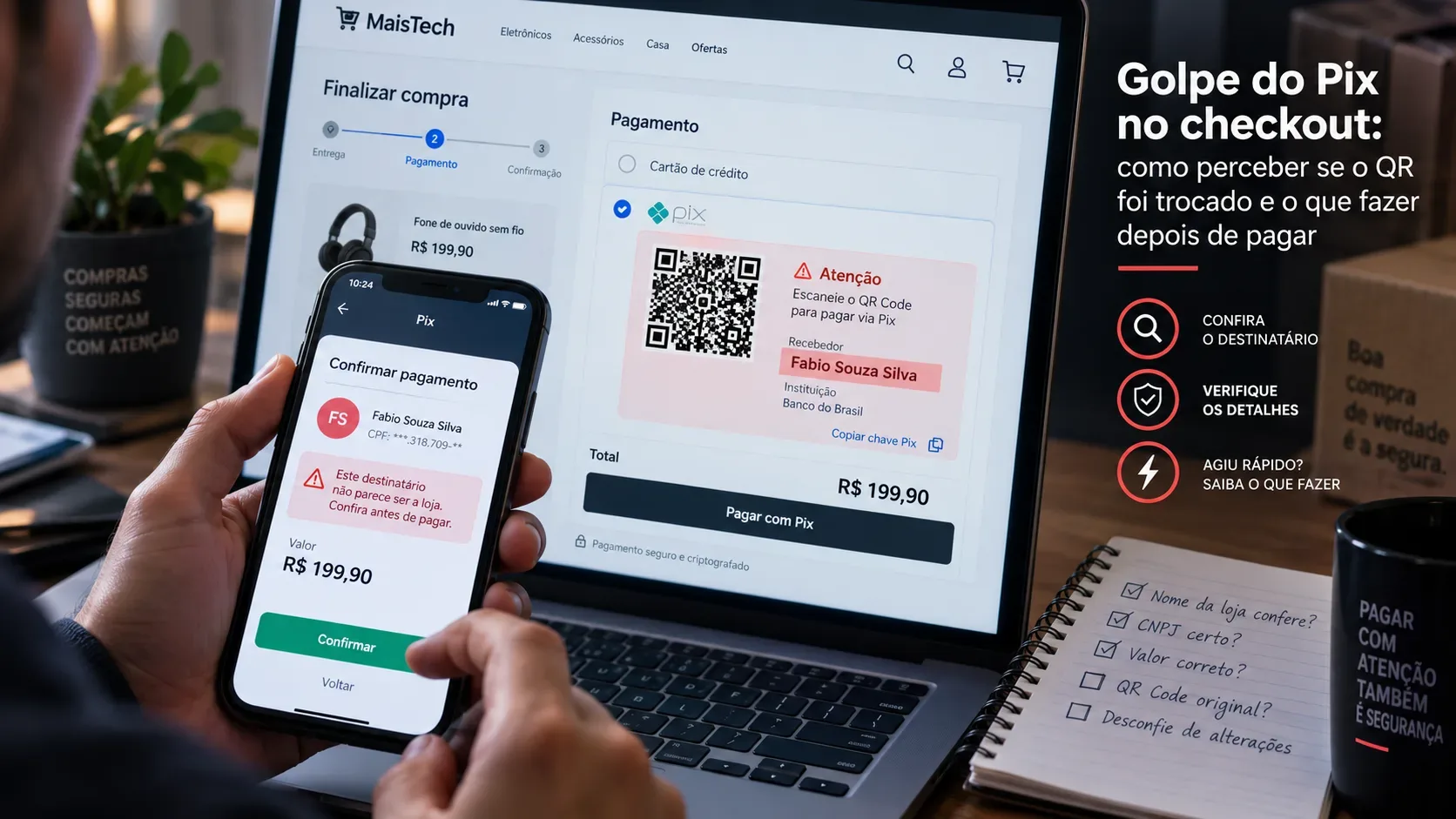
The Pix checkout scam is especially dangerous because the purchase may be taking place on a real store, at the correct web address, while the payment is still diverted. On September 9, 2026, Kaspersky said it had identified 90 Brazilian online stores compromised by malicious code capable of replacing both the QR code and the Pix copy-and-paste payload at the payment stage. The page can continue to look legitimate, but the data sent to the banking app points to an account controlled by criminals.
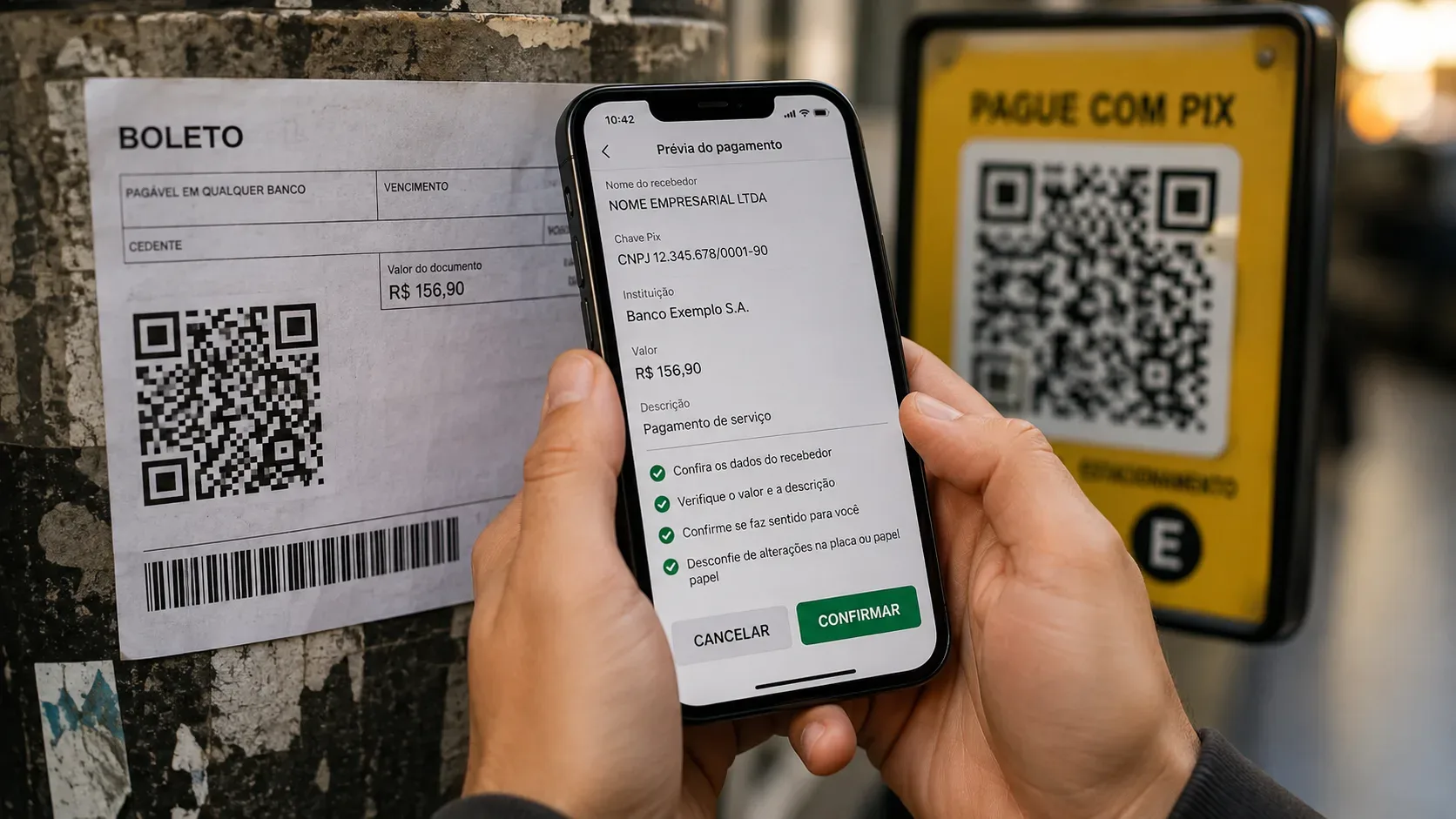
For shoppers, the most important defense is not to “look at whether the QR code seems normal.” Treat the confirmation screen in your own banking app as an independent second check: before authorizing, verify who will receive the payment, which tax ID or identification is shown, and whether the amount matches the order. If the details do not match the store or an official payment intermediary clearly disclosed by it, stop the transaction.
How a QR code can be swapped inside a legitimate website
According to Kaspersky's investigation, the campaign observed in Brazil compromised small and medium-sized stores using the Magento platform. Malicious code was injected into the checkout and, when the customer selected Pix, it replaced the original QR code in real time as well as the “copy and paste” string. From the store's perspective, the order could remain pending or appear abandoned because the payment never reached the e-commerce site's official financial flow.
This changes the prevention logic. HTTPS, the browser padlock, the correct domain and a familiar design are still useful against fake websites, but they are not enough in this scenario: the genuine website itself may be compromised. The decisive point becomes checking the information shown by the banking app before confirmation.
Checklist before confirming a Pix payment
- Check the recipient's name. It should match the company you are buying from or a payment intermediary that the store clearly identifies. An unknown individual or a company with no apparent connection to the purchase is a reason to stop.
- Check the tax ID or identification shown. The legal company name may differ from the brand name, so compare it with the payment details provided by the store, the order page, institutional information or an officially disclosed intermediary.
- Check the amount. The total in the banking app should match the order, including shipping, discounts and any charges already shown at checkout.
- Be suspicious of unexpected changes. If the checkout reloads, the QR code changes without a clear reason, the beneficiary name changes between attempts or you are told to pay a different person or company, do not proceed.
- Do not trust the copy-and-paste Pix string by itself. In the attack described by Kaspersky, that text can also be replaced by the malicious code.
- Do not rush to “fix” a mismatch. If in doubt, abandon the payment and contact the store through an official channel opened separately, not through a phone number or link shown only on the suspicious page.
The strongest warning sign appears in your banking app
The QR code is only a way to carry payment data. Before completing Pix, the financial institution's app displays information about the transaction. That is where the final verification should happen. Kaspersky recommends checking the recipient's name and tax ID and not proceeding when they conflict with the store or its official payment intermediary.
There is an important caveat: marketplaces, gateways and payment processors may legitimately appear as recipients. Therefore, “the name is not exactly the store's name” does not prove fraud by itself. The problem is when the identity shown is not explained by the purchase or cannot be verified through an official channel.
I already paid the wrong account: what should I do first?
If the Pix transfer has already been completed and you realize the money went to the wrong recipient because of a scam, speed is the priority. Brazil's Central Bank advises victims to contact their own financial institution and request the return of the funds. Since October 1, 2025, Pix participants must provide in their apps a self-service feature to dispute transactions involving fraud, scams or crime and activate the Special Return Mechanism (MED).
- Dispute the transaction immediately in your banking app. Look for an option such as dispute Pix, MED, “I was scammed” or similar. If you cannot find it, use the institution's official support channel.
- Keep the Pix receipt. Preserve the transaction ID, date, time, amount, recipient name and recipient identification.
- Preserve checkout evidence. Save screenshots of the order page, the QR code or copy-and-paste string if still available, the URL, the order status and any messages or emails received. Avoid unnecessarily altering original files.
- Notify the store through an official channel. Provide the order number and payment details. This can help the merchant determine whether its checkout was compromised and preserve technical logs.
- File a police report. The Central Bank recommends doing this in parallel with contacting the bank. Include the evidence and transaction details.
How MED works and why it does not guarantee a refund
MED is a Pix-specific mechanism for fraud, scams or crime; it is not an automatic chargeback. A request can be filed up to 80 days after the transaction, but acting immediately increases the chance that funds are still available to be blocked.
According to the Central Bank, the institutions analyze the case and, when there are indications of fraud, available funds may be blocked. The analysis takes up to 7 calendar days; if fraud is confirmed, the return may occur within up to 96 hours after the assessment ends. The refund may be full or partial and depends, among other factors, on the availability of recoverable funds.
For that reason, MED should not be treated as a promise of reimbursement. Kaspersky notes that the delay between payment and discovery of the scam may give criminals time to distribute the stolen money across other accounts, making recovery harder. The Central Bank also stresses that MED does not apply to ordinary commercial disputes, such as a disagreement with a good-faith seller over a product or service.
What not to do after the scam
- Do not make a second payment to “release,” “correct” or “reverse” the first Pix without validating the situation with the bank and the store through official channels.
- Do not install remote-access apps or share passwords, tokens or authentication codes with anyone claiming to be support staff.
- Do not delete the receipt or messages related to the order.
- Do not wait for the store to reply before disputing the transaction with the bank; both actions can happen in parallel.
- Do not confuse fraud with a typing mistake when sending Pix. MED has specific rules and does not cover every mistaken transfer.
If the case is not resolved
If the dispute does not resolve the problem, the Central Bank says consumers may file a complaint against the financial institution and, depending on the case, seek consumer protection authorities or the courts. The store should also be contacted, especially when there are signs that its own checkout was compromised, because it may need to fix the vulnerability and warn other customers.
The main point is simple: with Pix, the last screen before authorization matters more than the appearance of the QR code. In a tampered checkout, the website can look normal; the banking app's confirmation reveals where the money will actually go. Checking the recipient, identification and amount before authorizing — and acting immediately if the payment is diverted — reduces risk and improves the chances of a response.
Sources and references
- Kaspersky — Dinheiro desviado no checkout: novo golpe do PIX atinge dezenas de e-commerces brasileiros, September 9, 2026.
- Central Bank of Brazil — Segurança no Pix.
- Central Bank of Brazil — Vítima fez um Pix e caiu em um golpe, updated August 7, 2026.
- Central Bank of Brazil — O que é e como funciona o Mecanismo Especial de Devolução (MED).