
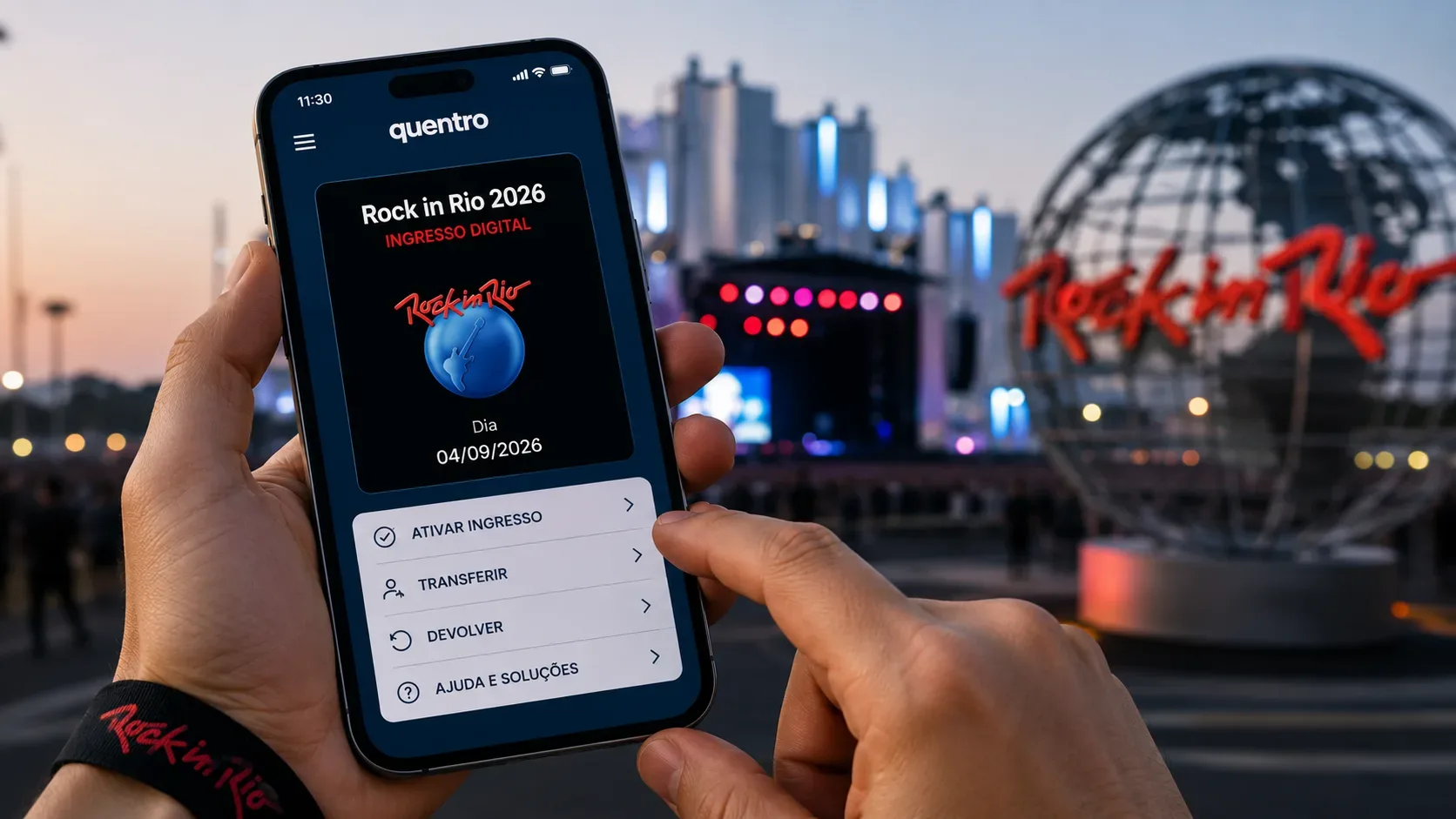
For Rock in Rio 2026, held on September 4, 5, 6, 7, 11, 12 and 13, tickets are digital and must be presented in the Quentro app. Activation and transfers are already available. The key to avoiding problems is to separate four different actions: activating a purchased ticket, transferring it to someone else, returning a ticket received by transfer, and cancelling/refunding a purchase. They are not the same thing.
What needs to be sorted out before leaving home
- Quentro should be installed and updated on the phone you will take to the festival.
- The buyer must sign in to Quentro with the same email used on Ticketmaster and complete the link from “My Orders”.
- The ticket must appear in Quentro’s “Upcoming” section.
- On the first app login, the verification code sent by email must be confirmed. This is a login code: do not share it with someone who is receiving a ticket.
- For a Comfort Zone ticket, there is an additional step to identify the user and register facial biometrics. For named ticket areas, confirm the user data before the event.
- Open the ticket at least once while you have an internet connection before arriving. Ticketmaster says that after this first online load, the ticket can be displayed again in Quentro even without connectivity.
Rock in Rio published the official activation and transfer instructions, while Ticketmaster maintains a dedicated digital-ticket and Quentro help page.
How to activate a ticket purchased through Ticketmaster
- Download or update Quentro.
- Sign in to the app with the same email registered on Ticketmaster.
- On the Ticketmaster website, open “My Orders”.
- Find the Rock in Rio 2026 order and activate the link to Quentro.
- Return to the app and check that the ticket appears under “Upcoming”.
If the ticket does not appear, first compare the email used in both accounts. Then update the app, return to “My Orders” and verify that activation was completed. Avoid creating a second account with another email, because that can separate the order from the account you are checking.
How to transfer a ticket without creating an entry problem
In Quentro, open “Upcoming”, select the ticket and tap “Transfer”. Rock in Rio allows you to send it by entering the recipient’s Quentro email or, when both people are together, by using Quentro ID. Once completed, the ticket appears in the recipient’s account.
Before confirming, check the email character by character. For Comfort Zone or VIP tickets with user details already attached, the official instruction is to remove the registered data before sending so that the new user can complete their own identification.
There is one critical limitation: a person who receives a ticket by transfer cannot transfer it directly to a third person. Ticketmaster states that Quentro allows one transfer, but the recipient can return the ticket to the original sender. Rock in Rio explains that after the original sender gets it back, that sender can transfer it again to someone else.
Pending, completed or wrong-email transfer: what changes
| Situation | What it means | What to do |
|---|---|---|
| Transfer is “Pending” | Usually the recipient does not yet have an active Quentro account using the email entered. | The sender can cancel the pending transfer or ask the recipient to create/sign in to Quentro using that exact email. |
| Transfer completed | The ticket has already been credited to the recipient’s Quentro account. | The sender cannot reverse it alone. The recipient must use the return option to send the ticket back to the original account. |
| Wrong email and transfer still pending | The ticket has not been accepted by an active account. | Cancel the pending transfer and send it again to the correct address. |
| Wrong email and transfer already completed | The ticket reached an active account. | Do not share access codes or try to log in to someone else’s account. If the recipient cannot return the ticket, contact official support. |
“Return” in Quentro does not mean a refund
The word “return” is used in two different contexts and that creates confusion. In Quentro, returning means the recipient sends the ticket back to the account that transferred it. That action does not trigger a money refund.
Purchase cancellation, on the other hand, is handled by Ticketmaster. For Rock in Rio 2026, the published policy allows the buyer to request cancellation within 7 calendar days counted from the day after the purchase. The request is made under “My Orders” through the refund/cancellation option. After that period, the general rule is that purchases are not cancelled or returned, except in cases required by law or specific event situations.
When a valid cancellation is processed, the purchase is cancelled irreversibly and the related tickets become invalid, including tickets that were already transferred. Refund timing depends on the payment method: Ticketmaster states up to two billing cycles for credit cards and up to 10 business days for PIX. Check the official Rock in Rio 2026 cancellation policy before making the decision.
The ticket is in the app, but the QR code or entry still worries you
The ticket must be presented inside Quentro. Screenshots and printouts are not accepted because the QR code refreshes several times per minute. Ticketmaster also states that after one online access, the ticket can be viewed again without connectivity. Even so, arrive with the app open, your session checked and enough battery.
Bring an official photo ID as well. The Rock in Rio 2026 Terms and Conditions allow organizers to request it. Anyone using a reduced-price ticket should be ready to present the required proof of eligibility. Tickets with biometrics or additional identification must be fully set up according to the ticket category purchased.
Troubleshooting checklist: symptom, likely cause and next action
| Symptom | Check first | Next action |
|---|---|---|
| Purchased ticket does not appear in Quentro | Same email on Ticketmaster and Quentro; updated app; link completed in “My Orders”. | Retry from the Ticketmaster website and, if it is still missing, contact support using the purchase email. |
| Recipient cannot see the ticket | Email used for the transfer and email on the recipient’s Quentro account. | If it is “Pending”, cancel it or ask the recipient to activate the account with that same email. |
| Transfer button does not solve the issue | Whether the ticket was received by transfer, has already been used, or the account is the original buyer/sender. | A received ticket cannot be passed directly to a third person; return it to the original sender for a new transfer. |
| Sender wants a transferred ticket back | Transfer status. | If pending, cancel it; if completed, the recipient must return it through Quentro. |
| Phone has no signal near the entrance | Whether the ticket was previously opened with an internet connection. | Open Quentro; after the first online load, the ticket should remain available. |
| Someone asks for your Quentro verification code | Nothing: that code is not required to receive a transfer. | Do not share it. The recipient only needs to provide the email of their Quentro account. |
| You saved a QR screenshot as a backup | The QR code is dynamic. | Use the ticket inside Quentro; screenshots and printouts are not valid. |
When to stop troubleshooting on your own and contact support
Contact support when the order appears normally on Ticketmaster but the ticket still does not enter Quentro after checking the email, app update and activation; when a completed transfer went to the wrong account and the ticket cannot be returned; when the ticket shows an unexpected status; or when there is a data mismatch for ticket categories that require identification or biometrics.
When opening a support request, use the same email as your Ticketmaster account and provide the order number, festival date, ticket type and what Quentro currently displays. This reduces back-and-forth. Ticketmaster directs users to its Fan Support Center; for app-specific matters, there is also official Quentro support.
Decision summary
- You bought the ticket and will use it: activate it through Ticketmaster, confirm it in Quentro and load it before leaving.
- You bought it and someone else will use it: transfer it through Quentro to the correct email and confirm that it arrived.
- You received it but will not use it: return it to the original sender; you cannot pass it directly to a third person.
- You want your ticket back: cancel if the transfer is still pending; if completed, the recipient must return it.
- You want your money back: that is purchase cancellation/refund, not a Quentro return; follow Ticketmaster deadlines and conditions.
- You are entering the festival: use Quentro on your phone, not a screenshot or paper, and bring photo ID plus any applicable proof.
Operational instructions can be updated close to the festival dates. Before leaving, check the official Rock in Rio 2026 ticket page and your order status on Ticketmaster.