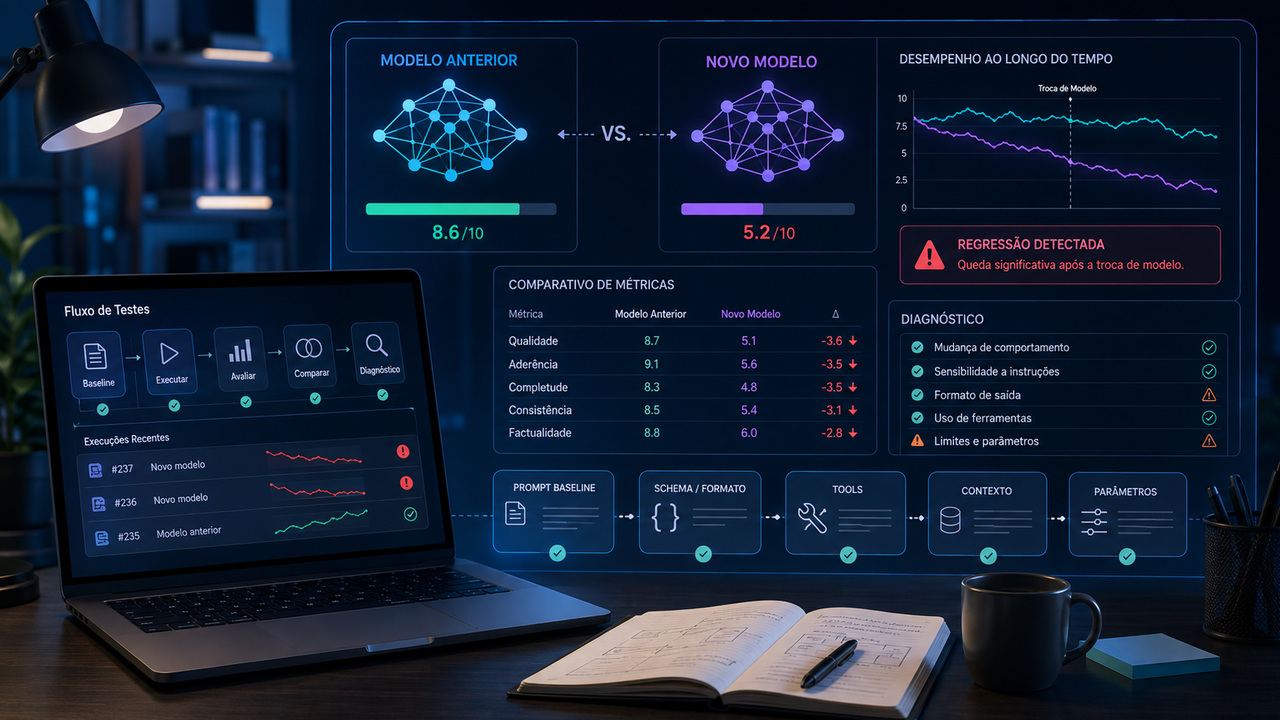
When an AI workflow is stable and worsens shortly after a model change, the most common reaction is to open the prompt and start rewriting. This is precisely the moment when it is important to preserve what already worked. If the known prompt stayed the same and the key variable was the model, that prompt is your best baseline for figuring out what changed.
The useful question is not “how to fix the prompt?” right away. It’s “which part of the system regressed when the model changed?” The answer may lie in adherence to instructions, the output format, the use of tools, the way the context is processed, the request parameters, the endpoint or SDK used in the migration, or simply the natural variability of responses. Only after locating the fault does it make sense to decide whether the prompt really needs to be changed.
Prompt regression is not always a prompt problem
Different models are not interchangeable versions of the same function. They may interpret instructions with different degrees of literalness, calibrate the amount of detail differently, decide differently when to use a tool, and react differently to the same context. Even versions or snapshots of the same family can produce observable changes in behavior.
This point appears in the official documentation of the main providers. OpenAI recommends using fixed versions when consistency matters and maintaining evaluation suites to track changes when updating models. Anthropic maintains migration guides because parameters, behavior, and tool versions can change between generations. Google also publishes specific migration and prompting guidance for new generations of Gemini, including when parameters and recommended strategies change.
Therefore, “the prompt got worse” is just a hypothesis. What you observed was a drop in the final result. Before assigning cause to the prompt text, you need to separate what belongs to the prompt from what belongs to the rest of the system.
Freeze the baseline before trying to improve anything
Diagnosis becomes much more difficult if you change the model and, at the same time, modify instructions, examples, parameters, tools and integration code. If everything changes together, an improvement does not prove that the new prompt was necessary and a worsening does not reveal which change caused the problem.
The baseline must represent the configuration that worked. Preserve the exact text of instructions, the division between system and user messages, examples, block order, tool definitions, output schema, context policy, generation parameters, token limits, and conversation state flow. Also record the exact identifier of the old model when the provider offers a fixed version.
Then, run the same cases on the new model, only changing the model identifier. If the migration requires a mandatory API or parameter change, treat that change as a second variable and document it. The goal is to get as close as possible to an A/B test where the prompt and the rest of the environment remain constant.
Record the actual request, not just the visible text of the prompt
Many “prompts” in production are, in practice, systems. The request may include instructions that the user does not see, context retrieved from a database, conversation history, tool descriptions, JSON schema, output limits and transformations made by the SDK. If you only compare the main text, you may be testing two different requests without realizing it.
For each critical run, save a representation of the input actually sent to the model and a trail of what came back: final text, tool calls, arguments, stopping reason, token usage, validation errors, and any available tracing information. This registration reduces the space for print diagnostics.
Build a minimal regression suite before messing with the prompt
You don't need to start with hundreds of cases. You need to start with cases that represent what your product actually requires. The minimum set must contain normal examples, edge cases, and situations where the output must obey an objective rule.
Normal case: the path that happens most in production
Choose a common input, with sufficient context and a well-understood expected response. The objective here is to measure whether the new model continues to solve the central task with the same level of usefulness, adherence and completeness.
Format case: output needs to be consumed by code
Include at least one case where the response has clear structural requirements, such as valid JSON, required fields, correct types, and absence of text outside the schema. When the provider offers Structured Outputs, strict mode, or an equivalent mechanism, test this feature separately from the prompt. Asking “respond in JSON” in the text is not the same thing as having the structure validated by the API itself.
Tool case: the model needs to decide when and how to call a function
Record which tool should be chosen, which arguments are mandatory and what should not be called. Compare not just the final answer, but the trajectory. A workflow may appear “less intelligent” because the tool call has changed, even if the subsequent text is fine.
Context case: the answer depends on long or retrieved information
Use an example where the important instruction is distant in context or where a knowledge base provides essential snippets. First check whether the same snippets were retrieved, in the same order and with the same content. If the retrieval has changed, do not attribute to the model an error that was born before it.
In case of lack of information: the model should allow limits
Include an entry in which the correct response is to request additional data, declare uncertainty, or reject an unsupported conclusion. Different models may calibrate trust and initiative differently. This difference may be desirable in one product and problematic in another, so it needs to become an explicit criterion.
Multi-turn case: behavior depends on history
If your workflow uses long conversations, persistent state, or threaded responses, test at least one real sequence. Changes to state management, the endpoint, or the effective size of the context can produce regressions that do not appear in an isolated call.
Measure first what can be measured deterministically
Before evaluating “which answer looks best”, use objective checks where they exist. For structured output, validate the schema. For tools, check the function name, presence of mandatory arguments and types. For classification, compare the expected class. For extraction, validate critical fields and values. For size limits, count tokens or characters as per product rule.
After that, evaluate semantic aspects such as relevance, clarity, completeness, and tone with a stable rubric. For important tasks, combine automation with human review of a sample. A single global judgment such as “the new model looks worse” is weak because it mixes several dimensions into a single note.
As the outputs of generative models are not fully deterministic, repeat critical cases more than once when stability is a requirement. A single fault might be noise; a consistent change in success rate is a stronger sign of regression.
Diagnosis tree: start with the symptom, not the solution
After running the suite, classify the failure pattern. The same “worse prompt” feeling can come from very different causes.
Symptom: Response became shorter, longer, or changed style
Hypothesis: there was behavioral drift or the model's verbosity and initiative calibration changed. Test: Keep the same input and compare adherence to objective content requirements, not just length. See if mandatory information has disappeared or if just the way it is presented has changed.
If the necessary content is still present, there may not be functional regression. If the product requires a specific length, tone or structure, make that preference an explicit criterion and only then adjust the style statement. Do not rewrite the entire prompt to correct a verbosity difference.
Symptom: JSON started to break or extra fields appeared
Hypothesis: the workflow depended on informal compliance with the format and the new model distributes output probabilities differently. Test: Validate the same schema outside the model and, when available, enable the provider's native Structured Outputs mechanism or strict mode. Also confirm that the new API accepts exactly the same subset of JSON Schema.
If the structure becomes stable again with schema enforcement, the cause was not necessarily a “bad prompt”. It was a weak dependency on textual formatting. The most robust fix may be in the integration layer, not in the instructions.
Symptom: The right tool is not called or the arguments change
Hypothesis: the tool use policy, the interpretation of descriptions or the compatibility of definitions changed. Test: Temporarily reduce the toolset to the minimum necessary and compare the model decision. Check tool names, descriptions, required fields, types and versions. Confirm whether the provider migration changed the function calling format or the way of returning tool calls.
If the model calls the correct tool when the set is lean, the problem may be ambiguity between tools or excessive descriptions. If that doesn't work, investigate generation- or API-specific differences before raising the prompt.
Symptom: the model ignores an instruction that it previously obeyed
Hypothesis: The new generation prioritizes instructions or context differently, or the important rule is hidden in a long, redundant prompt. Test: extract only the instruction that failed and run a minimal case. If it works in isolation, reintroduce the prompt blocks until you find which part creates the conflict.
This test also shows when the problem is too many instructions. Current vendor guidance often recommends clearer, less contradictory prompts. Adding more text to fix each flaw can make the system worse by increasing conflict and context cost.
Symptom: the model loses information in long context
Hypothesis: the relevant content arrived in a different position, was truncated, was recovered in a different way or the new generation reacts differently to the organization of the context. Test: compare the context actually sent, the token count and the position of the instructions. In RAG, fix retrieval before changing the model to separate retrieval from generation.
If the information never reached the model, there is no prompt capable of retrieving it. If it has arrived, but stickiness varies with position, test context reorganization and anchoring instructions without simultaneously changing other parts of the system.
Symptom: the workflow is slower, more expensive or ends up truncated
Hypothesis: the use of reasoning, the number of tokens, the tokenizer, the tool use pattern or the effective output limit have changed. Test: Compare input and output tokens, stopping reason, latency, number of tool calls, and effort or thinking settings when they exist.
A migration can improve average quality and still worsen your SLA. This is regression for your product, even if the new model is more capable in general benchmarks. The success criteria needs to include cost and latency when they are part of the requirement.
Symptom: Old parameters now appear useless or cause an error
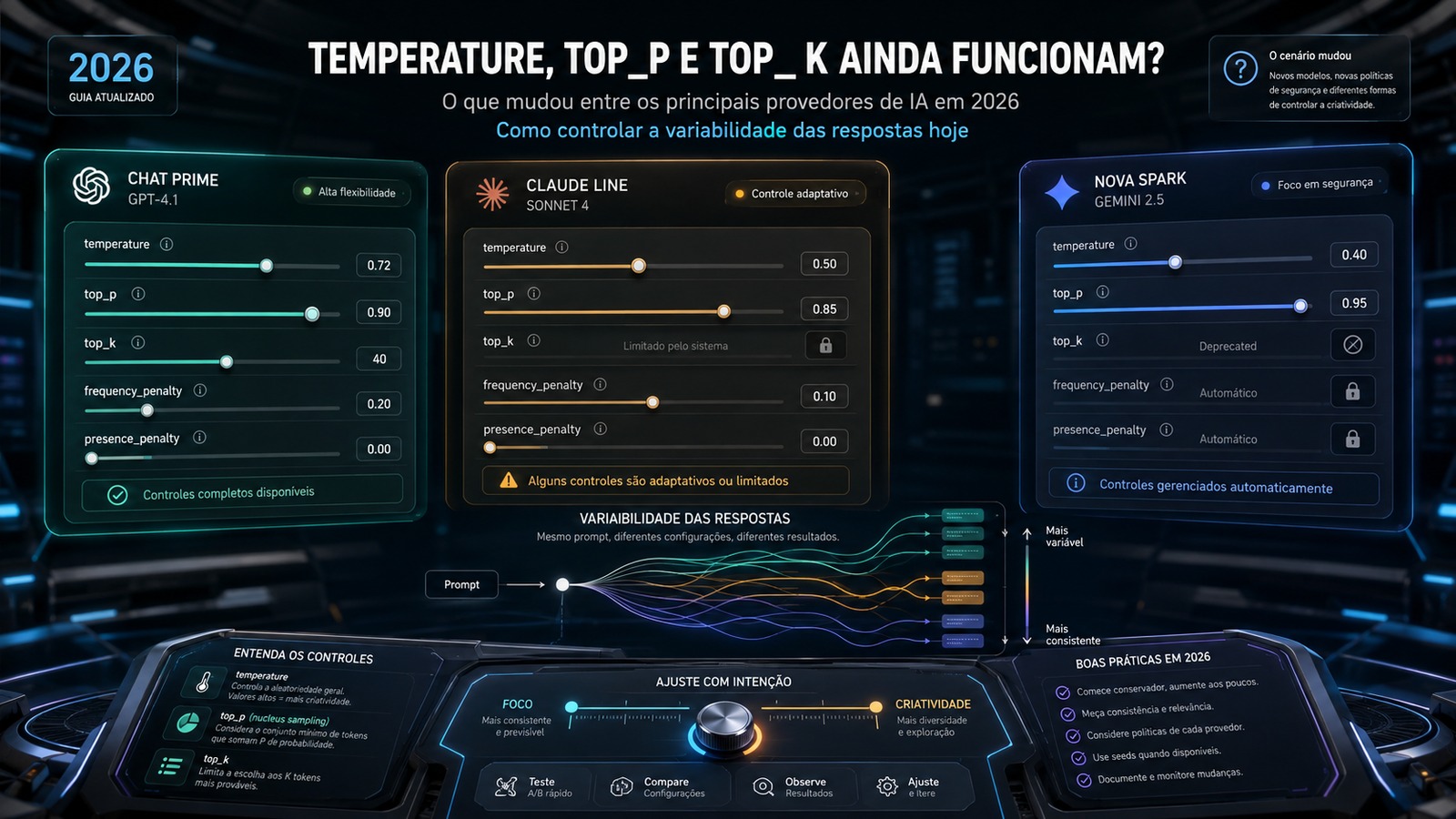
Hypothesis: the new generation has changed defaults, removed parameters or recommends another configuration. Test: Refer to the specific model's migration guide and compare the request to the recommended configuration. Do not automatically copy temperature, top-p, thinking or effort from one generation to another.
Current Anthropic documentation, for example, records generations in which certain sampling parameters are no longer accepted. Google's guidance for recent Gemini generations also includes different recommendations for temperature and prompting. This type of change shows why migrating just the model name may not be enough.
Don't confuse model migration with API migration
Another common mistake is changing the model and taking the opportunity to migrate endpoint, SDK or library. In this case, you no longer have a main variable. The format of responses, state management, representation of tool calls, and output fields may change even if the model was the same.
If API migration is mandatory, make two benchmarks whenever possible: first confirm the behavior of the old model in the new integration; then just replace the model. When this is not possible, at least record which differences are due to the API contract and which appear in the quality of the generation.
When the prompt really needs to change
After eliminating schema, tool use, retrieval, parameter and integration issues, there may be a real difference in interpretation. Then the prompt comes in as an adjustment variable.
The safest change is localized. If the new model interprets a vague statement literally, make that statement specific. If your answer is too short, explain the level of detail. If you perform actions without authorization, define boundaries of autonomy. If you don't call up a tool when you should, adjust the tool description or usage condition. Each change must correspond to a measured failure.
Rewriting everything at once destroys the accumulated evidence. You no longer know which change solved the problem and creates the risk of regressions in cases that already worked. The most reliable procedure is to change one thing at a time and rerun the same suite.
A migration procedure that preserves diagnosis
Step 1: Freeze the version that works
Save prompt, model, parameters, tools, schema, context and test cases. If there is a versioned identifier or snapshot, register it. Save representative outputs and basic metrics.
Step 2: define what it means to “keep working”
Transform expectations into criteria. This could be valid JSON rate, classification hit, correct tool call, presence of fields, factual adherence, maximum latency, cost per task, or a quality rubric. Without criteria, any comparison becomes personal taste.
Step 3: run the old model and generate the baseline
Run the suite in the old configuration. This result is the local reference of your workflow, not a universal model benchmark.
Step 4: change only the model
Use the same suite and preserve as many variables as you can. Where the migration requires changes, document them separately. Compare results by dimension.
Step 5: Classify each regression
Mark whether the failure is behavioral, format, tool, context, parameter, integration or stability. This rating determines where to test next.
Step 6: Apply as little correction as possible
Prefer schema enforcement for schema problems, tool definition correction for tool problems, retrieval adjustment for context problems and parameter changes when the migration guide asks for it. Rewrite instructions only when evidence points to interpretation or behavior.
Step 7: Run full regression before promoting
The correction needs to resolve the broken case without bringing down the cases that already passed. Only promote the new configuration when the suite shows that the local gain did not create losses elsewhere in the workflow.
Diagnosis changes the question you ask the model
When a migration breaks a workflow, the old prompt isn't garbage: it's evidence. It allows you to measure the difference between two configurations and locate the point at which the behavior changed. Without this baseline, the tendency is to enter a cycle of trial and error, adding instructions until one example works again without knowing what happened to the others.
The most economical path is to treat the model change as a system change. Fix what worked, run representative cases, measure format and tool use objectively, compare context and parameters, consult the provider's migration guide and only then change the prompt. Sometimes the conclusion will be that an instruction needs to be made more explicit. In others, the prompt may remain exactly as it was and the correction will be in the schema, tools, context or integration.
This is the sign of a good diagnosis: you stop asking “how do I rewrite my prompt?” and now you know which variable needs to be corrected, why and against which tests the change must be validated.