For genealogical research, Brazil’s full-content civil registry certificate (certidão de inteiro teor) is useful because it reproduces the complete content of the civil record, including annotations, amendments and other elements that may not appear in a summarized certificate. On the official Civil Registry Portal, this certificate is currently provided electronically. The key is to distinguish three things: the original electronic file, which is the digitally signed document; a home printout, which is only a simple copy; and materialization by a registry office, which converts the electronic certificate into a formal paper version.
Before ordering: identify the registry office and gather record references
The request starts by identifying the registry office that holds the record. The official Civil Registry FAQ states that a certificate cannot be requested without knowing the registry office; if that information is still unknown, the portal itself offers a certificate search service.
For genealogy, gather everything already available: the registered person’s full name, the type of act (birth, marriage or death), the approximate date and place of the event and, when known, the book, page and entry number (livro, folha e termo). The portal explains that these references are not mandatory, but they can speed up processing.
How to request an electronic full-content certificate
- Go to the official Civil Registry Portal and start a request for the certificate type corresponding to the record you need.
- Enter the competent registry office and the record details. If you know the book, page and entry number, include them.
- Select the full-content (inteiro teor) option when it is offered for the request and confirm that delivery is electronic.
- Complete the payment shown by the platform. The portal is a technological intermediary; the registry office responsible for the record is the entity that reviews and issues the certificate.
- Track the request under “Meus Pedidos” (“My Requests”). Official guidance states an estimated issuance period of up to 5 business days from confirmation of the final payment, including cases with an additional charge.
- Once issued, download the original file and archive it without modification.
Screen names and individual steps may change as the portal is updated, but the documentary logic remains the same: locate the record, send the request to the responsible registry office, pay the applicable fees and receive the electronic certificate through the official environment.
Does the electronic PDF have legal validity?
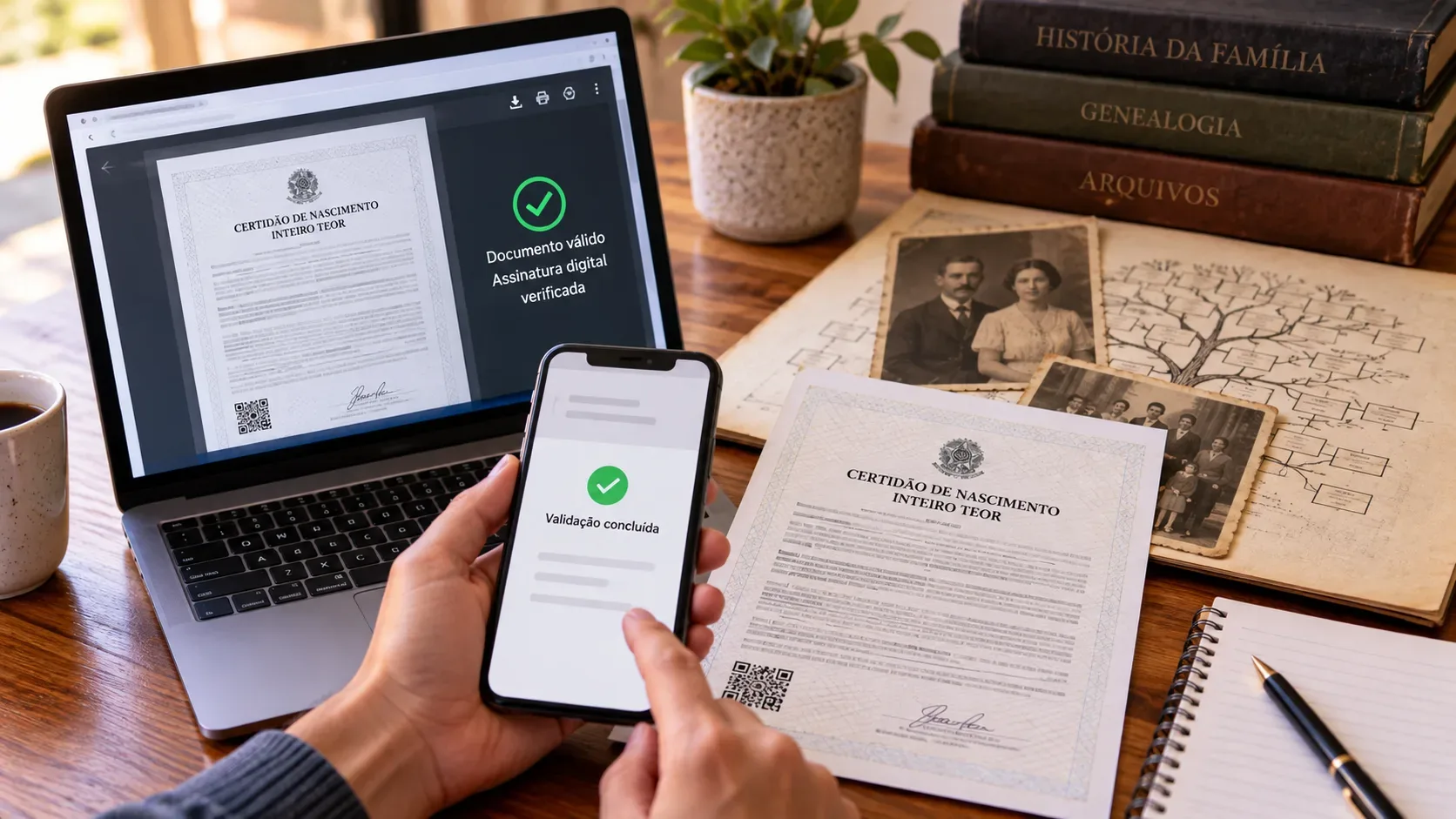
Yes. According to the Civil Registry, the electronic certificate is a born-digital document, issued as a PDF and digitally signed by the issuing registry office. Brazil’s national CNJ rules for the Civil Registry Information Center also provide for electronic certificates using digital certificates and digital signatures. The original electronic file is therefore not a “preview” of the certificate: it is the certificate itself in electronic form.
To preserve that status, keep the original PDF downloaded from the portal. Avoid recreating it through printing and scanning, “printing to PDF,” editing pages or converting the file to another format when authenticity must be demonstrated, because validation relies on the signed document and its verification mechanisms.
How to validate the certificate before using it in research
The Civil Registry maintains an official electronic certificate validator. The validation code and QR Code appear on the document. Depending on the case, validation can be performed with the code or by uploading the signed file itself.
A simple genealogy routine is to validate the certificate immediately after download and record the registry office name, issue date and validation code in your research notes. This makes it easier to distinguish the official source document from transcriptions, working images and copies shared with relatives.
Current portal guidance says the certificate remains available for access for up to 90 days after issuance. After that period, an original file already held by the user can still be submitted to the validation mechanism. Do not treat the portal as permanent storage: download the file and keep backups.
Printing at home is not the same as materialization
This distinction is crucial. The Civil Registry Portal terms state that a printout made by the user does not carry the legal status of a materialized certificate and is treated as a simple copy. Materialization is a service performed by a Civil Registry office, with the appropriate physical issuance formalities and applicable fees.
| Format | What it is | Practical use |
|---|---|---|
| Original electronic PDF | Certificate digitally signed by the registry office. | Official document for electronic use and online validation. |
| Home printout | Pages printed by the user from the PDF. | Useful for reading and organizing research, but only a simple copy. |
| Materialized certificate | Paper version produced by a registry office from the electronic certificate, with the service’s formalities. | Appropriate when the recipient requires a formal paper document. |
When materialization is worthwhile for genealogy
If the purpose is to read the record, extract names, dates, parentage, amendments and build a family tree, materialization normally adds no new information to the content of the original PDF. In that situation, the efficient approach is to preserve the electronic file, validate its authenticity and use separate reading copies while keeping the original untouched.
Materialization becomes relevant when the certificate must be submitted to an institution, authority, professional or proceeding that requires a formal paper version. CNJ rules allow an electronic certificate to be materialized on paper by a Civil Registry officer participating in the central system, subject to applicable fees. The portal currently instructs users to request materialization within 30 days of issuance.
For citizenship, immigration or other international procedures, do not assume that materialization alone satisfies every requirement. The receiving authority may require a specific format, an apostille, a translation or a recently issued certificate. Check the rules of the procedure that will receive the document before paying for extra steps.
Recommended workflow for genealogists
- Locate the registry office. If you do not know which office holds the record, use the search service before placing the order.
- Gather references. Book, page and entry number help when already known.
- Order the electronic full-content certificate. Carefully review names, dates and registry office details before completing the request.
- Monitor any additional charges. The issuance period is counted from confirmation of the final payment.
- Download the original PDF. Store it in a source-document folder and avoid modifying it.
- Validate it on the official portal. Keep the validation code with your research notes.
- Create working copies. Use a copy for annotations, printing or sharing, and preserve the original.
- Materialize only when a formal paper version is actually required. If that may be necessary, do not leave the operational deadline until the last moment.
Quick questions
How long does issuance usually take?
The portal states an estimated period of up to 5 business days after confirmation of the final payment.
Can I request it without knowing the registry office?
Not directly. Official guidance is to identify the registry office first; the portal provides a search service when this information is unknown.
Does printing the PDF at home turn it into a physical certificate?
No. It remains a simple copy. A formal paper version requires materialization by a registry office.
Do I need materialization just to build a family tree?
Usually not. For research and reading, the original verifiable electronic PDF is generally sufficient. Materialize it when there is a concrete requirement to submit a formal paper document.
Official sources consulted: Civil Registry FAQ, electronic certificate validator, portal terms and the CNJ National Code of Rules.