FamilySearch announced an improved duplicate-profile merge experience for Family Tree on August 17, 2026. The main change is not merely visual: the screen keeps both profiles side by side, previews the surviving profile, and keeps consistency recommendations and warnings visible while you decide. The goal is to reduce one of the most time-consuming errors in a collaborative tree: combining two people who look similar but are not actually the same person.
The safest rule remains simple: do not merge because the profiles merely “look compatible”; merge when the evidence supports that they represent the same person. FamilySearch itself recommends doing more research when key information is missing or meaningful inconsistencies remain. The update makes review easier, but it does not turn the system recommendation into genealogical proof.
What changed in the improved merge experience
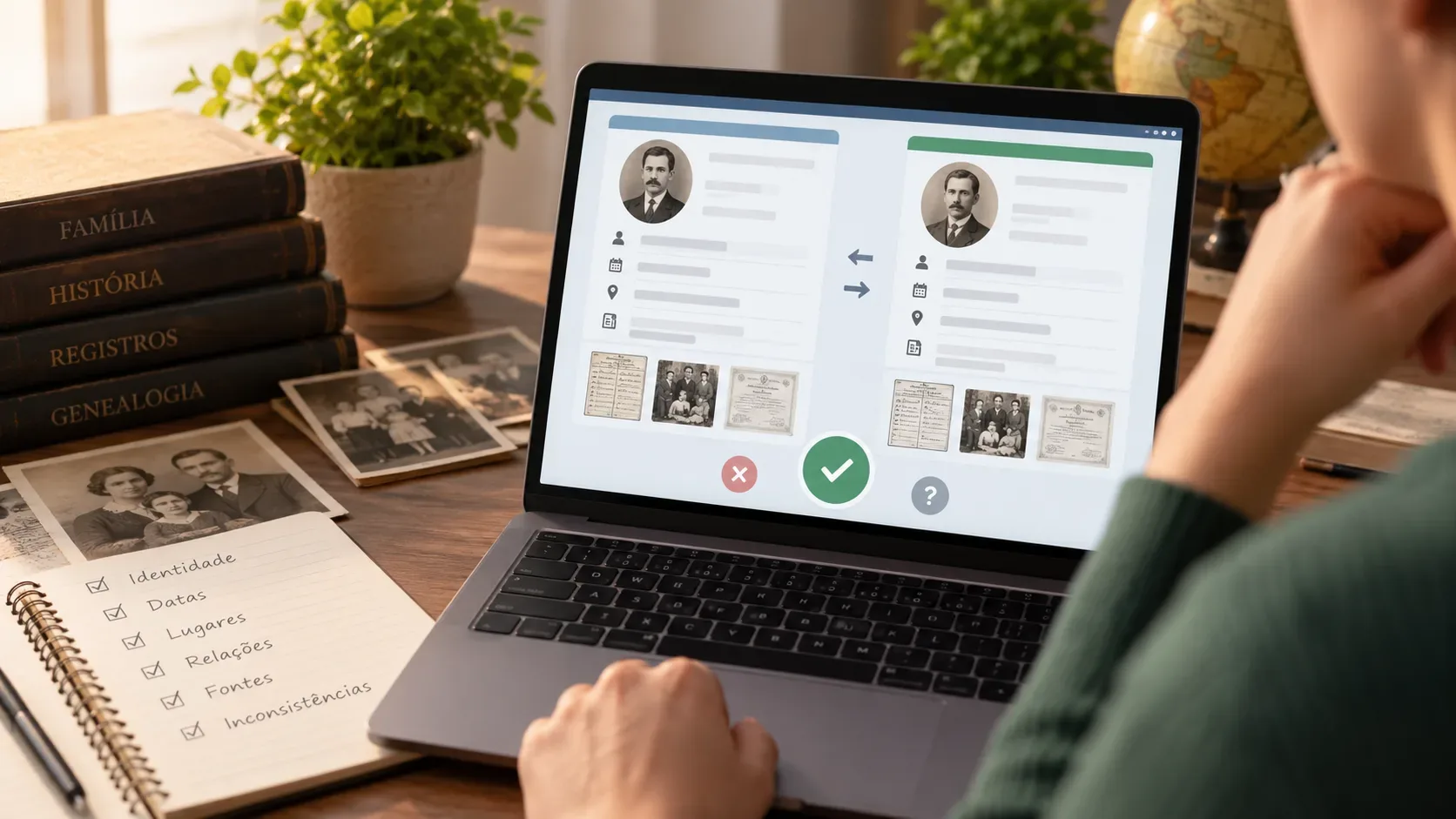
According to the official announcement of the improved experience, the new screen brings together information that used to be spread across different steps. It shows the profile that will be deleted, the profile that will survive, and a preview of the result after the merge.
- Side-by-side comparison: names, facts, and relationships can be evaluated without losing sight of either profile.
- Surviving-profile preview: you can see what the record will look like if you complete the operation.
- Consistency recommendation: FamilySearch classifies the situation according to the level of agreement or conflict.
- Persistent warnings: alerts remain visible during the review instead of appearing only at the beginning.
- Automatic transfer: in the improved experience described by FamilySearch, vital information, relationships, and sources are transferred to the surviving profile, reducing accidental choices during the merge.
- Review confirmation: the flow asks users to indicate that they reviewed the merge before continuing.
This automation makes it even more important to correct errors before the merge. FamilySearch notes that fixing an incorrect fact first may reveal that the profiles should not be merged at all.
Pre-merge checklist: six questions that help prevent wrong combinations
| Check | What to compare | Warning sign |
|---|---|---|
| Identity | Who the profile was originally meant to represent; names, nicknames, and family context. | The change history suggests the profile already contains data from another person because of an older bad merge. |
| Dates | Birth, christening, marriage, death, and other milestones. | Large unexplained differences or events in an impossible order. |
| Places | Birthplace, residence, marriage place, death place, and migration. | Two geographic paths that cannot plausibly fit the same period. |
| Relationships | Parents, spouses, children, and siblings. | Different family groups that cannot both belong to the same person. |
| Sources | Civil records, church records, censuses, obituaries, and other attached evidence. | A source is attached to the profile, but names, relatives, or places show it belongs to someone else. |
| Inconsistencies | FamilySearch messages and conflicts within the data itself. | The system flags several or major inconsistencies, or essential information is missing. |
Identity first: determine who each profile was intended to represent
One of the most important recommendations in FamilySearch's official merge best practices is to check the profile's “intended identity.” In a collaborative tree, a record may have accumulated edits and even incorrect merges. Looking only at its current state can therefore be misleading.
Review the earliest entries in the change log, early relationships, and older sources. The question is not only “do today's facts look alike?” but “were these two profiles created to represent the same human being?” If one profile has already been damaged by a bad merge, FamilySearch recommends repairing that problem before doing another merge.
How to read “Merge not recommended” and other warnings
The improved experience displays an overall consistency assessment. These messages are decision aids, not substitutes for evaluating the sources.
| Message | What it means | Safer response |
|---|---|---|
| Merge Duplicates | No significant inconsistencies were detected. | Still confirm identity, sources, and relationships before merging. |
| Potential Merge | One or more inconsistencies require review. | Investigate the conflicts and look for missing information before deciding. |
| Merge not recommended | The profiles have a high degree of inconsistency. | Do not treat it as a minor warning to ignore. Research until the conflicts are explained; without solid proof, do not merge. |
| Unable to Merge | FamilySearch identified a condition that blocks the merge. | Check the stated reason. Some situations are blocked, including certain incompatible relationships or record restrictions. |
The official list of reasons a merge can fail includes, among other cases, profiles of different sexes, one living and one deceased person, a parent-child relationship between the two profiles, read-only records, and some structural conflicts.
Sources: treat them as evidence, not a confirmation badge
Having sources attached to both profiles does not prove they are the same person. A source can be attached to the wrong profile. FamilySearch recommends comparing the source content with the intended identity rather than simply counting how many documents each side has.
When reviewing a certificate, census, or church record, look for combinations of evidence: name plus relatives, date plus place, occupation plus residence, spouse plus children. The more specific the combination, the stronger the identification usually becomes. Also look for missing sources when one profile lacks important facts. An absence of conflict is not the same as proof of identity.
When to use “Not a Match” and when to simply cancel
Use Not a Match when you have evidence that the two profiles represent different people. According to the official FamilySearch help article, marking this option stops the system from suggesting the two records as possible duplicates. Record an objective reason, such as different parents, incompatible spouses, different births, or simultaneous presence in places that do not make sense for one person.
If you still do not know whether they are the same person, it is better to cancel or go back and research further. Marking “Not a Match” without enough support can hide a real duplicate; merging without enough support can combine two families. Uncertainty is a valid reason to take neither action yet.
A safer workflow for reviewing a possible duplicate
- Open the possible-duplicate hint and start Review Merge.
- Identify which profile will be deleted and which will survive; switch positions if the more complete and accurate profile is not set to survive.
- Read the overall recommendation and every specific warning.
- Compare names, dates, places, and family relationships.
- Open and compare the sources on each profile, checking that they really belong to the described person.
- Review the change history when there are signs of earlier mixing or a confused identity.
- If essential information is missing, stop and research before deciding.
- If the profiles represent different people, use Not a Match and explain why.
- If the evidence shows they are the same person, review the final preview and complete the merge with a clear reason statement.
The FamilySearch merge help article likewise instructs users to compare names, dates, places, and family members, read the warnings, and review the result before confirming.
After the merge: review what remained on the surviving profile
Even a correct merge can leave cleanup work. Review family relationships, sources, memories, and facts for duplicates or incorrectly attached items. Immediately after a merge, FamilySearch may offer an undo option; the change history and merge-analysis tools can also help show what came from each profile.
If you discover that two different people were combined, avoid making more merges on top of the problem. Repair the incorrect profile first. That reduces the chance of spreading contradictions to spouses, parents, children, and later generations.
Bottom line: the system recommendation is a filter, not the final proof
FamilySearch's improved merge experience makes conflicts easier to see and reduces mechanical decisions during a merge. The genealogical decision still depends on identity, family context, and consistent sources. When you see “Merge not recommended,” missing data, or incompatible relationships, research further. When you have proof that they are different people, use “Not a Match.” Complete the merge only when the combined evidence supports that both profiles represent the same person.