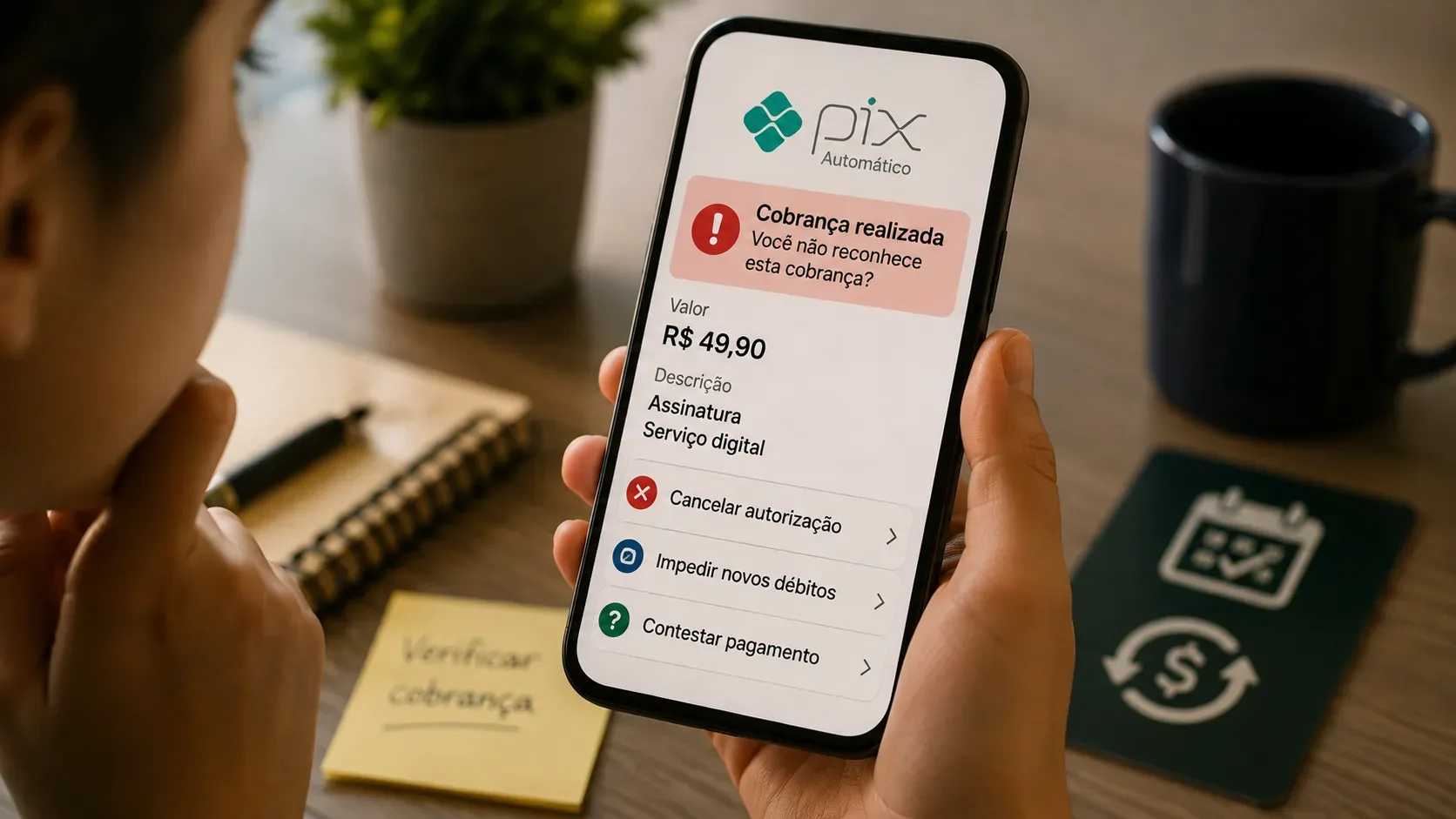
If a Pix Automático charge appears and you do not recognize the recipient, the authorization, or the amount, the first step depends on the stage of the charge. An active authorization, a scheduled payment, and a payment that has already settled require different actions. Canceling the authorization stops new charges under that recurring arrangement, but it does not reverse a payment that has already been completed.
Banco Central do Brasil rules allow the payer to manage authorizations and scheduled debits in the bank's Pix Automático environment. The key is to act before settlement when there is still time and, if the money has already left the account, to open a dispute through the bank.
What to do depends on the status of the charge
| Situation | Main action | Relevant deadline |
|---|---|---|
| You do not recognize the authorization and no debit has occurred yet | Cancel the authorization and check linked scheduled payments | The authorization can be canceled at any time |
| A future payment is already scheduled | Cancel the scheduled payment and, if the recurring arrangement is also unknown, cancel the authorization | By 11:59 p.m. on the day before payment |
| The Pix Automático payment has already settled | Dispute it with the bank and request a refund under the applicable mechanism | A MED request can be made within 80 days of the transaction |
1. If you do not recognize the authorization: cancel it first
Pix Automático works through a prior authorization. It allows a company to send recurring charges within the parameters accepted by the payer, such as recipient, frequency and, when set by the user, a maximum amount per charge. The payer can unilaterally cancel the authorization at any time.
In your app or online banking, look for the Pix Automático area and authorization management. Menu names vary by institution, but Banco Central requires banks to provide features for managing authorizations and scheduled payments.
- Open the authorization you do not recognize and check the recipient, frequency, validity period and displayed parameters.
- Cancel the authorization if you did not grant it or if it does not match the service you expected.
- After canceling, check the scheduled-payments list to confirm that future linked debits no longer appear.
- Keep the confirmation or a screenshot showing the cancellation date and time.
Watch out for same-day payments: when the payer cancels an authorization, the rules require cancellation of scheduled payments whose settlement is set for days after the cancellation date. Therefore, a debit due on the same day should be checked with the bank immediately; canceling the authorization that day should not be treated as a guarantee that the payment will be stopped.
2. If there is a scheduled debit: check the date and act before 11:59 p.m.
A specific Pix Automático payment can be canceled by the payer by 11:59 p.m. on the day immediately before the scheduled settlement date. This is different from canceling the authorization.
- If you recognize the authorization but disagree with only one charge, cancel that scheduled payment.
- If you recognize neither the charge nor the recurring arrangement, cancel the authorization and check whether the future scheduled payment was removed.
- If the payment is still listed and you are within the deadline, cancel the individual scheduled payment in the app as well.
Canceling only one scheduled debit does not end the authorization: later charges may continue. To stop new charges under the same recurring arrangement, you must cancel the authorization.
3. If the money has already left the account: cancellation does not reverse it
After settlement, the path is no longer “cancel the payment”; it becomes dispute the transaction and request a refund from the bank that holds the debited account. Banco Central states that problems involving Pix Automático can be handled through the Pix Special Refund Mechanism (MED), with rules that vary according to the type of incident.
When it is an error by the payer's bank in Pix Automático
There is specific treatment when the payer's bank sent a Pix Automático transaction that should not have been sent. The covered situations include:
- there was no valid authorization for that charge;
- the payment instruction was inconsistent with the parameters of the authorization granted;
- there was another operational failure by the payer's bank related to Pix Automático, such as processing a payment after a cancellation that should have been respected.
After receiving the complaint, the payer's bank must analyze the case. If the bank confirms that the error was its own, it must reimburse the customer using its own funds within 24 hours after the refund request, without depending on funds being available in the recipient's account. The bank may later try to recover the amount from the recipient's institution.
When the situation involves a scam or fraud
If the user did authorize or interact with the flow but did so in a fraudulent context, the dispute may follow the MED fraud process. Banco Central says the request can be made within 80 days from the date of the Pix. In this flow, funds still available in the recipient's account may be blocked during the review.
A fraud refund is not automatic or guaranteed: it depends on the institutions' analysis and on recoverable funds being available. In Banco Central's guidance for Pix Automático, the process can take up to 11 days.
How to gather evidence for the dispute
The more clearly you show what was or was not authorized, the easier it is to distinguish a legitimate charge from an error or fraud. Before opening the dispute, gather:
- the receipt for the settled Pix, including date, amount and recipient identification;
- details of the Pix Automático authorization, if still available;
- maximum amount, frequency, validity period and other parameters shown in the authorization;
- proof or screenshot of the authorization cancellation, if you already canceled it;
- the scheduled-payment record and scheduled settlement date, if applicable;
- bank notifications about scheduling, settlement or cancellation;
- the support protocol number and a precise explanation of why you do not recognize the charge.
In the complaint, do not say only “I do not recognize it.” State whether you never authorized that recipient, whether the authorization had already been canceled, or whether the charge violated a parameter shown in the authorization. This distinction helps the bank classify the case correctly.
How to prevent new debits while the dispute is being reviewed
- Cancel the unknown authorization as soon as you identify it.
- Review scheduled payments and individually cancel any future debit that is still within the cancellation deadline.
- Review the history and other active authorizations for additional recurring arrangements you do not recognize.
- If there are signs of unauthorized account access, use the bank's official security channels to secure access and review devices or credentials.
Do not wait for the refund of the amount already debited before blocking the recurring arrangement. These are separate procedures and can be handled in parallel.
What the bank must let you do in Pix Automático
Banco Central rules require the payer to be able to consult and cancel authorizations, consult and cancel scheduled debits, and review authorization history. The payer can also set a maximum amount per charge in the authorization. Exact menu presentation depends on each institution's app.
If you cannot find the needed function in the app, contact the bank through an official support channel and specify that the issue concerns Pix Automático, not a standard Pix transfer or traditional direct debit. This helps prevent the case from being routed to the wrong process.
Practical summary
- Unknown authorization: cancel the authorization and check linked scheduled payments.
- Future scheduled payment: cancel it by 11:59 p.m. on the day before; if the recurring arrangement is also unknown, cancel the authorization.
- Payment already completed: dispute it with the bank. If there was an error by the payer's bank in Pix Automático, a specific reimbursement rule applies; if there was fraud, the case follows the MED fraud review.
Current rules can be checked directly on Banco Central's Pix Automático page, its guidance for payers, and BCB Normative Instruction No. 513.