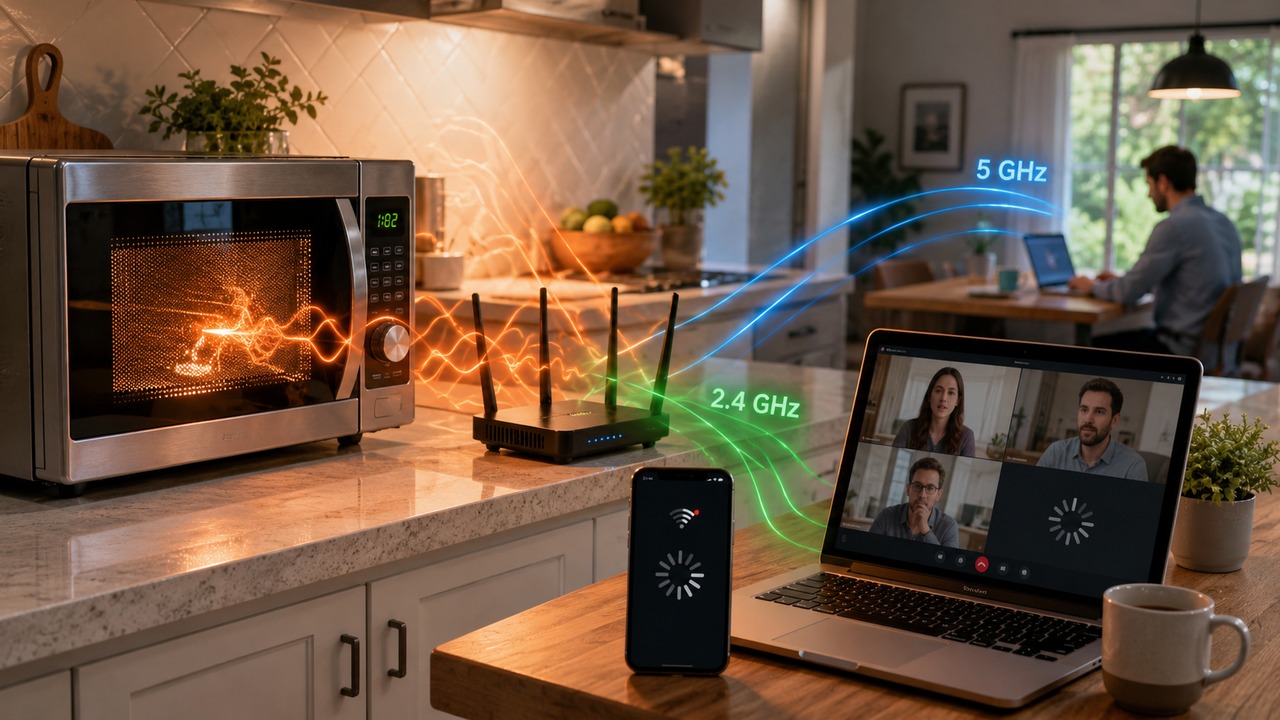
If the Wi-Fi slows down or drops out just when the microwave starts working, the coincidence has a very concrete radio explanation. The oven generates radio frequency energy close to 2.45 GHz, while 2.4 GHz Wi-Fi occupies a band that passes through the same region of the spectrum. When some of this energy reaches the router or connected device, it can increase noise, clutter the channel, or corrupt transmissions. The result appears as delay, dropped frames and retransmissions.
This does not mean that every microwave takes down every 2.4 GHz network. The intensity of the effect depends on the device, the position of the oven, the distance to the router and clients, the obstacles, the channel used and the signal range that the connection already had. It also doesn't mean that sensing interference is a dangerous leak test. Oven safety and Wi-Fi performance are radio frequency-related issues, but measured using completely different criteria.
2.4 GHz is not a single frequency
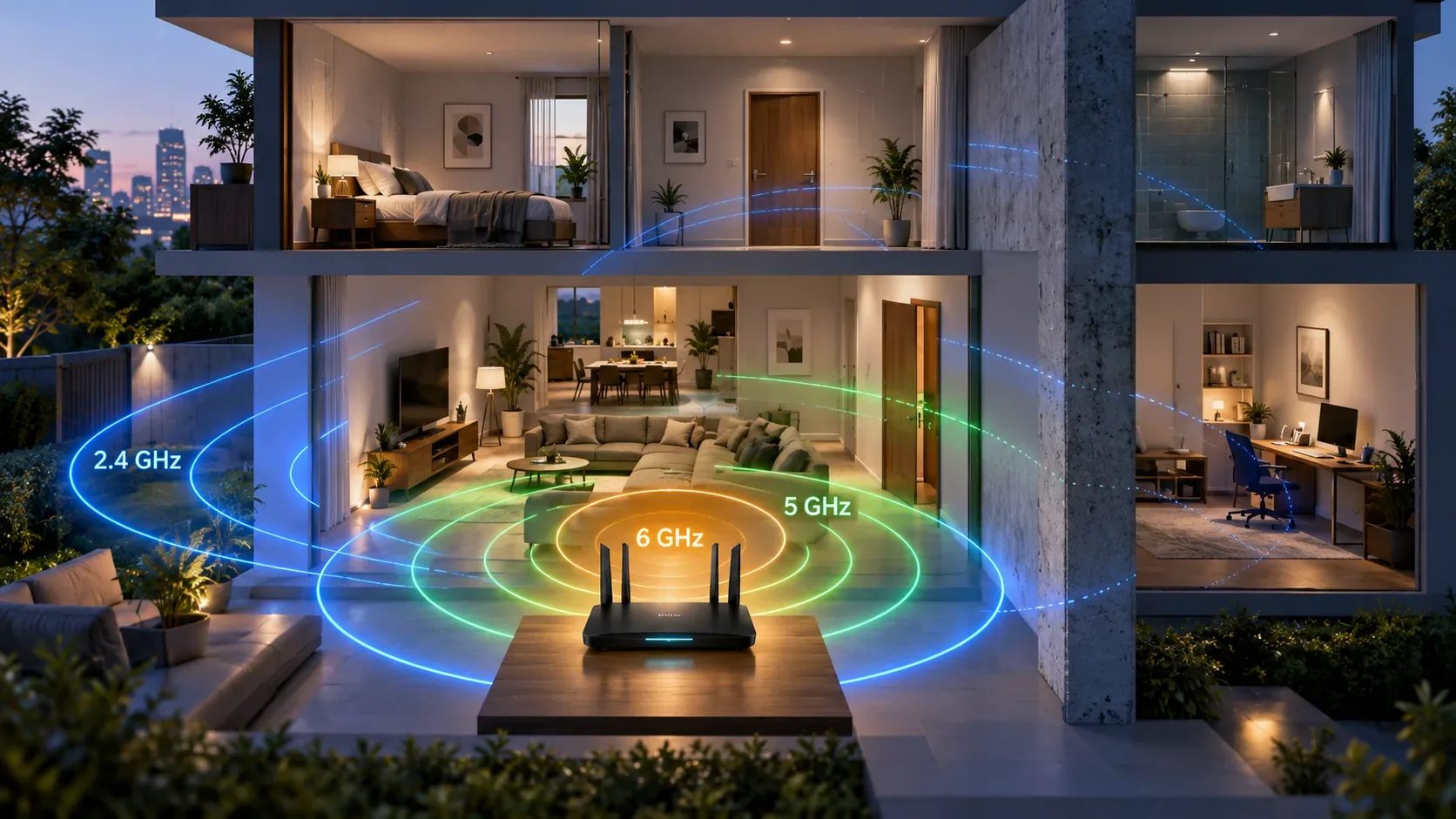
The name "2.4 GHz Wi-Fi" simplifies an entire range. The Cisco Meraki documentation describes this band as being 83.5 MHz wide and has several 20 MHz channels, with only a few non-overlapping channels in many regulatory domains. In other words, the router does not transmit at an isolated mathematical point; it uses a slice of the spectrum.
Microwave ovens were not chosen by chance to work in this neighborhood either. The North American regulation of industrial, scientific and medical equipment, the so-called ISM band, includes 2450 MHz with a tolerance of plus or minus 50 MHz. It is a region that overlaps the band used by 2.4 GHz Wi-Fi.
Inside the oven, the magnetron produces microwave energy used to heat food. The metal cavity, the door and its shielding structure exist to contain this energy. Even so, from the point of view of a very sensitive radio receiver, an emission close to the operating range may become interference before representing any conclusions about human safety.
The problem appears as noise, waiting and retransmission
Wi-Fi is a shared medium. Before transmitting, devices check whether the channel appears clear. Cisco channel planning documentation explains that this listening prevents collisions between recognizable 802.11 transmissions. Sources that do not speak the Wi-Fi protocol, however, may simply appear as power or noise in the spectrum.
When interference overrides the useful signal, a frame may arrive corrupted or not at all. The protocol waits for confirmation from the receiver; if it does not appear, the same frame needs to be sent again. Each attempt consumes radio time. Therefore, the connection can remain "connected" to the router and still experience frozen video, dropped calls, pages taking a long time to open or speed tests that are much lower than normal.
In more intense cases, the network appears to go down for a few seconds because the volume of errors and retransmissions makes practical communication almost useless. The router doesn't need to turn off, the provider doesn't need to be offline and the signal displayed on the cell phone can even remain relatively strong. Signal bars measure a portion of the story; alone do not show the quality of the channel.
Why 5 GHz tends to escape microwaves better
The most direct solution is to move out of the range in which the interferer is concentrated. 5GHz Wi-Fi operates at frequencies well above 2.4GHz, so a microwave disrupting the 2.4GHz band typically doesn't create the same direct problem on a 5GHz connection.
This does not make 5 GHz immune to all interference. There are other sources and other users of the spectrum in this band. The advantage here is specific: the home oven that bothers 2.4 GHz is in another frequency neighborhood.
There is an exchange. Cisco points out that 2.4 GHz tends to reach farther and penetrate through obstacles better than 5 GHz, so switching bands can eliminate microwave interference while also exposing a coverage issue if the device is far from the router or behind many walls.
And 6 GHz?
On equipment compatible with Wi-Fi 6E or Wi-Fi 7, the 6 GHz band is also outside the region used by the oven. Current Cisco Meraki documentation treats 6 GHz as a separate spectrum from the traditional 2.4 and 5 GHz bands.
In practice, 6 GHz may provide a cleaner environment for compatible devices, but the higher frequency also suffers from greater attenuation with distance and obstacles. It is an interesting alternative when the router and client support the band and are in a well-covered area; It is not an automatic replacement for whole-home 2.4GHz.
Distance matters because the connection has two sides
The position of the router in relation to the microwave is important, but so is the position of the device. A Wi-Fi connection is bidirectional: the access point needs to listen to the cell phone or notebook, and the client needs to listen to the access point. If either is receiving too much interfering energy near the oven, the link may suffer.
So placing the router glued to the microwave is a bad setup even when the Wi-Fi signal appears strong. Moving the router away from the oven, preventing the two from being in the same niche and moving the access point away from large metal surfaces can improve the ratio between useful signal and noise.
Distance also explains why two people in the same house can report different effects. A laptop on the kitchen counter can freeze while a TV in another room continues
working. What matters is how much of the useful signal and how much of the interference reaches each receiver at that point.
Switching the 2.4 GHz channel may help, but is not a guarantee
Because 2.4 GHz contains multiple channels, it is possible for one channel to be affected differently than another. Interference from a real oven does not need to be the same intensity across the entire range, and the home network may also be competing for space with neighboring routers, Bluetooth, and other devices.
Trying another channel may improve the situation, especially if the current channel is already congested. But the room for maneuver at 2.4 GHz is small. In many scenarios, insisting on switching channels produces less results than using 5 GHz for devices that support that band and need greater stability near the kitchen.
It's also worth avoiding the idea that "channel 1" or "channel 11" is universally the best against microwaves. The best channel depends on the environment, the oven, nearby networks and the regulatory domain. The diagnosis must be comparative, not based on a fixed recipe.
A simple test separates interference from other defects
Is it possible to verify the hypothesis without laboratory equipment. Choose a notebook or cell phone that can use 2.4 and 5 GHz and keep it in the same place throughout the test. First, explicitly connect it to the 2.4GHz network and observe delay-sensitive activity, such as a video call, latency test, or continuous transfer. Record how the connection behaves with the microwave turned off and repeat while it heats a normal load of food or water according to the appliance manual.
Then keep the same device and the same position, but repeat the test at 5 GHz. If the degradation appears repeatably at 2.4 GHz only when the oven operates and disappears or decreases greatly at 5 GHz, the interference hypothesis gains strength.
The test is most useful when it is repeated a few times and with few other variables changing at the same time. It doesn't need to produce a perfect number. The question is whether there is a consistent pattern between the state of the furnace and the performance of each band.
This test does not measure oven safety
Here is the most important distinction. Detecting worsening Wi-Fi does not allow us to conclude that the oven is leaking radiation above a safe limit. A Wi-Fi receiver is built to detect extremely weak radio signals; The performance criteria for a wireless network are not the same as those used to evaluate human exposure or appliance compliance.
The FDA sets an emission limit for microwave ovens and requires safety systems attached to the door. The same guidance recommends not using the appliance if the door does not close tightly, is warped or damaged, or if there are problems with the hinges, locks or seals. If the oven continues to operate with the door open, we recommend that you stop using it immediately.
Therefore, a worsening 2.4 GHz network near the microwave may be a good indication of radio frequency interference, but it is no substitute for technical inspection or proper measurement of microwave leakage. If there is physical damage to the door, lock or seal, the correct course of action is to stop using the device and seek out the manufacturer or qualified assistance, and not attempt to "confirm" the defect via Wi-Fi.
What usually works in practice
For a device close to the kitchen, the first change to test is to use 5 GHz when there is sufficient coverage. On compatible devices very close to the router, 6 GHz can also bypass this specific source of interference. If the 5 GHz connection becomes weak due to distance, improving the position of the router or adding adequate coverage tends to be more consistent than automatically switching back to 2.4 GHz.
The second change is physical: increase the separation between the microwave and the router and avoid installing the access point immediately next to, above or behind the oven. In Wi-Fi, a few meters and better positioning can greatly change the relationship between signal and interference.
Channel switching at 2.4 GHz is a complementary adjustment. It can help if there is a combination of interference from the oven with neighboring networks, but should not be sold as a guaranteed solution. If the symptom is perfectly synchronized with the microwave's operation, moving out of the affected band is often a clearer test.
The signal that matters is the pattern
The microwave does not "turn off the internet". It can degrade a specific wireless link because its radio frequency energy appears near the same band used by 2.4 GHz Wi-Fi. When this increases noise, waiting, errors, and retransmissions, real-time applications are the first to report the problem.
If 5 GHz remains stable in the same place while 2.4 GHz only gets worse with the oven on, there is a coherent technical explanation and a practical route to correction. If both bands fail, or if the drop occurs even with the oven turned off, it is worth expanding the diagnosis to coverage, congestion, router, client or connection with the provider.
And, if the question is safety of the appliance, use the correct signs: condition of the door, locks, hinges, sealing, abnormal behavior and manufacturer's guidance. Bad Wi-Fi near the microwave is a radio coexistence problem; it is not a safety meter.