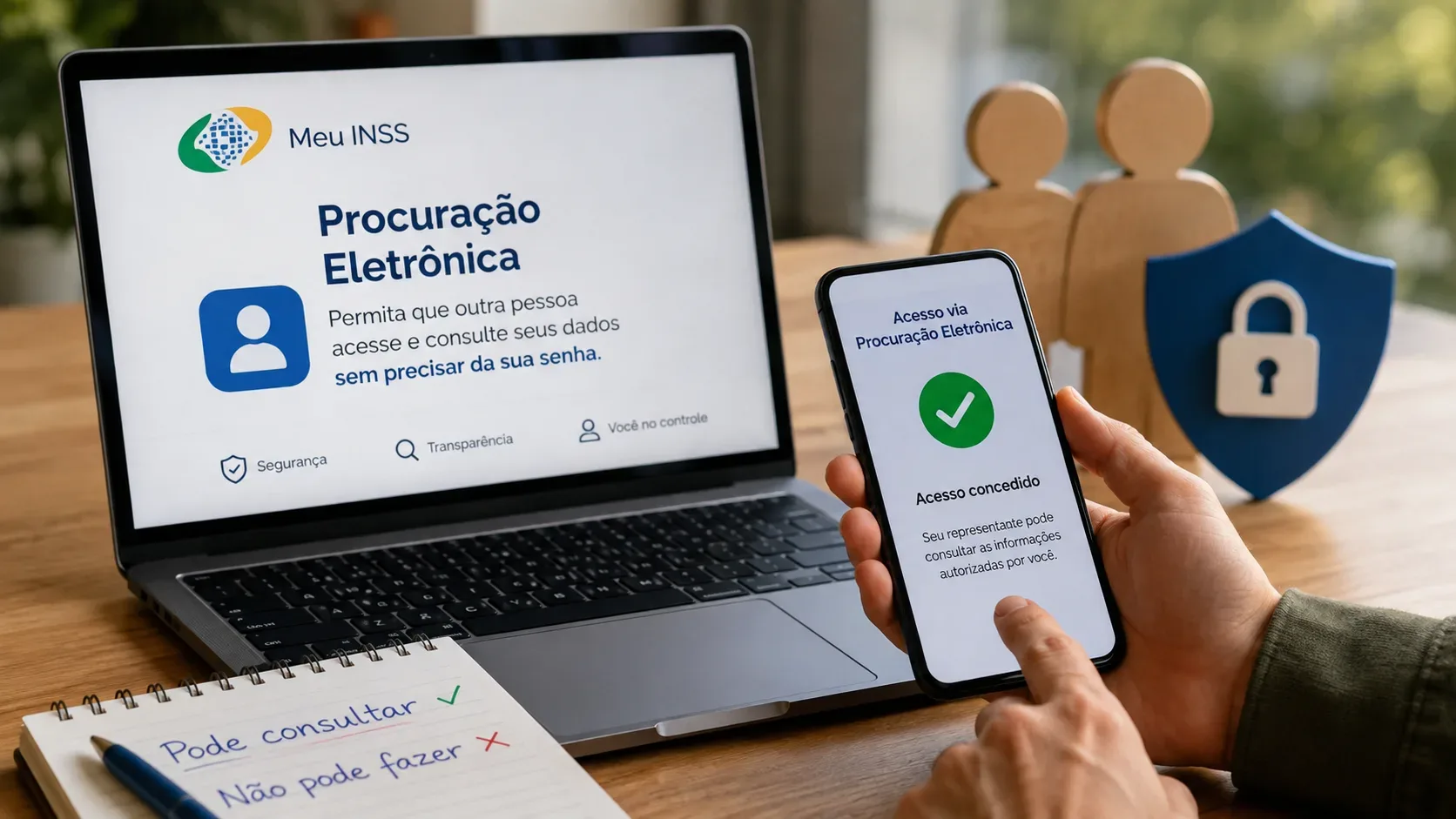
Meu INSS's electronic power of attorney was designed to let another person consult social-security information on a citizen's behalf without receiving the citizen's gov.br password. The representative uses their own account and can access only what has been authorized. Under the official scope reviewed on September 2, 2026, however, this authorization is still focused on consultation: it does not enable changes or the filing of a new request in Meu INSS.
This distinction is the most important point for using the feature safely. Granting an electronic power of attorney is not the same as handing over your account login, and it does not give unrestricted access to every service. Its scope depends on the selected services, the validity period, and confirmation by the grantor—the person authorizing the representative.
What the representative can and cannot do today
| Situation | Allowed? | How it works |
|---|---|---|
| Consult authorized documents and online services | Yes | INSS identifies this as one of the two consultation groups currently available. |
| Consult authorized requests and benefits | Yes | The representative may follow the information covered by the authorization and within its validity period. |
| Make changes in Meu INSS on the citizen's behalf | Not under the current scope | Official guidance says the electronic power of attorney still does not allow changes. |
| File a new request | Not under the current scope | New applications remain outside the feature described by INSS. |
| Log directly into the citizen's gov.br account | No | The representative acts through their own gov.br account and does not gain control of the grantor's account. |
| Use a printed copy of the electronic power of attorney as a document | No | INSS rules limit its use to the digital platform and state that it is not valid when printed or shared as a document. |
The INSS page summarizes the current scope in two groups: consultation of documents and online services, and consultation of requests and benefits. The same page says that changes and new requests are not yet possible. This is consistent with Joint Ordinance DTI/DIRBEN/INSS No. 10/2025, as amended in June 2026, which defines the electronic power of attorney as a mechanism for consulting INSS digital services.
Why this is safer than sharing a password
The feature separates the identities of the two people involved. The citizen keeps their password and account; the representative uses their own credentials and receives only the authorization required for the selected services. Government Digital guidance also states that the representative does not have direct access to the grantor's gov.br account and cannot manage that account's data.
In practice, this removes a common reason for giving a password to a family member, caregiver, or trusted helper. INSS itself describes the feature as a way to receive assistance without exposing the insured person's credential. Government Digital guidance also tells citizens not to share their gov.br password with third parties.
Security rule: the electronic power of attorney replaces password sharing; it does not legitimize it. The account holder should perform their own authentication and signature whenever the system asks for confirmation. If someone asks for your password in order to “use the power of attorney,” they are asking for the very thing the feature was built to avoid.
Who can create the electronic power of attorney
Since the update published in June 2026, either the grantor or the representative may start the registration process. The difference is that a proposal created by the representative becomes valid only after the citizen reviews and confirms the authorization with an electronic signature on gov.br.
For requesting or approving the authorization, INSS rules require silver- or gold-level gov.br accounts. INSS guidance also states that the representative must have two-step verification enabled. The general gov.br power-of-attorney page adds operational requirements, such as a registered address for the parties, which can be checked in each account before the authorization is created.
Flow when the citizen creates the authorization
- Sign in to gov.br and open Electronic powers of attorney.
- Choose Powers of attorney as Grantor and start a new registration.
- Enter the representative's CPF.
- Set the end date and select the services the representative may access.
- Carefully review the selected services and the validity period.
- Proceed to the electronic signature and confirm it with the code requested by gov.br.
- After signature, the authorization becomes active for the representative within the selected limits.
For Meu INSS, that authorization must still be read together with INSS's own functional limits: even when the power of attorney is active, the representative can only use functions integrated into the power-of-attorney system and specifically authorized by the grantor.
Flow when the representative creates the proposal
- The representative signs in to their own gov.br account, opens Electronic powers of attorney, and chooses Powers of attorney as Representative.
- They enter the grantor's CPF, set the validity period, and select the intended services.
- They review the information and send the proposal.
- The citizen receives the proposal and opens Powers of attorney as Grantor.
- Before signing, the grantor reviews the information and may reject it or return for editing when needed.
- The authorization becomes active only after the grantor's electronic signature.
This prevents mere knowledge of someone's CPF from being enough to create valid access. The representative may initiate the process, but final authorization remains with the account holder.
Validity: how long access can remain active
The authorization must have a validity period. In the gov.br electronic power-of-attorney tool, the period can be set from 1 day to 5 years. Once that period ends, the authorization becomes expired and can no longer be used by the representative.
A prudent approach is to choose a period that matches the actual task. If help is needed only to monitor an existing claim, there is little reason to grant a longer period than necessary. Before signing, also confirm the selected services: gov.br states that, after signature, an active power of attorney cannot simply be edited; changing its scope may require canceling it and creating a new one.
How to revoke or cancel access
The updated INSS ordinance provides that both the representative and the represented person may revoke the electronic power of attorney at any time through their gov.br account, without giving a reason and without visiting a Social Security Agency in person. In the gov.br interface, the grantor sees an option to revoke, while the representative sees an option to cancel.
Gov.br also lets both parties review the power of attorney's usage history, including the date and time of access and the services used. Because there is no automatic notification for every use, this history is useful when the grantor wants to monitor the representative's activity. If misuse is suspected, official guidance recommends checking the history and revoking the authorization to prevent further access.
Be careful when creating another authorization for the same service
The gov.br system states that the same service cannot be linked at the same time to two active powers of attorney for the same grantor. If a new authorization includes a service already delegated, the system warns the grantor before signature, and the previous authorization linked to that service may be automatically revoked when the new one is signed.
Before replacing a representative, therefore, check which authorizations are still active. This helps avoid unintentionally canceling an authorization that was still being used for another follow-up task.
When Meu INSS's electronic power of attorney is not enough
If the goal is to change data, correct information, file a new request, or perform a service that has not been integrated with the electronic power of attorney, the representative should not assume that consultation authorization is sufficient. The correct route depends on the service and may involve Meu INSS itself, the 135 call center, or a Social Security Agency. INSS maintains an official service-by-channel table for checking this.
The Meu INSS electronic power of attorney should also not be treated as a printed representation document for any purpose. The official INSS guidance and the ordinance make clear that this modality is tied to the digital environment and to the authorized services.
Checklist before authorizing someone
- Do not share your gov.br password.
- Confirm that both accounts meet the required security level and settings.
- Review the representative's CPF, the selected services, and the end date.
- If the representative initiated the proposal, do not sign before checking every field.
- Choose the shortest validity period that meets the real need.
- Review access history periodically if the authorization will remain active for a long time.
- Revoke the authorization when it is no longer needed.
Digital rules and screens may change. This article reflects the official scope published in the sources reviewed through September 2, 2026. For specific social-security cases involving record corrections, applications, deadlines, or representation outside Meu INSS, check the official service concerned and, when appropriate, seek specialized human review.
Official sources
- INSS — Meu INSS Electronic Power of Attorney step-by-step guidance, updated June 12, 2026
- INSS — Joint Ordinance DTI/DIRBEN/INSS No. 10/2025, amended text as of June 12, 2026
- Government Digital — gov.br electronic power-of-attorney questions and answers, updated June 19, 2026
- Government Digital — gov.br account security guidance