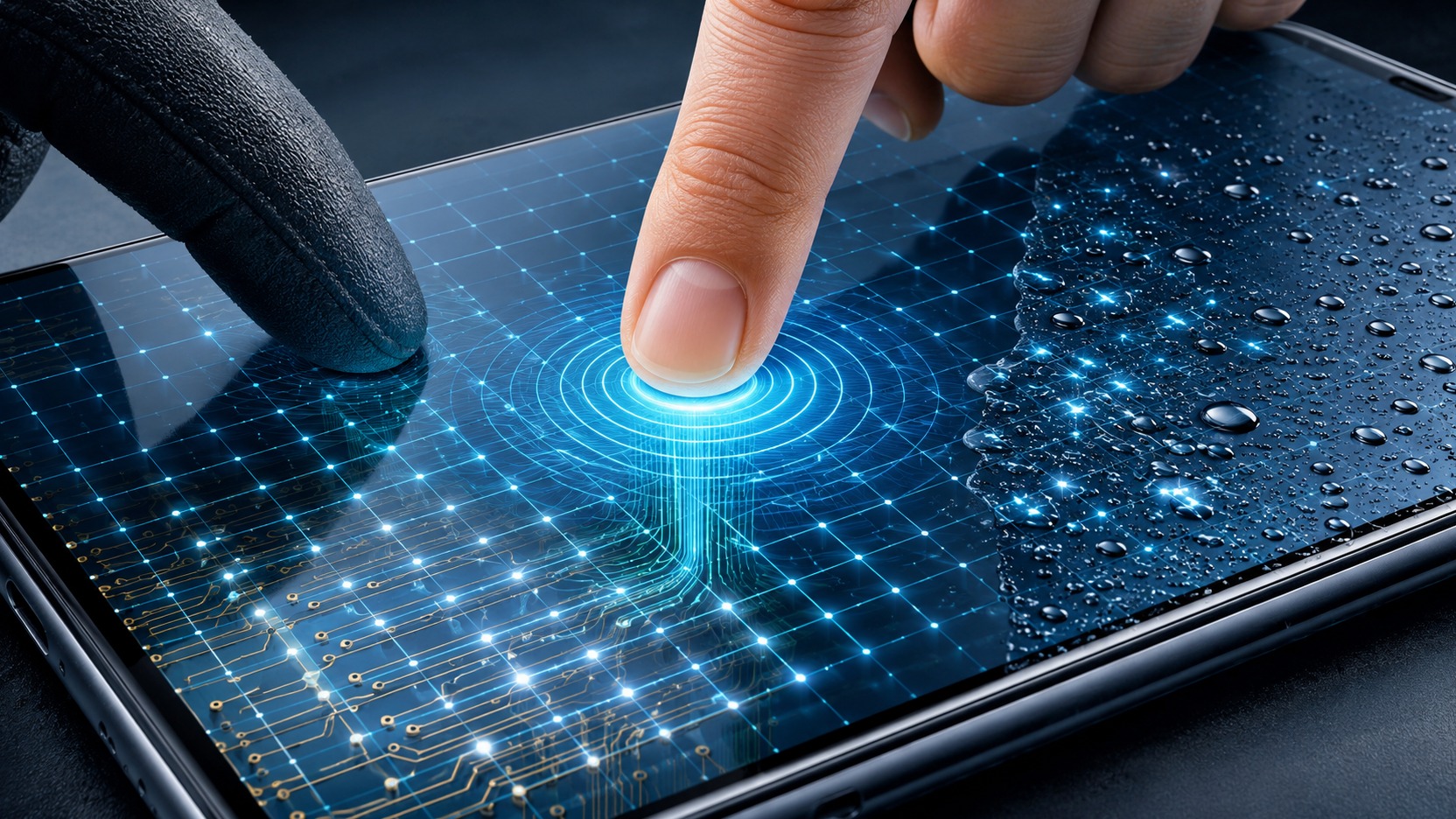
The capacitive touch screen does not identify the finger because it “has electricity” and much less because it receives a current sent by your skin. What it does is measure a very small change in an electrical system that already exists under the glass. When your finger approaches or touches it, it changes the coupling between the sensors. The controller transforms this change into numbers, compares the drawing produced at various points and calculates where the touch occurred.
This detail explains almost everything that seems strange in everyday use. A glove may make the change too small. A drop of water also changes the electrical field and can appear to be a touch, hide a real touch, or create a pattern that the software decides to reject. That's why two capacitive screens can react differently to the same wet glove or finger.
The invisible grid that exists beneath the glass
In a projected capacitive screen, known by the acronym PCAP, the sensor is usually made up of transparent electrodes organized in rows and columns. A transparent conductive material, such as indium tin oxide, can be deposited on glass and drawn into patterns that form this matrix. The controller connects to these rows and columns and takes repeated measurements while the screen is in use.
In mutual capacitance systems, part of the electrodes functions as a transmitter, or Tx, and another part as a receiver, or Rx. Each intersection creates a measurement region. The controller excites a transmitter line, observes how much signal reaches the receivers and creates an electrical map of the surface.
The resolution perceived by the user does not depend on there being a microscopic sensor exactly under each pixel of the image. A finger affects several neighboring points on the matrix. By comparing the relative intensity of these changes, the algorithm can estimate a position between the electrodes. This is how a more closely spaced physical grid can produce touch coordinates much finer than the size of each sensor cell.
The finger changes the capacitance, it does not “inject electricity” into the screen
Capacitance is a property of an electrical system related to the amount of charge that can be stored for a given potential difference. In a capacitive interface, the main interest is how the electric field is distributed between the electrodes and the environment around them.
The human body is conductive and is capacitively coupled to the environment and the device itself. When the finger enters the field of the Tx and Rx electrodes, it deflects part of this field. In a mutual capacitance measurement, the typical result is a reduction in coupling between transmitter and receiver. The change is small, but measurable. The circuit converts this variation into digital values and the firmware decides whether they correspond to a real touch.
There are also self-capacitance sensors. In them, the controller observes the capacitance of an electrode in relation to the rest of the system, and the presence of the finger usually increases the measured value. Many modern controllers can use more than one method. This is important because each method offers different advantages for locating multiple fingers, dealing with noise, recognizing gloves, or distinguishing liquid from touch.
What the controller is really looking for
The controller is not limited to asking whether a single point has crossed a threshold. It receives a set of values distributed across the matrix. A finger produces a characteristic spatial shape: there is a region of greater change surrounded by points of lesser effect. Position can be estimated from this set, and movement arises when the same region changes location between one scan and another.
This reading in the form of a map also allows you to apply filters. Changes that are too widespread, too large, too fast, or incompatible with a finger can be classified as noise, water, palm, or other object. The result depends on the sensor design, glass thickness, analog electronics, configured sensitivity and algorithms used by the controller.
That's why the feeling of “the screen recognizes my finger” is, in practice, a chain of decisions: measuring the matrix, comparing it with a reference, identifying a significant change, grouping the points that seem to belong to the same contact and transforming this group into coordinates for the operating system.
Why a glove can make touch disappear
The glove puts additional material and distance between the finger and the sensor's electrical field. This reduces the effect that the finger can produce when measuring. In practical terms, the ringing signal is smaller in relation to the noise. The worse this relationship, the more difficult it is to separate intentional contact from small normal variations in the circuit.
Thickness is not the only factor. Material, glove structure, contact area size, glass thickness and controller adjustment also change the result. This is why a thin glove may work on one device and fail on another, while a thicker glove may be recognized when the device has a specific mode for that scenario.
The solution is not simply to increase sensitivity to maximum. A system that is very sensitive to a weak touch may also be more vulnerable to noise and the effects of humidity. Designing glove support requires choosing thresholds, measurement methods, and filters that maintain enough margin to differentiate the covered finger from other signals.
Some controllers use self-capacitance or more sensitive measurement modes when conventional mutual capacitance cannot detect a touch through a thick sleeve. The cost is that this mode may provide less spatial information for some types of multitouch or require additional sorting before accepting the contact.
Why water is a different problem than gloves
The glove tends to weaken the influence of the finger. Water is more complicated because it also participates in the electric field. It has dielectric properties very different from those of air and can couple to electrodes, the device's grounding and other parts close to the sensor.
Depending on where the drop falls and how it spreads, the liquid can reduce the mutual capacitance of a finger-like region or, in another geometry, increase the coupling between Tx and Rx. In capacitive designs, both behaviors need to be considered. This helps to understand why one drop does not always produce the same effect.
On the entire screen, several drops or a film of water modify many points of the matrix at the same time. The controller now receives a map that does not correspond to the clean contact of a dry finger. In a poorly liquid-tolerant system, part of this map may cross detection limits and appear as ghost ringing.. In another case, the software may reject so much that a true touch is no longer accepted.
A wet finger is not the same thing as a wet screen
When the finger is wet, there are two sources of change together: the body itself and the layer of liquid between the skin and the glass. Water can increase the effective electrical area of the contact, create paths to neighboring regions, and change the shape of the signal the controller expects to find.
So the problem is not simply “water conducts electricity”. The question is how the liquid changes the capacitances and the spatial design of the measurements. A continuous film, an isolated drop and a wet finger can generate different signatures, even if visually everything just looks like a “wet screen”.
This difference is important for firmware. Rejecting any sign associated with water would prevent using the screen with a wet finger. Accepting any strong change would increase the risk of false touches. More robust controllers attempt to separate these cases by combining information from more than one measurement method and analyzing the shape of the contact over time.
How modern screens try to separate finger, water and glove
Capacitive controller manufacturers document specific features for harsh environments. There are families that combine mutual capacitance and self-capacitance measurements, switch sensitivity modes, and apply water rejection routines. There are also functions described as wet finger tracking, thick glove support, large object rejection, and automatic sensor baseline tracking.
The central idea is to obtain more information before deciding. Mutual capacitance is very useful for locating multiple touches and forming a detailed map. Self-capacitance can help in weak signal situations, such as some glove touches. When the liquid changes each method differently, comparing results can also help avoid false positives.
This type of combination does not make the screen immune to any condition. Performance continues to depend on physical construction, screen size, coating thickness, noise generated by the display and power supply, type of glove, amount of water and chosen calibration.
by the device manufacturer.
Why two cell phones can react so differently
Even if two devices use the same basic idea of a capacitive touchscreen, they can have matrices with different geometries, glass of different thicknesses and controllers with different features. The manufacturer also decides how much to prioritize sensitivity, palm rejection, behavior with gloves, wet screen response and power consumption.
The protective film or glass added after manufacturing also comes into this equation because it increases the distance between finger and sensor. On a device with a good signal margin, the difference may be imperceptible. In another case, a thick layer can bring the touch closer to the detection limit and make failures with a glove or with the fingertip lightly touched more frequent.
The electrical condition of the device itself can also influence the available margin. Capacitive systems must deal with coupling to device ground, display noise, and noise from chargers or power supplies. The controller measures very small signals, so the design needs to preserve a sufficient signal-to-noise ratio for the algorithm to continue recognizing the finger pattern.
The best way to imagine the capacitive touchscreen
Instead of thinking that the screen “feels the electricity of the finger”, imagine an invisible mesh that produces an electrical map of the surface. The finger deforms this map in a predictable way. A sleeve reduces deformation. Water can deform several points at the same time or even change the signal in a different direction, depending on where it is and how it attaches to the sensor.
The physical part creates the capacitance changes. The controller transforms these changes into data. The software decides whether the pattern looks like a finger, a glove, water, palm, or noise. It's this combination of sensor and rating that explains why one screen works perfectly with a dry finger, falters with a glove, and can go crazy with drops, while another keeps tracking touch under the same conditions.
In the end, “capacitive touch” describes the measurement principle, not a single behavior. More sophisticated controllers can extract more signals from the same surface and combine techniques to keep touch usable in situations that would otherwise cause the interface to fail.