Short answer: Live Translation on AirPods 5 depends on the iPhone, not just the earbuds. Apple says the feature works when AirPods 5 are paired with an iPhone running iOS 26 or later with Apple Intelligence enabled. Because Apple Intelligence requires iPhone 15 Pro models or iPhone 16 and later models, iPhone 15 and iPhone 15 Plus are excluded, as are older models. Portuguese (Brazil) is one of the supported languages.
Which iPhones are compatible with Live Translation on AirPods 5?
The safest way to check compatibility is to combine two official requirements: the current AirPods 5 page, which requires iOS 26 or later with Apple Intelligence enabled, and the Apple Intelligence requirements page, which limits support to iPhone 15 Pro models and iPhone 16 or later models.
| iPhone | Live Translation with AirPods 5 | Why |
|---|---|---|
| iPhone 15 Pro / 15 Pro Max | Yes | These are the iPhone 15-generation models that support Apple Intelligence. |
| iPhone 16 models or later | Yes | Apple lists iPhone 16 or later models among Apple Intelligence-compatible devices. |
| iPhone 15 / 15 Plus | No | They are not on Apple's list of iPhones that support Apple Intelligence. |
| iPhone 14 and earlier | No | They also fail the Apple Intelligence requirement. |
This prevents a common misunderstanding: installing a newer iOS version does not make an iPhone without Apple Intelligence support compatible. The iPhone hardware remains a requirement.
Checklist: what must be enabled and updated
If your iPhone is in the compatible range, check the items below before assuming the AirPods are defective or the feature is unavailable.
- iOS 26 or later: AirPods 5 require at least this version for Live Translation. Apple recommends using the latest available version.
- Apple Intelligence enabled: it powers the feature. On a compatible device, confirm that it is enabled in Settings.
- Compatible device and Siri languages: Apple says the iPhone language and Siri language should be set to the same supported language for Apple Intelligence. Changing languages may require the on-device models to download again.
- Storage for Apple Intelligence: Apple lists about 7 GB of device storage for its local models.
- Apple Translate app installed: Apple's AirPods Live Translation support documentation uses the Translate app to configure and start conversations.
- AirPods firmware up to date: the feature also depends on the latest earbud firmware.
- AirPods paired and connected: the feature appears in the correct workflow only when the earbuds are connected to a compatible iPhone.
- Languages downloaded: download both the language spoken by the other person and the language you want to hear.
How to set up Live Translation for Portuguese
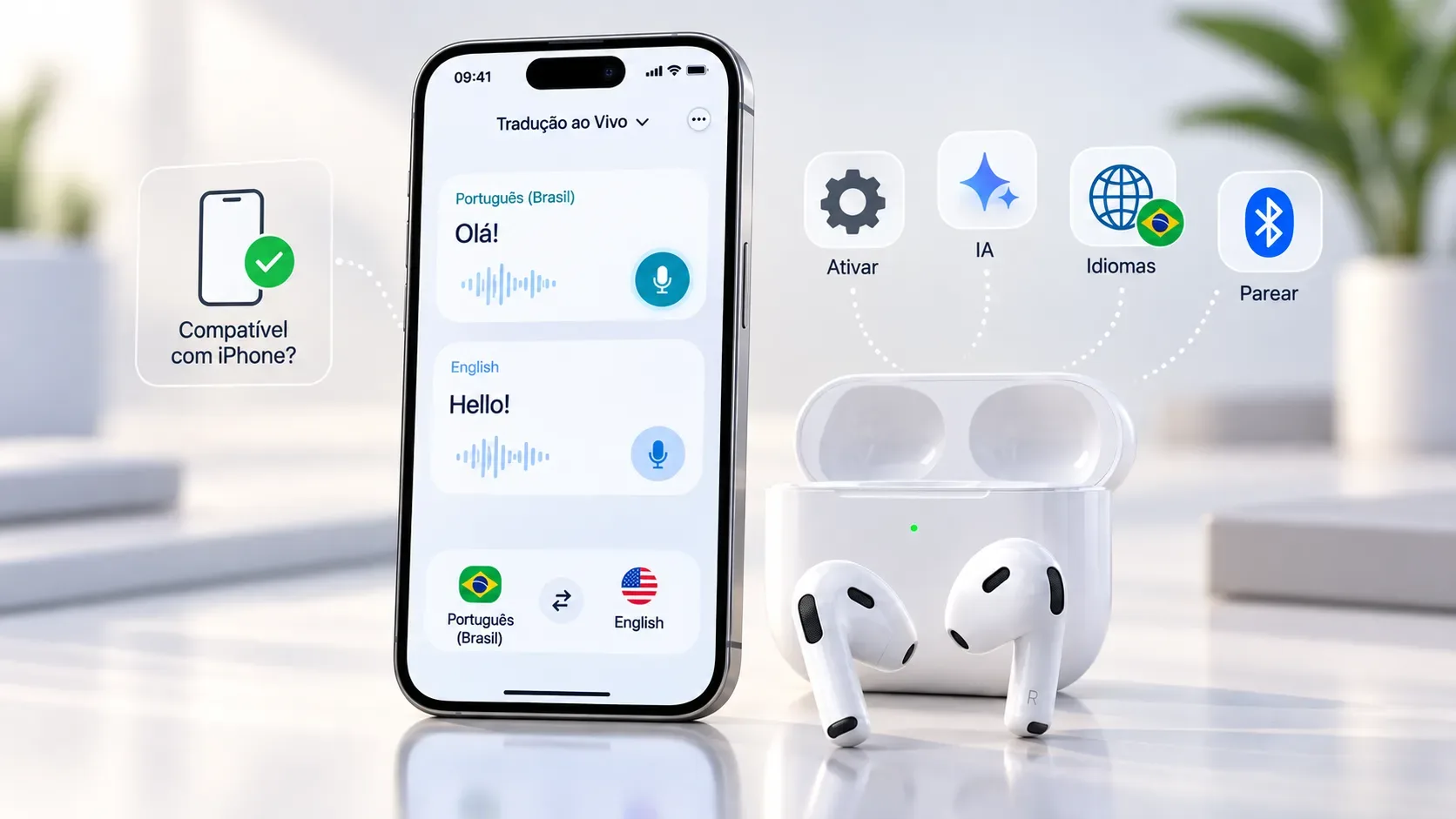
In Apple's support material, setup runs through the AirPods settings and the Translate app. With the AirPods connected, open Settings, tap the AirPods name, go to Translation and then Languages to download the required languages. Next, open the Translate app, tap Live, and select the other person's language and the language you want to hear.
For a conversation, both languages must be available on the device. If you want to hear Brazilian Portuguese while another person speaks English, for example, download Portuguese (Brazil) and one of the supported English variants. Apple says that after the languages are downloaded, conversation processing takes place on the iPhone.
When does it work in Brazilian Portuguese?
On Apple's Brazilian AirPods 5 page and the iOS 26 feature availability page, Portuguese (Brazil) appears among the languages supported by Live Translation with AirPods. The current list also includes U.S. and U.K. English, French (France), German (Germany), Spanish (Spain), Italian, Japanese, Korean, and Mandarin Chinese in simplified and traditional variants.
Language support, however, is not the same as unrestricted availability. Apple notes that some features may vary by country or region. An option that is missing can therefore have three different causes: an incompatible device, incomplete setup, or a regional limitation.
How to tell a regional limitation from a setup problem
| Symptom | What to check first | Likely interpretation |
|---|---|---|
| Apple Intelligence does not appear or will not enable | iPhone model, device/Siri language, iOS version, and free storage | Apple Intelligence eligibility or setup issue. |
| Apple Intelligence works, but Live Translation is missing | iOS 26+, AirPods firmware, Translate app, pairing, and regional availability | Feature setup or availability restriction. |
| Live Translation opens, but one language is missing | Official language list and downloaded language packs | Language not supported in this mode or package not yet downloaded. |
| Portuguese (Brazil) appears, but the conversation will not start | AirPods connection, downloaded languages, Apple Intelligence status, and restarting the flow from Translate | More likely a setup/connectivity issue than lack of Portuguese support. |
Does the other person need AirPods too?
No. Apple explains that you can hear the other person's speech translated through your AirPods and use the iPhone to show your translated reply or play it through the speaker. If both people have compatible AirPods, compatible iPhones, and Live Translation configured, each person can hear the conversation in the language they selected.
What to check before buying AirPods 5 for translation
If Live Translation is an important reason for the purchase, confirm your exact iPhone model first. An iPhone 15 Pro or 15 Pro Max meets the Apple Intelligence device requirement; iPhone 15 and 15 Plus do not. For iPhone 16 or later models, Apple includes them in the Apple Intelligence-compatible family.
Then treat the other requirements as a chain: compatible iPhone → iOS 26+ → Apple Intelligence enabled → Translate app → current AirPods firmware → downloaded languages → feature available in your region. If one link is missing, AirPods 5 may work normally for audio while Live Translation remains unavailable.
AirPods 5 go on pre-order in Brazil on September 11, 2026, with availability announced from September 18. For last-minute changes to requirements or languages, check the official AirPods 5 page, the Apple Intelligence requirements, and the iOS feature availability page.